> ## Documentation Index
> Fetch the complete documentation index at: https://docs.wandb.ai/llms.txt
> Use this file to discover all available pages before exploring further.
# PyTorch torchtune
> PyTorch torchtuneでW&B loggingを使用して、WandBLoggerメトリクスロガーでLLMのファインチューニング実験をトラッキングします。
export const ColabLink = ({url}) =>
Colabで試す
;
[torchtune](https://meta-pytorch.org/torchtune/stable/index.html) は、LLM の作成、ファインチューニング、実験を効率化する PyTorch ベースのライブラリです。torchtune は [W\&B へのログ記録](https://meta-pytorch.org/torchtune/stable/deep_dives/wandb_logging.html) も標準でサポートしており、トレーニング過程のトラッキングと可視化を強化します。
このガイドでは、torchtune のレシピで W\&B logging を有効にする方法、`WandBLogger` メトリクスロガーの設定方法、torchtune がデフォルトでトラッキングするメトリクス、およびモデル チェックポイントを W\&B Artifacts に保存する方法を説明します。
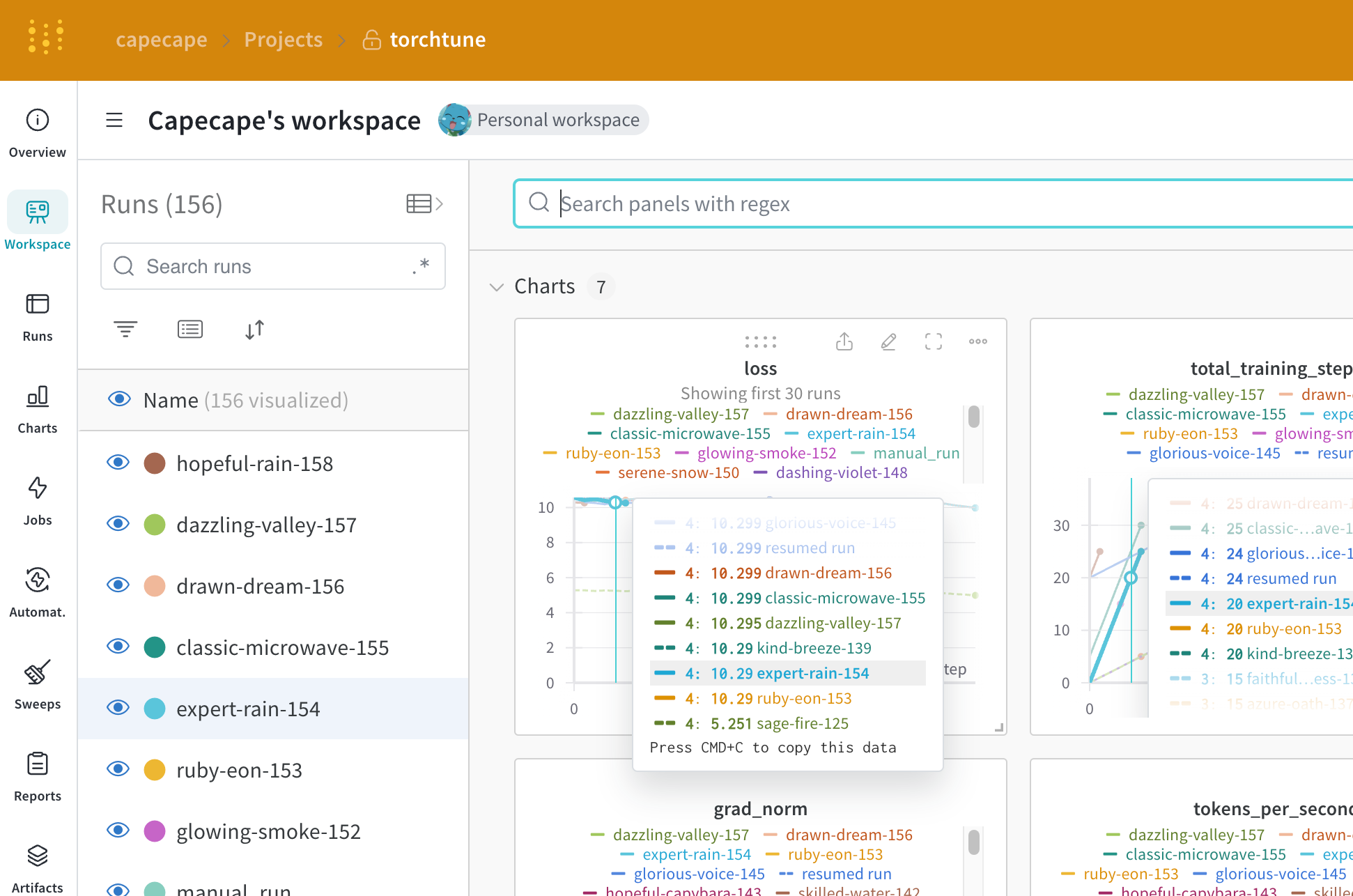 [torchtune を使った Mistral 7B のファインチューニング](https://wandb.ai/capecape/torchtune-mistral/reports/torchtune-The-new-PyTorch-LLM-fine-tuning-library---Vmlldzo3NTUwNjM0) に関する W\&B のブログ記事をご覧ください。
## W\&B logging を有効にする
W\&B logging は、起動時にコマンドラインから引数を上書きするか、レシピの設定ファイルを編集するかの 2 つの方法で有効にできます。ご自身の workflow に合う方法を選んでください。
起動時にコマンドライン引数を上書きします。
```bash theme={null}
tune run lora_finetune_single_device --config llama3/8B_lora_single_device \
metric_logger._component_=torchtune.utils.metric_logging.WandBLogger \
metric_logger.project="llama3_lora" \
log_every_n_steps=5
```
レシピの設定で W\&B logging を有効にします。
```yaml theme={null}
# llama3/8B_lora_single_device.yaml 内
metric_logger:
_component_: torchtune.utils.metric_logging.WandBLogger
project: llama3_lora
log_every_n_steps: 5
```
## W\&Bメトリクスロガーを使用する
レシピの設定ファイル内の `metric_logger` セクションを変更して、W\&B logging を有効にします。`_component_` を `torchtune.utils.metric_logging.WandBLogger` クラスに変更してください。`project` 名や `log_every_n_steps` を渡して、logging の動作をカスタマイズすることもできます。
また、[wandb.init()](/ja/models/ref/python/functions/init) method に渡すのと同様に、そのほかの `kwargs` も渡せます。たとえば、チームで作業する場合は、`entity` 引数を `WandBLogger` クラスに渡してチーム名を指定できます。
```yaml theme={null}
# llama3/8B_lora_single_device.yaml 内
metric_logger:
_component_: torchtune.utils.metric_logging.WandBLogger
project: llama3_lora
entity: my_project
job_type: lora_finetune_single_device
group: my_awesome_experiments
log_every_n_steps: 5
```
```shell theme={null}
tune run lora_finetune_single_device --config llama3/8B_lora_single_device \
metric_logger._component_=torchtune.utils.metric_logging.WandBLogger \
metric_logger.project="llama3_lora" \
metric_logger.entity="my_project" \
metric_logger.job_type="lora_finetune_single_device" \
metric_logger.group="my_awesome_experiments" \
log_every_n_steps=5
```
## ログされるデータ
W\&B logging を有効にすると、ログされたメトリクスは W\&B ダッシュボードで確認できます。デフォルトでは、W\&B は設定ファイル内のすべてのハイパーパラメーターと Launch のオーバーライドをログするため、各 run の設定をメトリクスとあわせて記録できます。
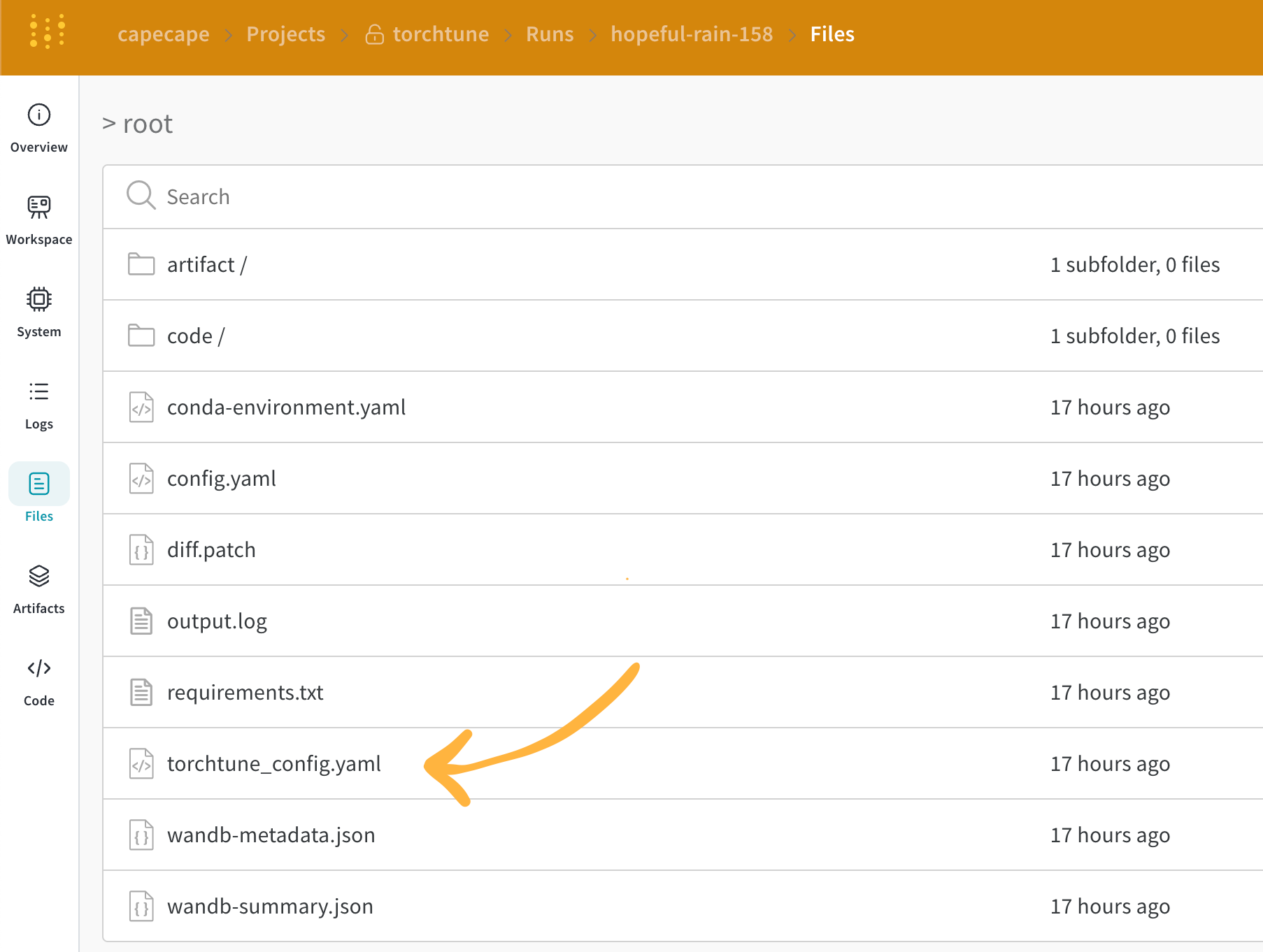
W\&B は、解決済みの設定を **Overview** タブに記録します。また、その設定は YAML 形式で [Files tab](https://wandb.ai/capecape/torchtune/runs/joyknwwa/files) にも保存されます。
### ログされたメトリクス
各レシピには独自のトレーニングループがあります。ログされるメトリクスを確認するには、各レシピの内容を個別に参照してください。デフォルトでは、次のメトリクスが含まれます。
| Metric | 説明 |
| ------------------- | ---------------------------------------------------------------------------------------------------------------- |
| `loss` | モデルの損失。 |
| `lr` | 学習率。 |
| `tokens_per_second` | モデルの 1 秒あたりのトークン数。 |
| `grad_norm` | モデルの勾配ノルム。 |
| `global_step` | トレーニングループ内の現在のステップに対応します。勾配累積が考慮されます。オプティマイザーのステップが実行されるたびにモデルが更新され、`gradient_accumulation_steps` ごとに 1 回更新されます。 |
`global_step` はトレーニングステップ数と同じではありません。これはトレーニングループ内の現在のステップに対応し、勾配累積が考慮されます。オプティマイザーのステップが実行されるたびに、`global_step` は 1 ずつ増加します。たとえば、dataloader に 10 個のバッチがあり、勾配累積ステップ数が 2 で、3 エポック実行する場合、オプティマイザーは 15 回ステップするため、`global_step` は 1 から 15 までの値を取ります。
torchtune では、カスタムメトリクスを追加したり、既存のメトリクスを変更したりできます。対応する [recipe file](https://github.com/meta-pytorch/torchtune/tree/main/recipes) を変更してください。たとえば、`current_epoch` を全エポック数に対する割合として、次のようにログできます。
```python theme={null}
# レシピファイル内の `train.py` 関数の中
self._metric_logger.log_dict(
{"current_epoch": self.epochs * self.global_step / self._steps_per_epoch},
step=self.global_step,
)
```
ログされるメトリクスの内容は、torchtune のリリースによって変わる場合があります。カスタム メトリクスを追加するには、レシピを変更し、対応する `self._metric_logger.*` 関数を呼び出してください。
## チェックポイントの保存と読み込み
チェックポイントを W\&B Artifacts に保存すると、各 run のメトリクスや設定とあわせてモデルの重みをバージョン管理できるため、後から結果を再現したり、モデルのバージョンを比較したりできます。
torchtune ライブラリは、複数の[チェックポイント形式](https://meta-pytorch.org/torchtune/stable/deep_dives/checkpointer.html)をサポートしています。使用するモデルの取得元に応じて、適切な[checkpointer クラス](https://meta-pytorch.org/torchtune/stable/deep_dives/checkpointer.html)に切り替える必要があります。
モデル チェックポイントを [W\&B Artifacts](/ja/models/artifacts/) に保存するには、対応するレシピ内の `save_checkpoint` 関数をオーバーライドする方法が推奨されます。
次の例では、`save_checkpoint` 関数をオーバーライドして、モデル チェックポイントを W\&B Artifacts に保存する方法を示します。
```python theme={null}
def save_checkpoint(self, epoch: int) -> None:
...
## チェックポイントを W&B に保存します。
## ファイル名は Checkpointer クラスによって異なります。
## 以下は full_finetune の場合の例です。
checkpoint_file = Path.joinpath(
self._checkpointer._output_dir, f"torchtune_model_{epoch}"
).with_suffix(".pt")
wandb_artifact = wandb.Artifact(
name=f"torchtune_model_{epoch}",
type="model",
# モデル チェックポイントの説明
description="Model checkpoint",
# 任意のメタデータを辞書形式で追加できます
metadata={
utils.SEED_KEY: self.seed,
utils.EPOCHS_KEY: self.epochs_run,
utils.TOTAL_EPOCHS_KEY: self.total_epochs,
utils.MAX_STEPS_KEY: self.max_steps_per_epoch,
},
)
wandb_artifact.add_file(checkpoint_file)
wandb.log_artifact(wandb_artifact)
```