> ## Documentation Index
> Fetch the complete documentation index at: https://docs.wandb.ai/llms.txt
> Use this file to discover all available pages before exploring further.
# メトリクスをオフラインで保存して、後で W&B にSyncできますか?
デフォルトでは、`wandb.init` はメトリクスをリアルタイムでクラウドにSyncするプロセスを開始します。インターネット接続なしで experiments を実行する必要がある場合は、オフラインモードを有効にしてメトリクスをローカルにログし、接続が利用可能になったらアップロードできます。このページでは、オフラインモードを設定し、後でデータをSyncする方法を説明します。
オフラインモードを有効にするには、次の環境変数を設定します。
* `WANDB_API_KEY=[YOUR-API-KEY]`。ここで、`[YOUR-API-KEY]` は [User Settings](https://wandb.ai/settings) で作成した APIキーです。
* `WANDB_MODE="offline"`。
これをスクリプトに実装する例を次に示します。
```python theme={null}
import wandb
import os
os.environ["WANDB_API_KEY"] = "[YOUR-API-KEY]"
os.environ["WANDB_MODE"] = "offline"
config = {
"dataset": "CIFAR10",
"machine": "offline cluster",
"model": "CNN",
"learning_rate": 0.01,
"batch_size": 128,
}
with wandb.init(project="offline-demo") as run:
for i in range(100):
run.log({"accuracy": i})
```
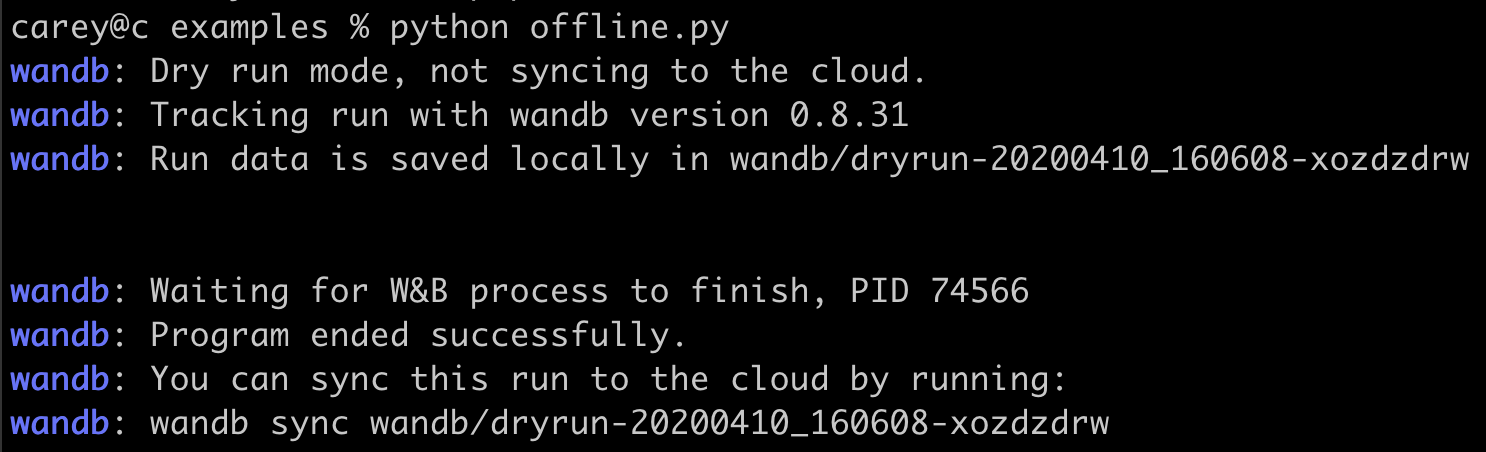
以下に端末出力の例を示します:
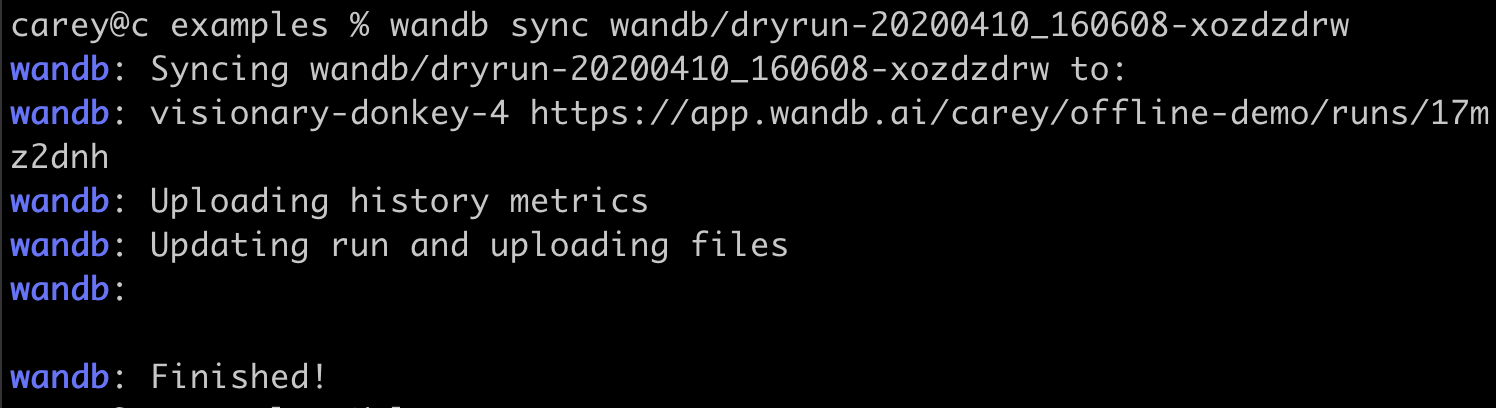
 インターネットに接続できるようになったら、次のコマンドを実行して、ローカルに保存した run データをクラウドにSyncします。`[DRYRUN-FOLDER-NAME]` はローカルの run フォルダ名に置き換えてください:
```bash theme={null}
wandb sync wandb/[DRYRUN-FOLDER-NAME]
```
インターネットに接続できるようになったら、次のコマンドを実行して、ローカルに保存した run データをクラウドにSyncします。`[DRYRUN-FOLDER-NAME]` はローカルの run フォルダ名に置き換えてください:
```bash theme={null}
wandb sync wandb/[DRYRUN-FOLDER-NAME]
```
 ***
[Experiments](/ja/support/models/tags/experiments)[環境変数](/ja/support/models/tags/environment-variables)[メトリクス](/ja/support/models/tags/metrics)
***
[Experiments](/ja/support/models/tags/experiments)[環境変数](/ja/support/models/tags/environment-variables)[メトリクス](/ja/support/models/tags/metrics)