> ## Documentation Index
> Fetch the complete documentation index at: https://docs.wandb.ai/llms.txt
> Use this file to discover all available pages before exploring further.
# CSV からインポート
> CSV ファイルからデータセットを W&B Weave にインポートして、評価、トレース、モデル比較のワークフローで使用します。
これはインタラクティブなノートブックです。ローカルで実行することも、以下のリンクを使用することもできます。
* [Google Colab で開く](https://colab.research.google.com/github/wandb/docs/blob/main/weave/cookbooks/source/import_from_csv.ipynb)
* [GitHub でソースを表示](https://github.com/wandb/docs/blob/main/weave/cookbooks/source/import_from_csv.ipynb)
## サードパーティシステムからトレースをインポート
このノートブックでは、CSV ファイル内の過去の会話トレースを W\&B Weave にインポートして、分析したり、モデルの動作を比較したり、Weave でインストルメントされていないアプリケーションの外部で生成されたデータに対して評価を実行したりする方法を紹介します。
場合によっては、GenAI アプリケーションのリアルタイムのトレースを取得するために、Weave のインテグレーションを Python や JavaScript のコードに組み込めないことがあります。そうした場合でも、後からそれらのトレースを CSV または JSON 形式で入手できることがよくあります。
このノートブックでは、より低レベルな Weave Python API を使って CSV ファイルからデータを抽出し、Weave にインポートして、分析や評価を行う方法を紹介します。
このクックブックで前提とするサンプルデータセットは、次の構造になっています。
```text theme={null}
conversation_id,turn_index,start_time,user_input,ground_truth,answer_text
1234,1,2024-09-04 13:05:39,This is the beginning, ['This was the beginning'], That was the beginning
1235,1,2024-09-04 13:02:11,This is another trace,, That was another trace
1235,2,2024-09-04 13:04:19,This is the next turn,, That was the next turn
1236,1,2024-09-04 13:02:10,This is a 3 turn conversation,, Woah thats a lot of turns
1236,2,2024-09-04 13:02:30,This is the second turn, ['That was definitely the second turn'], You are correct
1236,3,2024-09-04 13:02:53,This is the end,, Well good riddance!
```
このノートブックでのインポート時の判断を理解するには、Weaveのトレースが 1:多 の連続した親子関係を持つことを覚えておいてください。つまり、1 つの親に複数の子を持たせることができ、その親自体が別の親の子になる場合もあります。
このノートブックでは、会話全体のloggingを行えるよう、親の識別子として `conversation_id` を、子の識別子として `turn_index` を使用します。
ご自身のデータセット、ファイルパス、および W\&B project に合わせて、以下のセクションの変数を変更する必要があります。
## 環境を設定する
必要なパッケージをすべてインストールして `import` します。
`wandb.login()` でログインできるように、`WANDB_API_KEY` を環境に設定します (Colab にはシークレットとして指定します) 。
Colab にアップロードする file の名を `name_of_file` に設定し、ログ先の W\&B project を `name_of_wandb_project` に設定します。
トレースのログ先チームを指定するには、`name_of_wandb_project` に `[TEAM_NAME]/[PROJECT_NAME]` 形式を指定することもできます。
その後、`weave.init()` を呼び出して Weave クライアントを取得します。
```python lines theme={null}
%pip install wandb weave pandas datetime --quiet
python
import os
import pandas as pd
import wandb
from google.colab import userdata
import weave
## サンプルファイルをディスクに書き込む
with open("/content/import_cookbook_data.csv", "w") as f:
f.write(
"conversation_id,turn_index,start_time,user_input,ground_truth,answer_text\n"
)
f.write(
'1234,1,2024-09-04 13:05:39,This is the beginning, ["This was the beginning"], That was the beginning\n'
)
f.write(
"1235,1,2024-09-04 13:02:11,This is another trace,, That was another trace\n"
)
f.write(
"1235,2,2024-09-04 13:04:19,This is the next turn,, That was the next turn\n"
)
f.write(
"1236,1,2024-09-04 13:02:10,This is a 3 turn conversation,, Woah thats a lot of turns\n"
)
f.write(
'1236,2,2024-09-04 13:02:30,This is the second turn, ["That was definitely the second turn"], You are correct\n'
)
f.write("1236,3,2024-09-04 13:02:53,This is the end,, Well good riddance!\n")
os.environ["WANDB_API_KEY"] = userdata.get("WANDB_API_KEY")
name_of_file = "/content/import_cookbook_data.csv"
name_of_wandb_project = "import-weave-traces-cookbook"
wandb.login()
python
weave_client = weave.init(name_of_wandb_project)
```
## データを読み込む
環境の準備ができたら、Weave が想定する親子構造に合うように、CSV データを読み込んで整形します。
データを pandas の DataFrame に読み込み、`conversation_id` と `turn_index` でソートして、親子関係が正しい順序になるようにします。
その結果、会話のターンが `conversation_data` に配列として格納された、2 列の pandas DataFrame になります。
```python lines theme={null}
## データの読み込みと整形
df = pd.read_csv(name_of_file)
sorted_df = df.sort_values(["conversation_id", "turn_index"])
# 各会話の辞書配列を作成する関数
def create_conversation_dict_array(group):
return group.drop("conversation_id", axis=1).to_dict("records")
# conversation_id でデータフレームをグループ化して集約を適用する
result_df = (
sorted_df.groupby("conversation_id")
.apply(create_conversation_dict_array)
.reset_index()
)
result_df.columns = ["conversation_id", "conversation_data"]
# 集約結果を確認する
result_df.head()
```
## トレースを Weave にログする
データを会話とターンの形式に整えたら、次のステップはそれらのレコードを親 Call と子 Call として Weave に書き込むことです。
pandas DataFrame を反復処理します。
* `conversation_id` ごとに親 Call を作成します。
* ターン配列を反復処理して、`turn_index` 順に並べた子 Call を作成します。
下位レベルの Python API における重要な概念は次のとおりです。
* Weave Call は Weave トレースに相当します。この Call には、親や子を関連付けることができます。
* Weave Call には、feedback やメタデータなど、ほかの項目を関連付けることもできます。この例では inputs と output のみを関連付けていますが、データにそれらが含まれている場合は、import に追加できます。
* Weave Call には `created` と `finished` があります。これは、これらがリアルタイムでトラッキングされることを前提としているためです。今回は事後の import であるため、オブジェクトを定義して相互に関連付けたあとで、作成と完了を一度に行います。
* Call の `op` 値は、同じ構成の Call を Weave がどのように分類するかを示します。この例では、すべての親 Call は `Conversation` タイプで、すべての子 Call は `Turn` タイプです。必要に応じて変更できます。
* Call は `inputs` と `output` を持つことができます。`inputs` は作成時に定義し、`output` は Call の完了時に定義します。
```python lines theme={null}
# Weave にトレースをログする
# 集約した会話を反復処理する
for _, row in result_df.iterrows():
# 会話の親を定義する。
# 先ほど定義した weave_client を使って "call" を作成する
parent_call = weave_client.create_call(
# Op の値によってこれを Weave の op として登録し、後からグループとしてまとめて取得できるようにする
op="Conversation",
# 上位レベルの会話の inputs として、その配下のすべてのターンを設定する
inputs={
"conversation_data": row["conversation_data"][:-1]
if len(row["conversation_data"]) > 1
else row["conversation_data"]
},
# Conversation の親にはさらに上の親は存在しない
parent=None,
# この会話が UI 上に表示される際の名前
display_name=f"conversation-{row['conversation_id']}",
)
# 親の output を会話内の最後のトレースに設定する
parent_output = row["conversation_data"][len(row["conversation_data"]) - 1]
# 親に対するすべての会話ターンを反復処理し、
# 会話の子としてログする
for item in row["conversation_data"]:
item_id = f"{row['conversation_id']}-{item['turn_index']}"
# 会話の配下に分類されるよう、ここで再度 call を作成する
call = weave_client.create_call(
# 単一の会話トレースを "Turn" として分類する
op="Turn",
# RAG の 'ground_truth' を含む、ターンのすべての inputs を指定する
inputs={
"turn_index": item["turn_index"],
"start_time": item["start_time"],
"user_input": item["user_input"],
"ground_truth": item["ground_truth"],
},
# 定義した親の子として設定する
parent=parent_call,
# Weave 内で識別するための名前を指定する
display_name=item_id,
)
# call の output を回答として設定する
output = {
"answer_text": item["answer_text"],
}
# これらはすでに発生済みのトレースであるため、単一ターンの call を終了する
weave_client.finish_call(call=call, output=output)
# すべての子をログし終えたので、親の call も終了する
weave_client.finish_call(call=parent_call, output=parent_output)
```
## 結果: Weave にログされたトレース
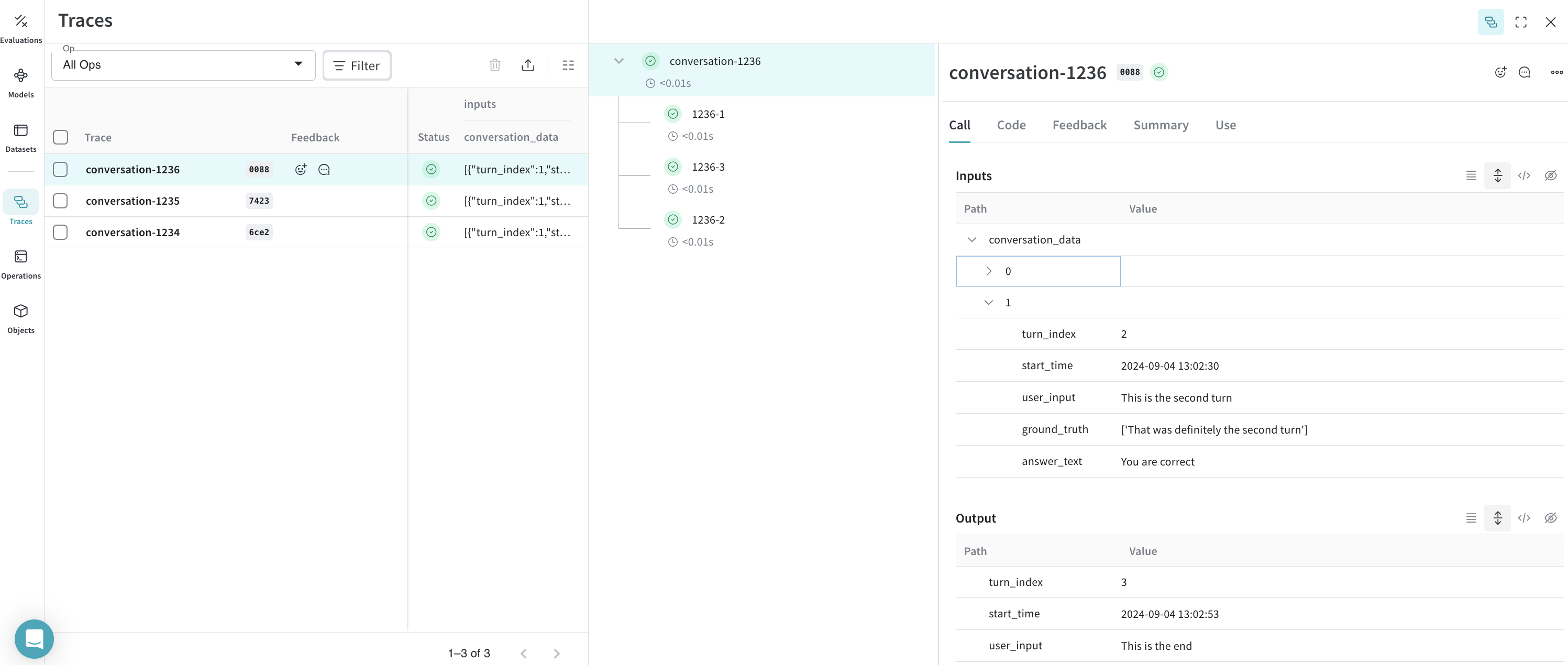
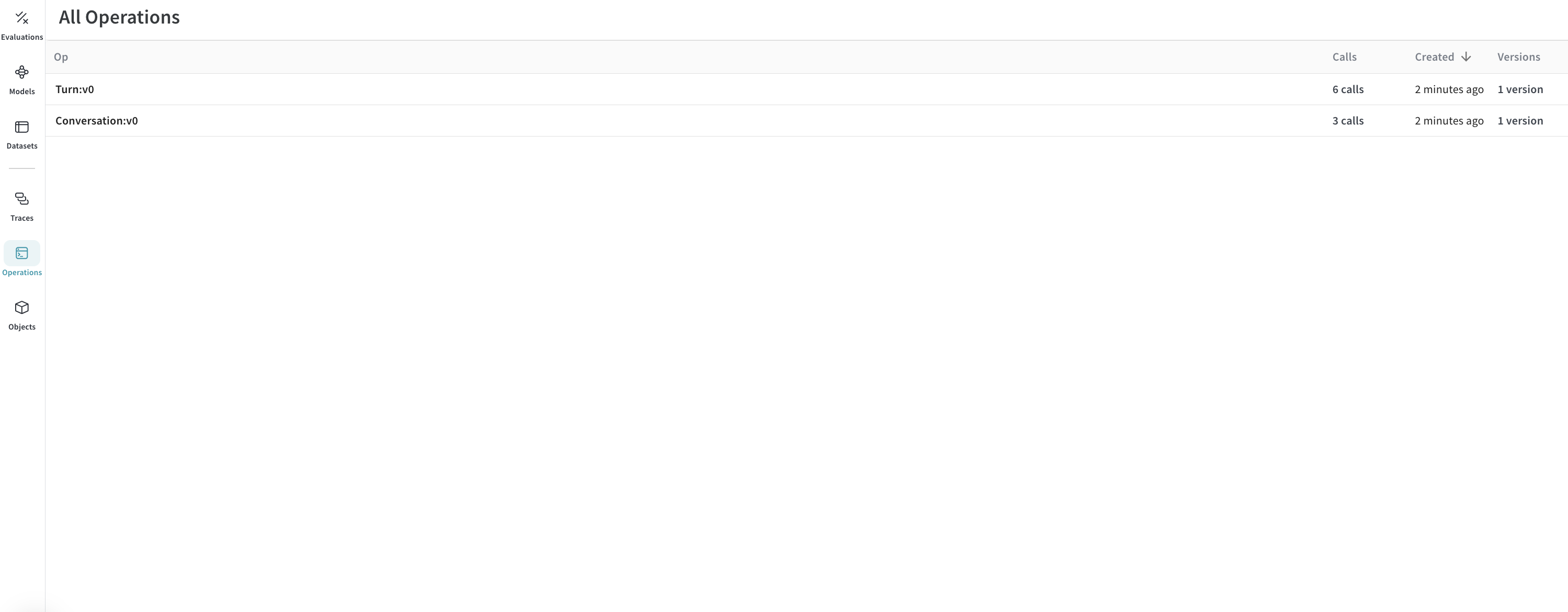
この時点で、CSV データは Weave にインポートされています。これで、定義した `Conversation` および `Turn` オペレーションの下にグループ化された会話とそのターンを Weave UI で確認できます。
トレース:
 オペレーション:
## オプション: トレースをエクスポートして評価を実行する
トレースを Weave に取り込み、会話がどのように見えるかを把握したら、それらを別のプロセスにエクスポートして Weave の評価を実行できます。
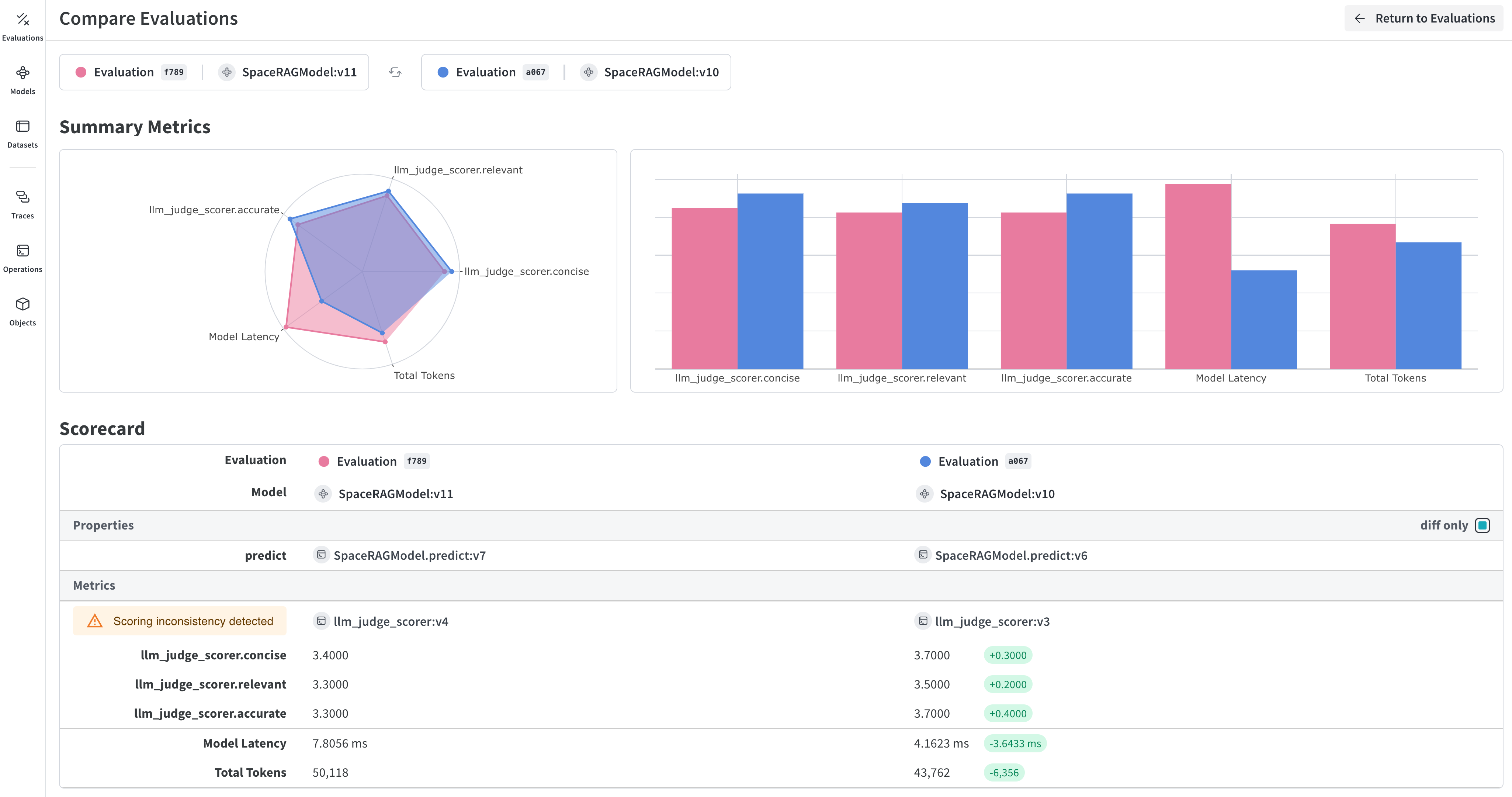 これを行うには、query API を使用して W\&B からすべての会話を取得し、それらからデータセットを作成します。
```python lines theme={null}
## このセルはデフォルトでは実行されません。スクリプトを実行するには以下の行をコメントアウトしてください
%%script false --no-raise-error
## 評価用のすべての会話トレースを取得し、評価用データセットを準備する
# すべての Conversation オブジェクトを取得するクエリフィルターを作成します
# 以下の ref はプロジェクト固有のものです。取得するには、
# UI でプロジェクトの オペレーション を開き、"Conversations" オブジェクトをクリックして、
# サイドパネルの "Use" タブを選択してください。
weave_ref_for_conversation_op = "weave://wandb-smle/import-weave-traces-cookbook/op/Conversation:tzUhDyzVm5bqQsuqh5RT4axEXSosyLIYZn9zbRyenaw"
filter = weave.trace_server.trace_server_interface.CallsFilter(
op_names=[weave_ref_for_conversation_op],
)
# クエリを実行します
conversation_traces = weave_client.get_calls(filter=filter)
rows = []
# 会話トレースを反復処理し、データセットの行を構築します
for single_conv in conversation_traces:
# この例では、RAG パイプラインを使用した会話のみを対象とするため、
# 該当する会話をフィルタリングします
is_rag = False
for single_trace in single_conv.inputs['conversation_data']:
if single_trace['ground_truth'] is not None:
is_rag = True
break
if single_conv.output['ground_truth'] is not None:
is_rag = True
# RAG を使用した会話を特定したら、データセットに追加します
if is_rag:
inputs = []
ground_truths = []
answers = []
# 会話内のすべてのターンを反復処理します
for turn in single_conv.inputs['conversation_data']:
inputs.append(turn.get('user_input', ''))
ground_truths.append(turn.get('ground_truth', ''))
answers.append(turn.get('answer_text', ''))
## 会話がシングルターンの場合を考慮します
if len(single_conv.inputs) != 1 or single_conv.inputs['conversation_data'][0].get('turn_index') != single_conv.output.get('turn_index'):
inputs.append(single_conv.output.get('user_input', ''))
ground_truths.append(single_conv.output.get('ground_truth', ''))
answers.append(single_conv.output.get('answer_text', ''))
data = {
'question': inputs,
'contexts': ground_truths,
'answer': answers
}
rows.append(data)
# データセットの行を作成したら、Dataset オブジェクトを作成し、
# 後から取得できるよう Weave に公開します
dset = weave.Dataset(name = "conv_traces_for_eval", rows=rows)
weave.publish(dset)
```
これを行うには、query API を使用して W\&B からすべての会話を取得し、それらからデータセットを作成します。
```python lines theme={null}
## このセルはデフォルトでは実行されません。スクリプトを実行するには以下の行をコメントアウトしてください
%%script false --no-raise-error
## 評価用のすべての会話トレースを取得し、評価用データセットを準備する
# すべての Conversation オブジェクトを取得するクエリフィルターを作成します
# 以下の ref はプロジェクト固有のものです。取得するには、
# UI でプロジェクトの オペレーション を開き、"Conversations" オブジェクトをクリックして、
# サイドパネルの "Use" タブを選択してください。
weave_ref_for_conversation_op = "weave://wandb-smle/import-weave-traces-cookbook/op/Conversation:tzUhDyzVm5bqQsuqh5RT4axEXSosyLIYZn9zbRyenaw"
filter = weave.trace_server.trace_server_interface.CallsFilter(
op_names=[weave_ref_for_conversation_op],
)
# クエリを実行します
conversation_traces = weave_client.get_calls(filter=filter)
rows = []
# 会話トレースを反復処理し、データセットの行を構築します
for single_conv in conversation_traces:
# この例では、RAG パイプラインを使用した会話のみを対象とするため、
# 該当する会話をフィルタリングします
is_rag = False
for single_trace in single_conv.inputs['conversation_data']:
if single_trace['ground_truth'] is not None:
is_rag = True
break
if single_conv.output['ground_truth'] is not None:
is_rag = True
# RAG を使用した会話を特定したら、データセットに追加します
if is_rag:
inputs = []
ground_truths = []
answers = []
# 会話内のすべてのターンを反復処理します
for turn in single_conv.inputs['conversation_data']:
inputs.append(turn.get('user_input', ''))
ground_truths.append(turn.get('ground_truth', ''))
answers.append(turn.get('answer_text', ''))
## 会話がシングルターンの場合を考慮します
if len(single_conv.inputs) != 1 or single_conv.inputs['conversation_data'][0].get('turn_index') != single_conv.output.get('turn_index'):
inputs.append(single_conv.output.get('user_input', ''))
ground_truths.append(single_conv.output.get('ground_truth', ''))
answers.append(single_conv.output.get('answer_text', ''))
data = {
'question': inputs,
'contexts': ground_truths,
'answer': answers
}
rows.append(data)
# データセットの行を作成したら、Dataset オブジェクトを作成し、
# 後から取得できるよう Weave に公開します
dset = weave.Dataset(name = "conv_traces_for_eval", rows=rows)
weave.publish(dset)
```
## 結果
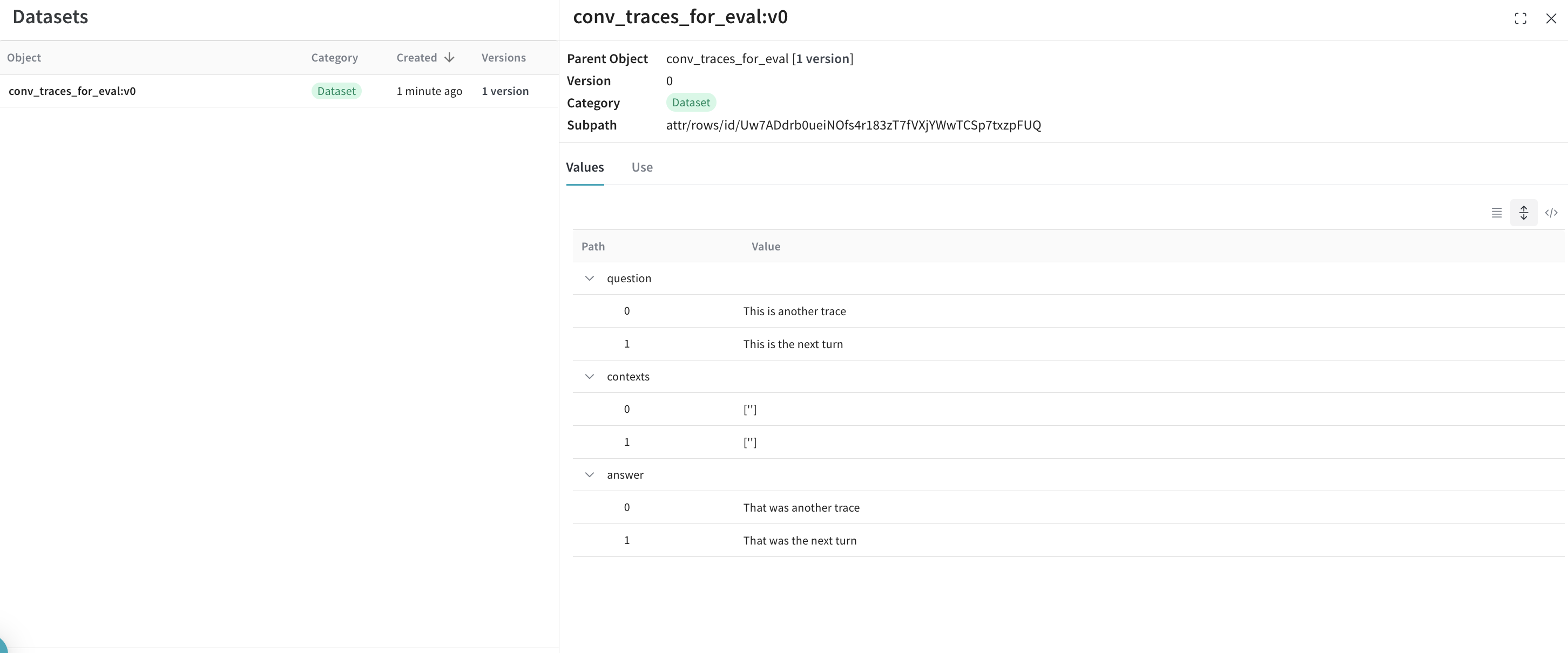
エクスポートしたデータセットは Weave に再び公開され、評価の入力として使用できる状態になりました。
 評価の詳細については、新しく作成したデータセットを使って RAG アプリケーションを評価する方法を紹介した[クイックスタート](/ja/weave/tutorial-rag)をご覧ください。