> ## Documentation Index
> Fetch the complete documentation index at: https://docs.wandb.ai/llms.txt
> Use this file to discover all available pages before exploring further.
# MistralAI
> Weave の自動トレースを使用して、チャット補完、関数呼び出し、モデルとのやり取りにおける MistralAI モデルの Call をトラッキングおよび監視します。
 Weave は、[MistralAI Python library](https://github.com/mistralai/client-python) 経由で行われる LLM Call を自動的にトラッキングし、ログします。このガイドでは、MistralAI の Call のトレースを取得し、再現性を確保するために独自の op で Call をラップし、`Model` クラスを使用して Experiments を整理する方法を説明します。
> Weave は Mistral v1.0 SDK をサポートしています。アップグレードの詳細については、[移行ガイド](https://github.com/mistralai/client-python/blob/main/MIGRATION.md)を参照してください。
Weave は、[MistralAI Python library](https://github.com/mistralai/client-python) 経由で行われる LLM Call を自動的にトラッキングし、ログします。このガイドでは、MistralAI の Call のトレースを取得し、再現性を確保するために独自の op で Call をラップし、`Model` クラスを使用して Experiments を整理する方法を説明します。
> Weave は Mistral v1.0 SDK をサポートしています。アップグレードの詳細については、[移行ガイド](https://github.com/mistralai/client-python/blob/main/MIGRATION.md)を参照してください。
## トレース
開発時だけでなく本番環境でも、LLM アプリケーションのトレースを一元的なデータベースに保存しておくことが重要です。これらのトレースは、デバッグに使うだけでなく、アプリケーションの改善に役立つデータセットとしても活用できます。
Weave は [mistralai](https://github.com/mistralai/client-python) のトレースを自動的に取得します。ライブラリを通常どおり使用するには、まず `weave.init()` を呼び出します。
```python lines theme={null}
import weave
weave.init("cheese_recommender")
# 通常どおり mistralai ライブラリを使用する
import os
from mistralai import Mistral
api_key = os.environ["MISTRAL_API_KEY"]
model = "mistral-large-latest"
client = Mistral(api_key=api_key)
messages = [
{
"role": "user",
"content": "What is the best French cheese?",
},
]
chat_response = client.chat.complete(
model=model,
messages=messages,
)
```
これで、Weave は MistralAI ライブラリ経由のすべての LLM Call をトラッキングしてログします。トレースは Weave の Web インターフェースで確認できます。
[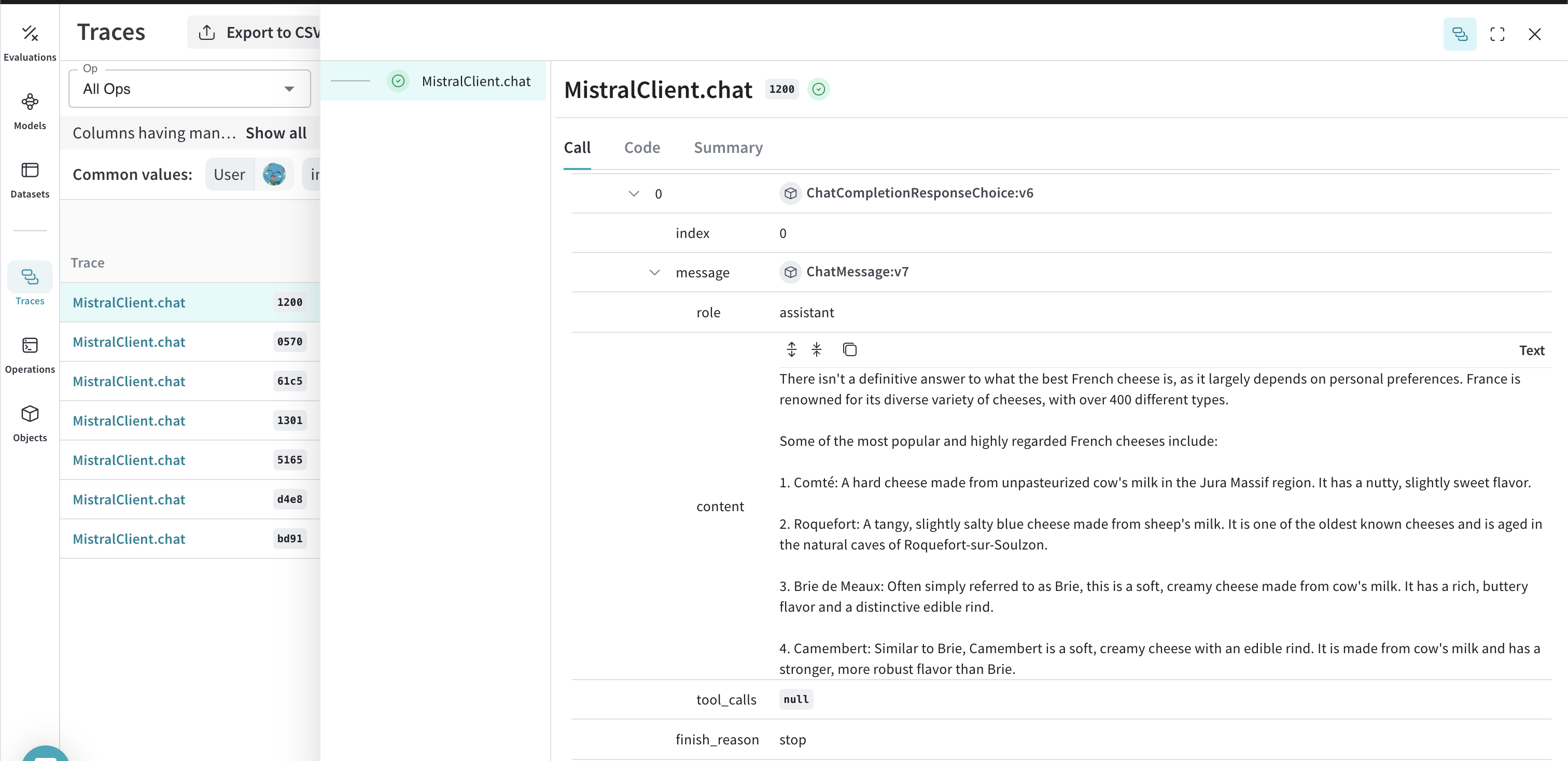 ](https://wandb.ai/capecape/mistralai_project/weave/calls)
## 独自の ops で Call をラップする
基本的なトレースが機能したら、MistralAI の Call を Weave Ops でラップして、experiment 間で再現可能にできます。Weave ops を使うと、実験を進めながらコードを自動でバージョン管理し、入力と出力も記録することで、結果を*再現可能*にできます。[`@weave.op()`](/ja/weave/guides/tracking/ops) でデコレートした関数を作成し、その中で [`mistralai.client.MistralClient.chat()`](https://docs.mistral.ai/capabilities/completion) を呼び出すと、Weave が入力と出力をトラッキングしてくれます。以下の例では、これをチーズ推薦ツールでどのように行うかを示します。
```python lines {1} theme={null}
@weave.op()
def cheese_recommender(region:str, model:str) -> str:
"Recommend the best cheese in a given region"
messages = [
{
"role": "user",
"content": f"What is the best cheese in {region}?",
},
]
chat_response = client.chat.complete(
model=model,
messages=messages,
)
return chat_response.choices[0].message.content
cheese_recommender(region="France", model="mistral-large-latest")
cheese_recommender(region="Spain", model="mistral-large-latest")
cheese_recommender(region="Netherlands", model="mistral-large-latest")
```
[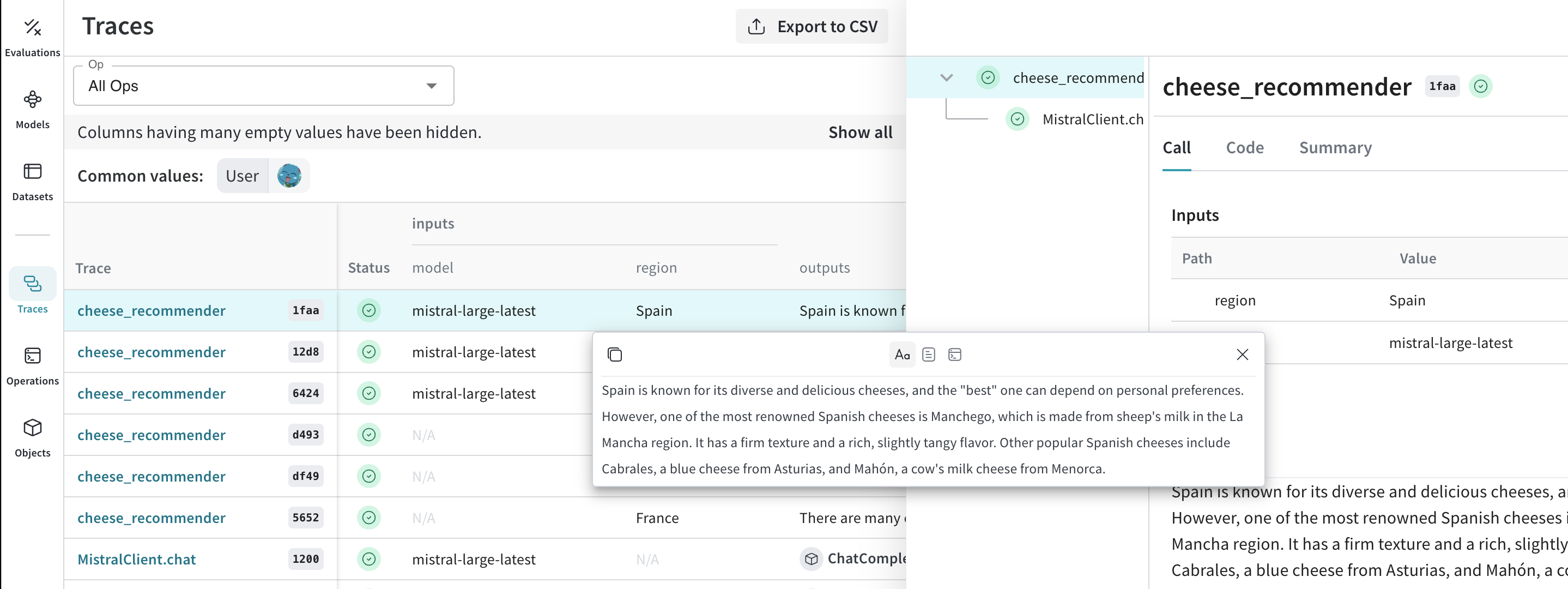 ](https://wandb.ai/capecape/mistralai_project/weave/calls)
## 実験を進めやすくするための `Model` を作成する
実験には多くの要素が関わるため、整理するのは簡単ではありません。[`Model`](/ja/weave/guides/core-types/models) クラスを使用すると、system prompt や使用しているモデルなど、アプリの実験に関する詳細を取得して整理できます。これにより、アプリのさまざまな反復を整理し、比較しやすくなります。
[`Model`](/ja/weave/guides/core-types/models)s は、コードのバージョン管理や入力と出力の取得に加えて、アプリケーションの動作を制御する構造化されたパラメーターも取得できるため、どのパラメーターが最も効果的だったかを簡単に検索できます。Weave Models は `serve` や [`Evaluation`](/ja/weave/guides/core-types/evaluations)s と組み合わせて使用することもできます。
次の例では、`model` と `country` を試せます。これらのいずれかを変更するたびに、`CheeseRecommender` の新しい *version* が作成されます。
```python lines theme={null}
import weave
from mistralai import Mistral
weave.init("mistralai_project")
class CheeseRecommender(weave.Model): # `weave.Model` に変更
model: str
temperature: float
@weave.op()
def predict(self, region:str) -> str: # `predict` に変更
"Recommend the best cheese in a given region"
client = Mistral(api_key=api_key)
messages = [
{
"role": "user",
"content": f"What is the best cheese in {region}?",
},
]
chat_response = client.chat.complete(
model=model,
messages=messages,
temperature=self.temperature
)
return chat_response.choices[0].message.content
cheese_model = CheeseRecommender(
model="mistral-medium-latest",
temperature=0.0
)
result = cheese_model.predict(region="France")
print(result)
```
[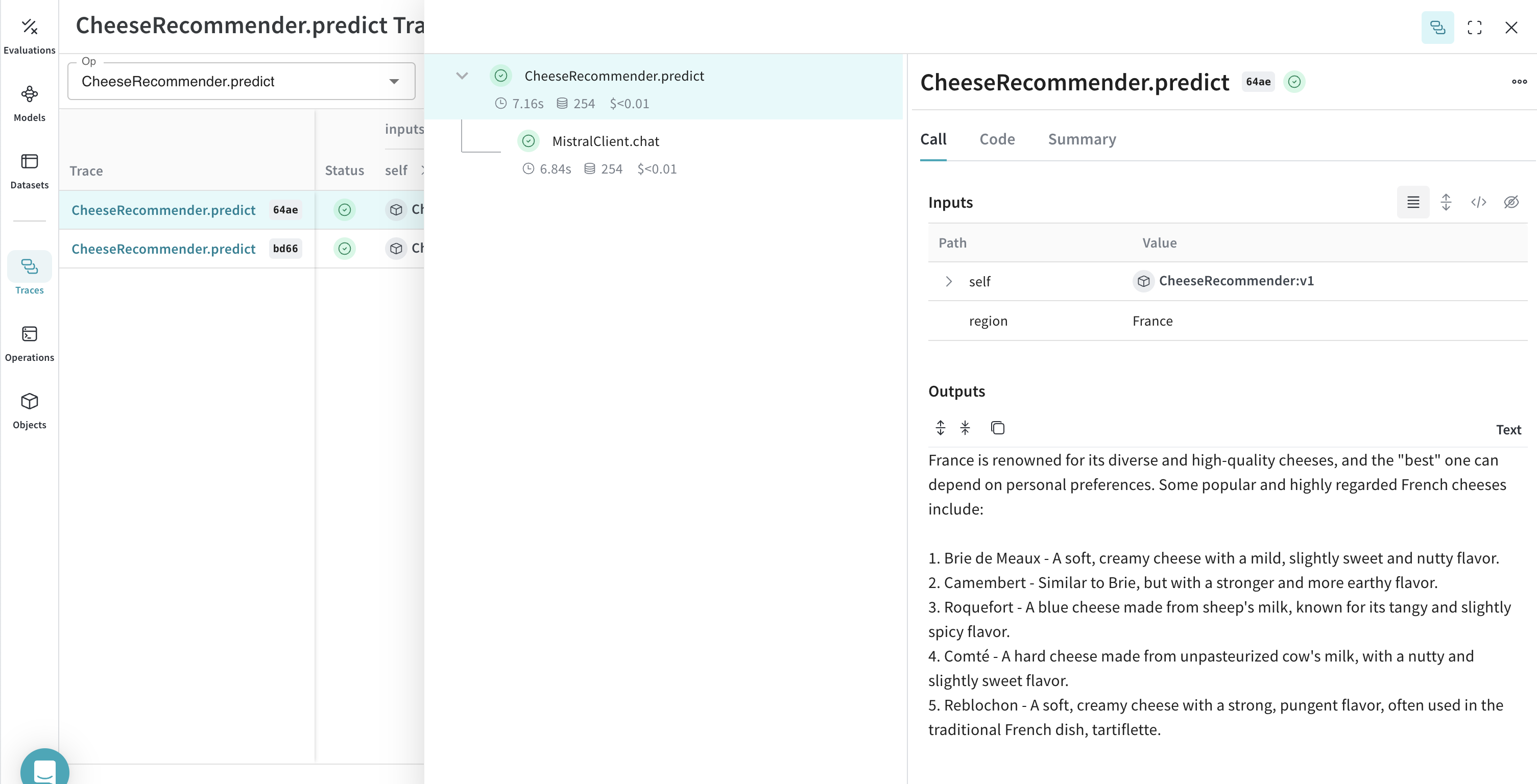 ](https://wandb.ai/capecape/mistralai_project/weave/models)