> ## Documentation Index
> Fetch the complete documentation index at: https://docs.wandb.ai/llms.txt
> Use this file to discover all available pages before exploring further.
# Not Diamond ¬◇
> Not Diamond を使用して、精度を最大化しコストを抑えながら、ニーズに最適なモデルにプロンプトを振り分けます
複雑な LLM ワークフローを構築する際には、精度、
コスト、または call のレイテンシに応じて、異なるモデルにプロンプトを送る必要がある場合があります。[Not Diamond][nd] を使用すると、これらのワークフロー内でプロンプトを
ニーズに最適なモデルへ振り分けることができ、
モデルのコストを抑えながら精度の最大化に役立ちます。
このガイドでは、ルーティングされたモデルの Call を Weave が自動的にトレースできるように Not Diamond を W\&B Weave と統合する方法と、独自のパフォーマンスデータに基づいてプロンプトを振り分けるために Weave Evaluations を使用してカスタムルーターをトレーニングする方法を説明します。
## はじめに
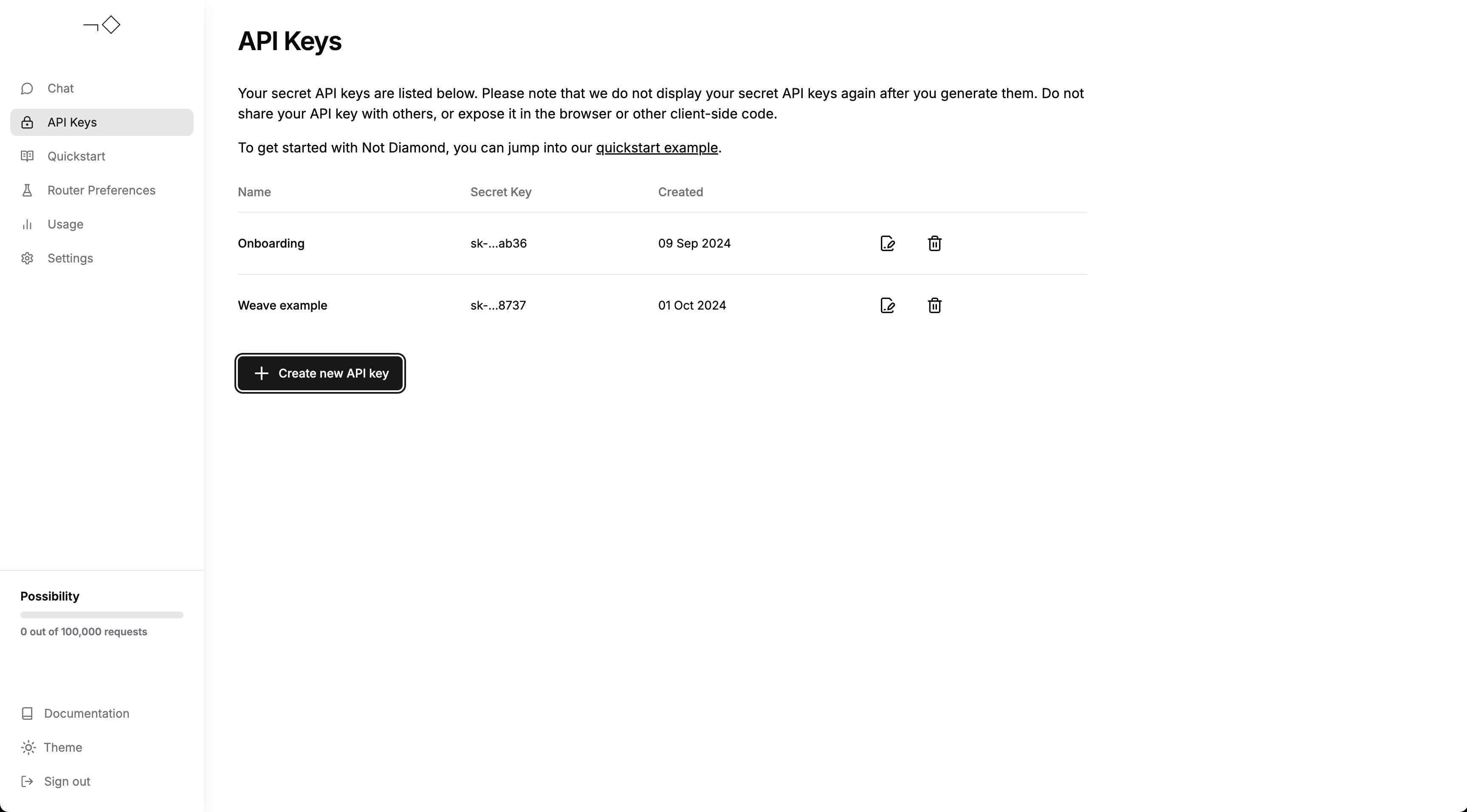
Weave で Not Diamond を使用するには、Not Diamond のアカウントとAPIキーが必要です。[アカウントを作成][account] し、[APIキーを生成][keys] してから、API
キーを環境変数 `NOTDIAMOND_API_KEY` として設定してください。
 ここから、次のいずれかを実行できます。
* \[クイックスタートガイド]を試す。
* Weave と Not Diamond を使って[カスタムルーターを構築する][custom router]。
* [Not Diamond とチャットして][chat]、ルーティングの動作を確認する。
ここから、次のいずれかを実行できます。
* \[クイックスタートガイド]を試す。
* Weave と Not Diamond を使って[カスタムルーターを構築する][custom router]。
* [Not Diamond とチャットして][chat]、ルーティングの動作を確認する。
## トレース
Weave は [Not Diamond の Python ライブラリ][python] と連携し、[API Call を自動的にログする][ops] ため、
ルーティングの判断やプロバイダーの応答を、他の Weave トレースとあわせて確認できます。
ワークフローの開始時に `weave.init()` を実行し、その後は通常どおりルーティングされた
プロバイダーを使用してください:
```python lines theme={null}
from notdiamond import NotDiamond
import weave
weave.init('notdiamond-quickstart')
client = NotDiamond()
session_id, provider = client.chat.completions.model_select(
messages=[
{"role": "system", "content": "You are a helpful assistant."},
{"role": "user", "content": "Concisely explain merge sort."}
],
model=['openai/gpt-4o', 'anthropic/claude-3-5-sonnet-20240620']
)
print("LLM called: ", provider.provider) # openai、anthropic など
print("Provider model: ", provider.model) # gpt-4o、claude-3-5-sonnet-20240620 など
```
## カスタムルーティング
特殊なユースケースでは、[評価][evals]に基づいて独自の\[カスタムルーター]をトレーニングできます。これにより、
Not Diamond はデフォルトのルーティング ポリシーではなく、評価のパフォーマンスに基づいてプロンプトをルーティングできるようになります。
まず、カスタムルーター をトレーニングします。`train_router` 呼び出しでは、後で使用するトレーニング済みルーターを識別するための
`preference_id` が返されます。
```python lines theme={null}
from weave.flow.eval import EvaluationResults
from weave.integrations.notdiamond.custom_router import train_router
# gpt-4oとClaude 3.5 SonnetのEvaluationを構築する
evaluation = weave.Evaluation(...)
gpt_4o = weave.Model(...)
sonnet = weave.Model(...)
model_evals = {
'openai/gpt-4o': evaluation.get_eval_results(gpt_4o),
'anthropic/claude-3-5-sonnet-20240620': evaluation.get_eval_results(sonnet),
}
preference_id = train_router(
model_evals=model_evals,
prompt_column="prompt",
response_column="actual",
language="en",
maximize=True,
)
```
この preference ID を任意の `model_select` リクエストに渡すと、カスタムルーターを再利用して、
評価データに基づき、パフォーマンスを最大化しつつコストを最小化するようにプロンプトをルーティングできます。
```python lines theme={null}
from notdiamond import NotDiamond
client = NotDiamond()
import weave
weave.init('notdiamond-quickstart')
session_id, provider = client.chat.completions.model_select(
messages=[
{"role": "system", "content": "You are a helpful assistant."},
{"role": "user", "content": "Concisely explain merge sort."}
],
model=['openai/gpt-4o', 'anthropic/claude-3-5-sonnet-20240620'],
# このpreference IDを渡すことでカスタムルーターを再利用できます
preference_id=preference_id
)
print("LLM called: ", provider.provider) # openai、anthropicなど
print("Provider model: ", provider.model) # gpt-4o、claude-3-5-sonnet-20240620など
```
## 追加サポート
さらにサポートが必要な場合は、[ドキュメント][docs]を確認するか、[メッセージを送信][support]してください。
[account]: https://app.notdiamond.ai
[chat]: https://chat.notdiamond.ai
[custom router]: https://docs.notdiamond.ai/docs/router-training-quickstart
[docs]: https://docs.notdiamond.ai
[evals]: /weave/guides/core-types/evaluations
[keys]: https://app.notdiamond.ai/keys
[nd]: https://www.notdiamond.ai/
[ops]: /weave/guides/tracking/ops
[python]: https://github.com/Not-Diamond/notdiamond-python
[quickstart guide]: https://docs.notdiamond.ai/docs/quickstart-routing
[support]: mailto:support@notdiamond.ai