> ## Documentation Index
> Fetch the complete documentation index at: https://docs.wandb.ai/llms.txt
> Use this file to discover all available pages before exploring further.
> W&B 실험 추적으로 Cohere 모델을 파인튜닝하고 트레이닝 메트릭을 기록해 모델 성능을 모니터링하세요.
# Cohere 파인튜닝
W\&B를 사용하면 Cohere 모델의 파인튜닝 메트릭과 설정을 기록하여 모델 성능을 분석하고 더 잘 이해할 수 있으며, 그 결과를 동료와 공유할 수 있습니다.
이 [Cohere 가이드](https://docs.cohere.com/page/convfinqa-finetuning-wandb)에는 파인튜닝 run을 시작하는 전체 예제가 포함되어 있으며, [Cohere API 문서는 여기](https://docs.cohere.com/reference/createfinetunedmodel#request.body.settings.wandb)에서 확인할 수 있습니다.
## Cohere 파인튜닝 결과 로깅하기
W\&B 워크스페이스에 Cohere 파인튜닝 로깅을 추가하려면 다음 단계를 따르세요.
1. W\&B API 키, W\&B `entity`, `project` 이름으로 `WandbConfig`를 생성합니다. API 키는 [https://wandb.ai/settings](https://wandb.ai/settings)에서 생성할 수 있습니다.
2. 이 설정을 모델 이름, 데이터셋, 하이퍼파라미터와 함께 `FinetunedModel` 객체에 전달해 파인튜닝 run을 시작합니다.
```python theme={null}
from cohere.finetuning import WandbConfig, FinetunedModel
# W&B 정보로 설정을 생성합니다
wandb_ft_config = WandbConfig(
api_key="",
entity="my-entity", # 제공된 API 키에 연결된 유효한 entity여야 합니다
project="cohere-ft",
)
... # 데이터셋과 하이퍼파라미터를 설정합니다
# Cohere에서 파인튜닝 run을 시작합니다
cmd_r_finetune = co.finetuning.create_finetuned_model(
request=FinetunedModel(
name="command-r-ft",
settings=Settings(
base_model=...
dataset_id=...
hyperparameters=...
wandb=wandb_ft_config # 여기에 W&B 설정을 전달합니다
),
),
)
```
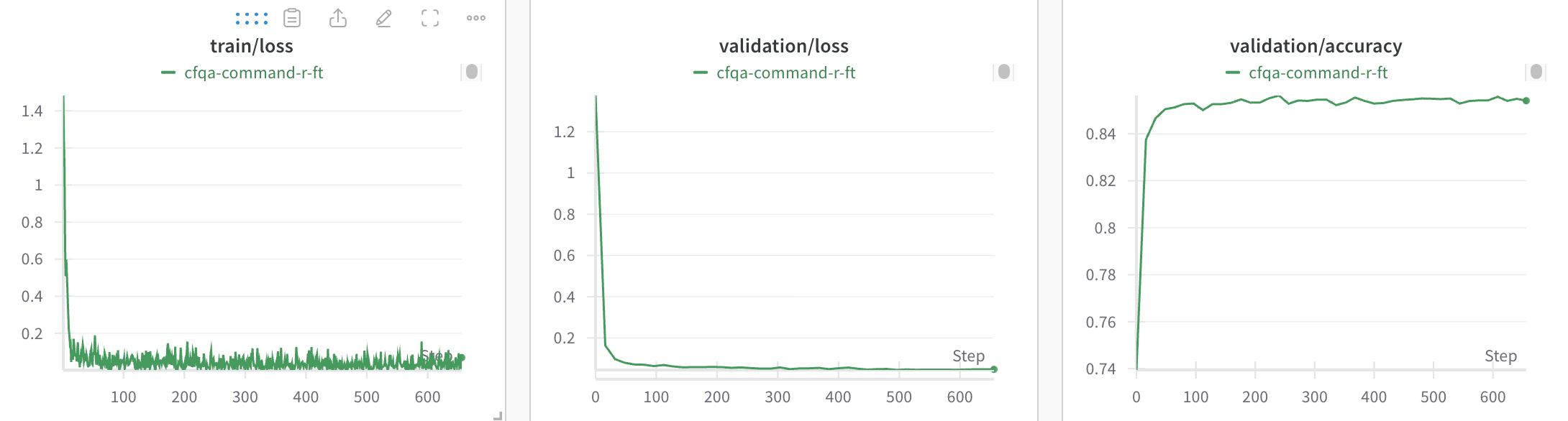
3. 생성한 W\&B 프로젝트에서 모델의 파인튜닝 트레이닝 및 검증 메트릭, 하이퍼파라미터를 확인합니다.
## run 정리
W\&B run은 자동으로 정리되며, 작업 유형, 기반 모델, 학습률 등 모든 설정 매개변수를 기준으로 필터링하거나 정렬할 수 있습니다.
또한 run의 이름을 바꾸고, 메모를 추가하거나, 태그를 만들어 그룹으로 묶을 수 있습니다.
## 리소스
* [Cohere 파인튜닝 예제](https://github.com/cohere-ai/notebooks/blob/kkt_ft_cookbooks/notebooks/finetuning/convfinqa_finetuning_wandb.ipynb)