> ## Documentation Index
> Fetch the complete documentation index at: https://docs.wandb.ai/llms.txt
> Use this file to discover all available pages before exploring further.
# PyTorch torchtune
> WandBLogger metric logger로 LLM fine-tuning 실험을 추적하려면 PyTorch torchtune에서 W&B 로깅을 사용하세요.
export const ColabLink = ({url}) =>
Colab에서 사용해 보기
;
[torchtune](https://meta-pytorch.org/torchtune/stable/index.html)은 대규모 언어 모델(LLM)의 작성, 파인튜닝, 실험 과정을 간소화하도록 설계된 PyTorch 기반 라이브러리입니다. 또한 torchtune은 [W\&B 로깅](https://meta-pytorch.org/torchtune/stable/deep_dives/wandb_logging.html)을 기본으로 지원하여 트레이닝 과정의 추적과 시각화를 강화합니다.
[torchtune을 사용한 Mistral 7B 파인튜닝](https://wandb.ai/capecape/torchtune-mistral/reports/torchtune-The-new-PyTorch-LLM-fine-tuning-library---Vmlldzo3NTUwNjM0)에 관한 W\&B 블로그 게시물을 확인하세요.
## 간편하게 사용하는 W\&B 로깅
실행 시 명령줄 인수를 재정의하세요:
```bash theme={null}
tune run lora_finetune_single_device --config llama3/8B_lora_single_device \
metric_logger._component_=torchtune.utils.metric_logging.WandBLogger \
metric_logger.project="llama3_lora" \
log_every_n_steps=5
```
레시피 설정에서 W\&B 로깅을 활성화하세요:
```yaml theme={null}
# llama3/8B_lora_single_device.yaml 내부
metric_logger:
_component_: torchtune.utils.metric_logging.WandBLogger
project: llama3_lora
log_every_n_steps: 5
```
## W\&B metric logger 사용
`metric_logger` 섹션을 수정해 레시피의 설정 파일에서 W\&B 로깅을 활성화합니다. `_component_`를 `torchtune.utils.metric_logging.WandBLogger` 클래스로 변경합니다. 로깅 동작을 사용자 지정하려면 `project` 이름과 `log_every_n_steps`도 전달할 수 있습니다.
또한 [wandb.init()](/ko/models/ref/python/functions/init) 방법에 전달하듯이 다른 `kwargs`도 전달할 수 있습니다. 예를 들어 팀에서 작업하는 경우 `entity` 인수를 `WandBLogger` 클래스에 전달해 팀 이름을 지정할 수 있습니다.
```yaml theme={null}
# llama3/8B_lora_single_device.yaml 내부
metric_logger:
_component_: torchtune.utils.metric_logging.WandBLogger
project: llama3_lora
entity: my_project
job_type: lora_finetune_single_device
group: my_awesome_experiments
log_every_n_steps: 5
```
```shell theme={null}
tune run lora_finetune_single_device --config llama3/8B_lora_single_device \
metric_logger._component_=torchtune.utils.metric_logging.WandBLogger \
metric_logger.project="llama3_lora" \
metric_logger.entity="my_project" \
metric_logger.job_type="lora_finetune_single_device" \
metric_logger.group="my_awesome_experiments" \
log_every_n_steps=5
```
## 무엇이 로깅되나요?
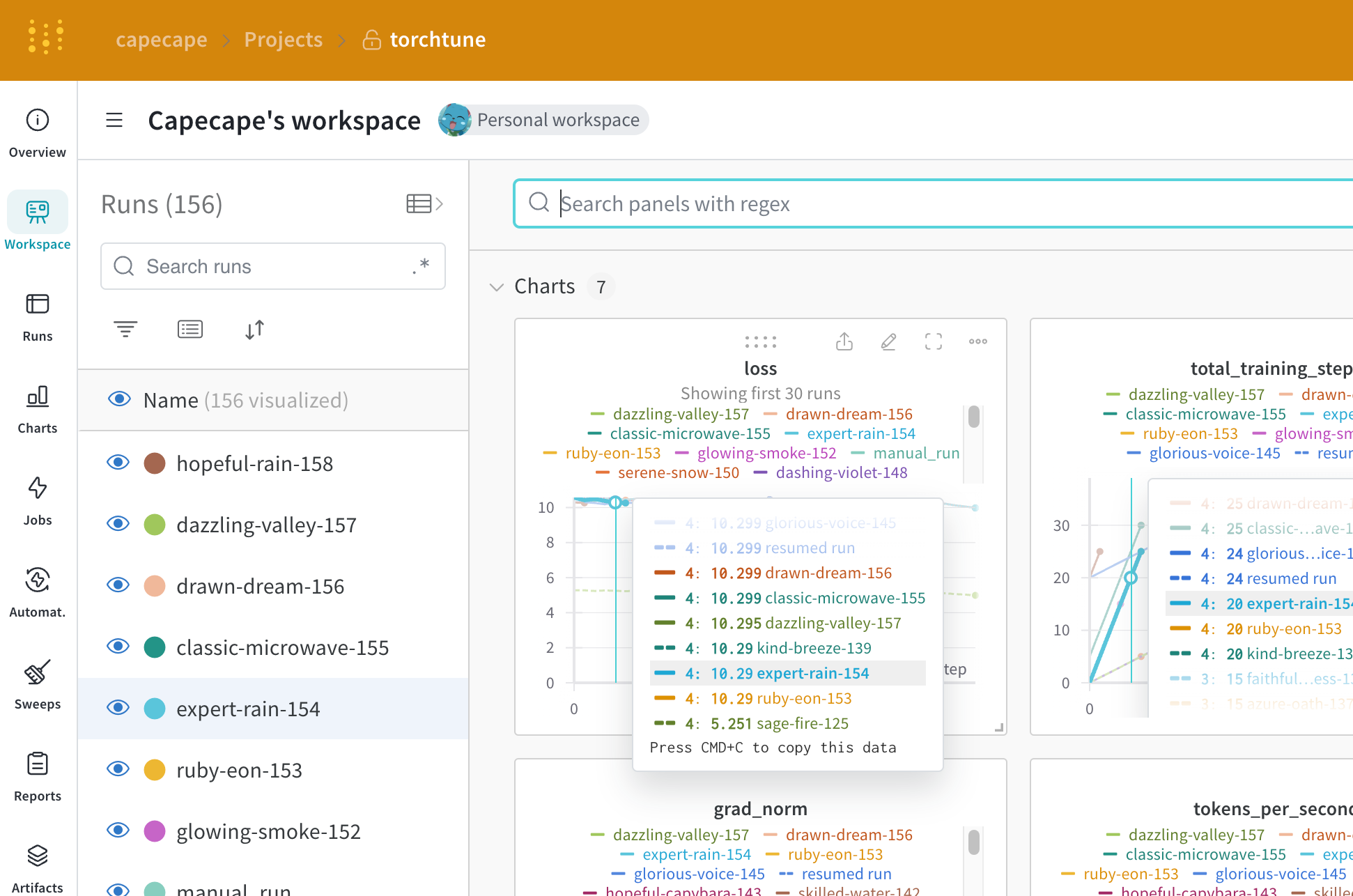
로깅된 메트릭은 W\&B 대시보드에서 확인할 수 있습니다. 기본적으로 W\&B는 설정 파일의 모든 하이퍼파라미터와 launch override를 로깅합니다.
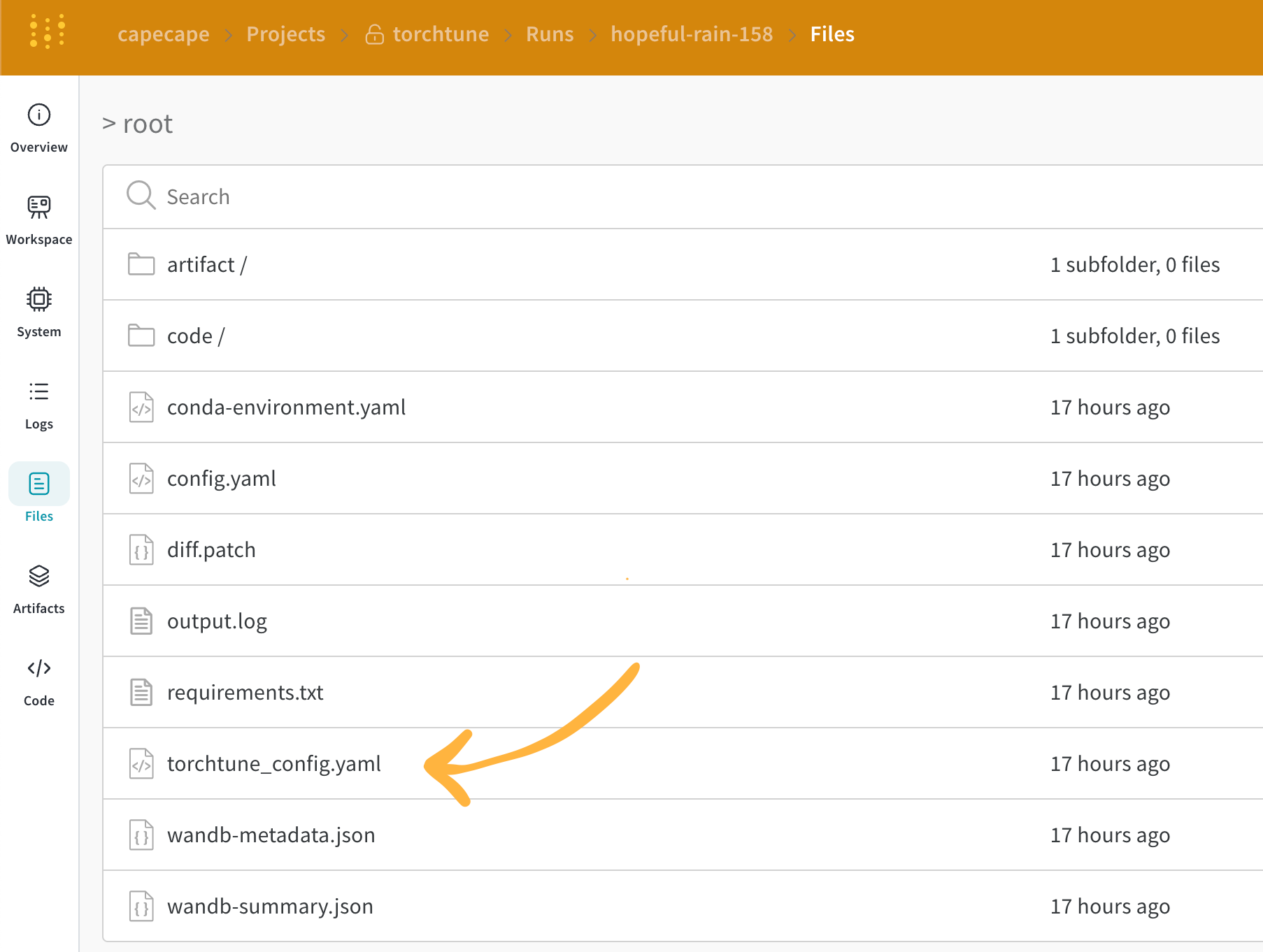
W\&B는 **Overview** 탭에 최종적으로 해석된 설정을 캡처합니다. W\&B는 [Files 탭](https://wandb.ai/capecape/torchtune/runs/joyknwwa/files)에도 설정을 YAML 형식으로 저장합니다.
### 로깅된 메트릭
각 레시피마다 자체 트레이닝 루프가 있습니다. 기본적으로 로깅되는 메트릭은 각 레시피 문서에서 확인할 수 있으며, 다음이 포함됩니다:
| Metric | 설명 |
| ------------------- | ------------------------------------------------------------------------------------------------------- |
| `loss` | 모델의 손실 |
| `lr` | 학습률 |
| `tokens_per_second` | 모델의 초당 토큰 수 |
| `grad_norm` | 모델의 그라디언트 노름 |
| `global_step` | 트레이닝 루프의 현재 step에 해당합니다. 그라디언트 누적이 반영되므로, 그라디언트는 누적되고 모델은 `gradient_accumulation_steps`마다 한 번씩 업데이트됩니다. |
`global_step`은 트레이닝 step 수와 동일하지 않습니다. 트레이닝 루프의 현재 step을 나타내며, 그라디언트 누적이 반영됩니다. 즉, 옵티마이저 step이 수행될 때마다 `global_step`이 1씩 증가합니다. 예를 들어 dataloader에 batch가 10개 있고 gradient accumulation steps가 2이며 3 에포크 동안 실행하면, 옵티마이저는 총 15번 step을 수행합니다. 이 경우 `global_step`은 1부터 15까지의 값을 가집니다.
torchtune의 간결한 설계 덕분에 커스텀 메트릭을 쉽게 추가하거나 기존 메트릭을 수정할 수 있습니다. 해당 [레시피 파일](https://github.com/meta-pytorch/torchtune/tree/main/recipes)만 수정하면 됩니다. 예를 들어 `current_epoch`를 전체 에포크 수 대비 백분율로 계산해 로깅하려면 다음과 같이 할 수 있습니다:
```python theme={null}
# 레시피 파일의 `train.py` 함수 내부
self._metric_logger.log_dict(
{"current_epoch": self.epochs * self.global_step / self._steps_per_epoch},
step=self.global_step,
)
```
이 라이브러리는 매우 빠르게 발전하고 있으므로 현재 메트릭은 변경될 수 있습니다. 맞춤형 메트릭을 추가하려면 레시피를 수정하고 해당 `self._metric_logger.*` 함수를 호출해야 합니다.
## 체크포인트 저장 및 불러오기
torchtune 라이브러리는 다양한 [체크포인트 형식](https://meta-pytorch.org/torchtune/stable/deep_dives/checkpointer.html)을 지원합니다. 사용 중인 모델의 출처에 따라 적절한 [checkpointer 클래스](https://meta-pytorch.org/torchtune/stable/deep_dives/checkpointer.html)로 전환해야 합니다.
모델 체크포인트를 [W\&B Artifacts](/ko/models/artifacts/)에 저장하려면, 가장 간단한 방법은 해당 레시피 내부의 `save_checkpoint` 함수를 재정의하는 것입니다.
다음은 모델 체크포인트를 W\&B Artifacts에 저장하도록 `save_checkpoint` 함수를 재정의하는 예시입니다.
```python theme={null}
def save_checkpoint(self, epoch: int) -> None:
...
## checkpoint를 W&B에 저장합니다
## Checkpointer Class에 따라 파일 이름이 달라집니다
## full_finetune 케이스의 예시입니다
checkpoint_file = Path.joinpath(
self._checkpointer._output_dir, f"torchtune_model_{epoch}"
).with_suffix(".pt")
wandb_artifact = wandb.Artifact(
name=f"torchtune_model_{epoch}",
type="model",
# 모델 checkpoint에 대한 설명
description="Model checkpoint",
# dict 형태로 원하는 메타데이터를 추가할 수 있습니다
metadata={
utils.SEED_KEY: self.seed,
utils.EPOCHS_KEY: self.epochs_run,
utils.TOTAL_EPOCHS_KEY: self.total_epochs,
utils.MAX_STEPS_KEY: self.max_steps_per_epoch,
},
)
wandb_artifact.add_file(checkpoint_file)
wandb.log_artifact(wandb_artifact)
```
 [torchtune을 사용한 Mistral 7B 파인튜닝](https://wandb.ai/capecape/torchtune-mistral/reports/torchtune-The-new-PyTorch-LLM-fine-tuning-library---Vmlldzo3NTUwNjM0)에 관한 W\&B 블로그 게시물을 확인하세요.