> ## Documentation Index
> Fetch the complete documentation index at: https://docs.wandb.ai/llms.txt
> Use this file to discover all available pages before exploring further.
> W&B를 YOLOX와 통합하여 객체 탐지 모델 트레이닝을 추적하며, 메트릭을 로깅하고 탐지 결과를 시각화합니다.
# YOLOX
[YOLOX](https://github.com/Megvii-BaseDetection/YOLOX)는 객체 탐지에서 뛰어난 성능을 제공하는 anchor-free YOLO 버전입니다. YOLOX W\&B 인테그레이션을 사용하면 트레이닝, 검증, 시스템 관련 메트릭 로깅을 활성화할 수 있으며, 명령줄 인자 하나만으로 예측을 대화형으로 검증할 수 있습니다.
## 가입하고 API 키 만들기
API 키는 로컬 머신을 W\&B에 인증하는 데 사용됩니다. 프로필에서 API 키를 생성할 수 있습니다.
더 간편하게 하려면 [User Settings](https://wandb.ai/settings)로 이동해 API 키를 생성하세요. API 키는 즉시 복사해 비밀번호 관리자와 같은 안전한 위치에 저장하세요.
1. 오른쪽 상단의 프로필 아이콘을 클릭합니다.
2. **User Settings**를 선택한 다음 **API Keys** 섹션까지 스크롤합니다.
## `wandb` 라이브러리 설치 및 로그인
로컬 환경에 `wandb` 라이브러리를 설치하고 로그인하려면 다음 단계를 따르세요.
1. `WANDB_API_KEY` [환경 변수](/ko/models/track/environment-variables/)를 API 키로 설정합니다.
```bash theme={null}
export WANDB_API_KEY=
```
2. `wandb` 라이브러리를 설치하고 로그인합니다.
```shell theme={null}
pip install wandb
wandb login
```
```bash theme={null}
pip install wandb
```
```python theme={null}
import wandb
wandb.login()
```
```notebook theme={null}
!pip install wandb
import wandb
wandb.login()
```
## 메트릭 로깅
wandb로 로깅을 활성화하려면 `--logger wandb` 명령줄 인수를 사용하세요. 선택적으로 [`wandb.init()`](/ko/models/ref/python/functions/init)에 전달할 수 있는 모든 인수도 함께 전달할 수 있습니다. 각 인수 앞에는 `wandb-`를 붙이세요.
`num_eval_imges`는 모델 평가를 위해 W\&B Tables에 로깅할 검증 세트 이미지와 예측의 수를 제어합니다.
```shell theme={null}
# wandb에 로그인
wandb login
# `wandb` logger 인수를 사용하여 yolox 트레이닝 스크립트 호출
python tools/train.py .... --logger wandb \
wandb-project \
wandb-entity
wandb-name \
wandb-id \
wandb-save_dir \
wandb-num_eval_imges \
wandb-log_checkpoints
```
## 예시
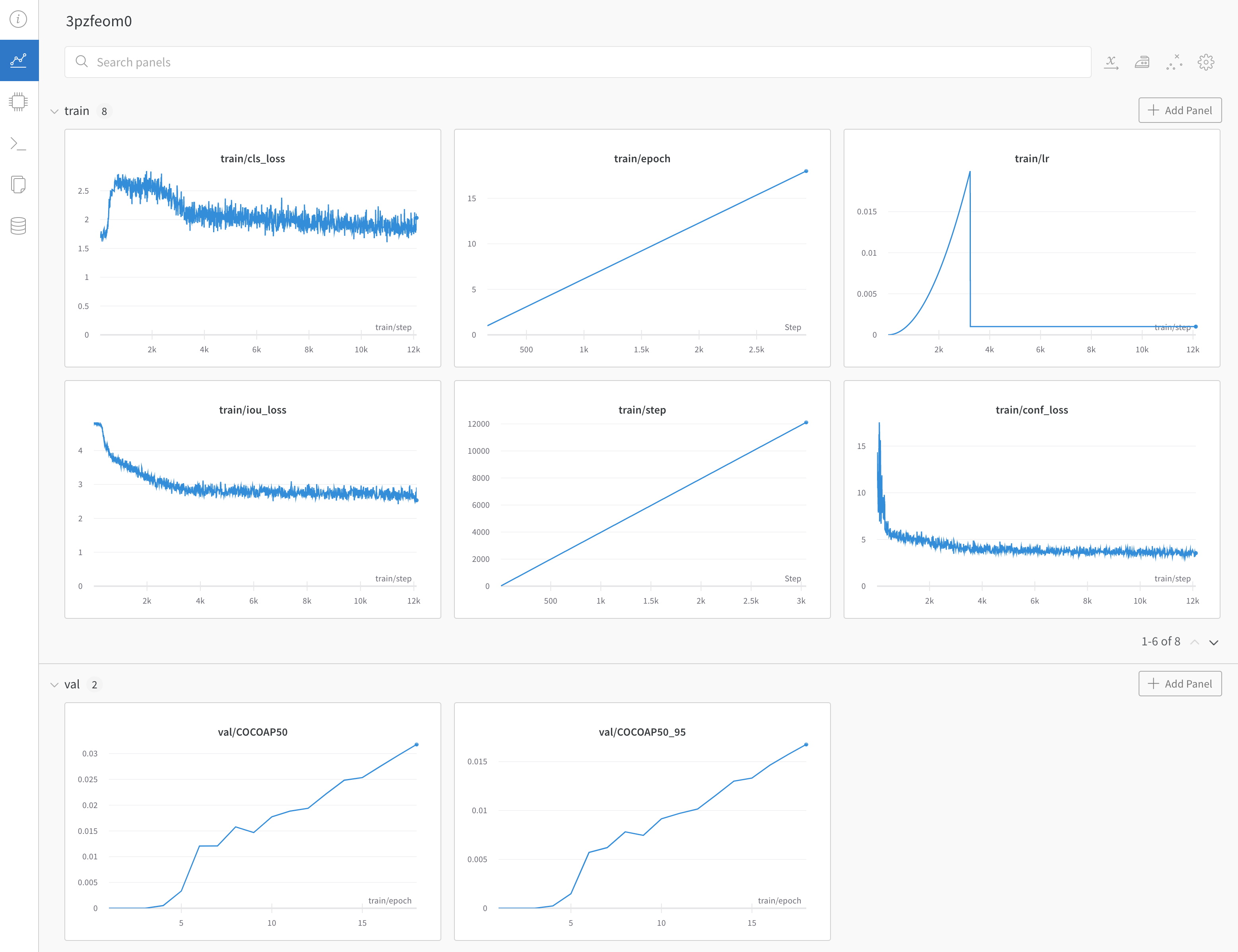
[YOLOX 트레이닝 및 검증 메트릭이 포함된 예시 대시보드 ->](https://wandb.ai/manan-goel/yolox-nano/runs/3pzfeom)
 이 W\&B 인테그레이션에 관해 질문이 있거나 문제가 발생했다면 [YOLOX 저장소](https://github.com/Megvii-BaseDetection/YOLOX)에 이슈를 등록하세요.