> ## Documentation Index
> Fetch the complete documentation index at: https://docs.wandb.ai/llms.txt
> Use this file to discover all available pages before exploring further.
# 리포트에 여러 작성자 추가하기
리포트에 여러 작성자를 추가해 기여자를 표시할 수 있습니다. 이는 리포트가 두 명 이상이 수행한 작업을 나타낼 때 유용합니다.
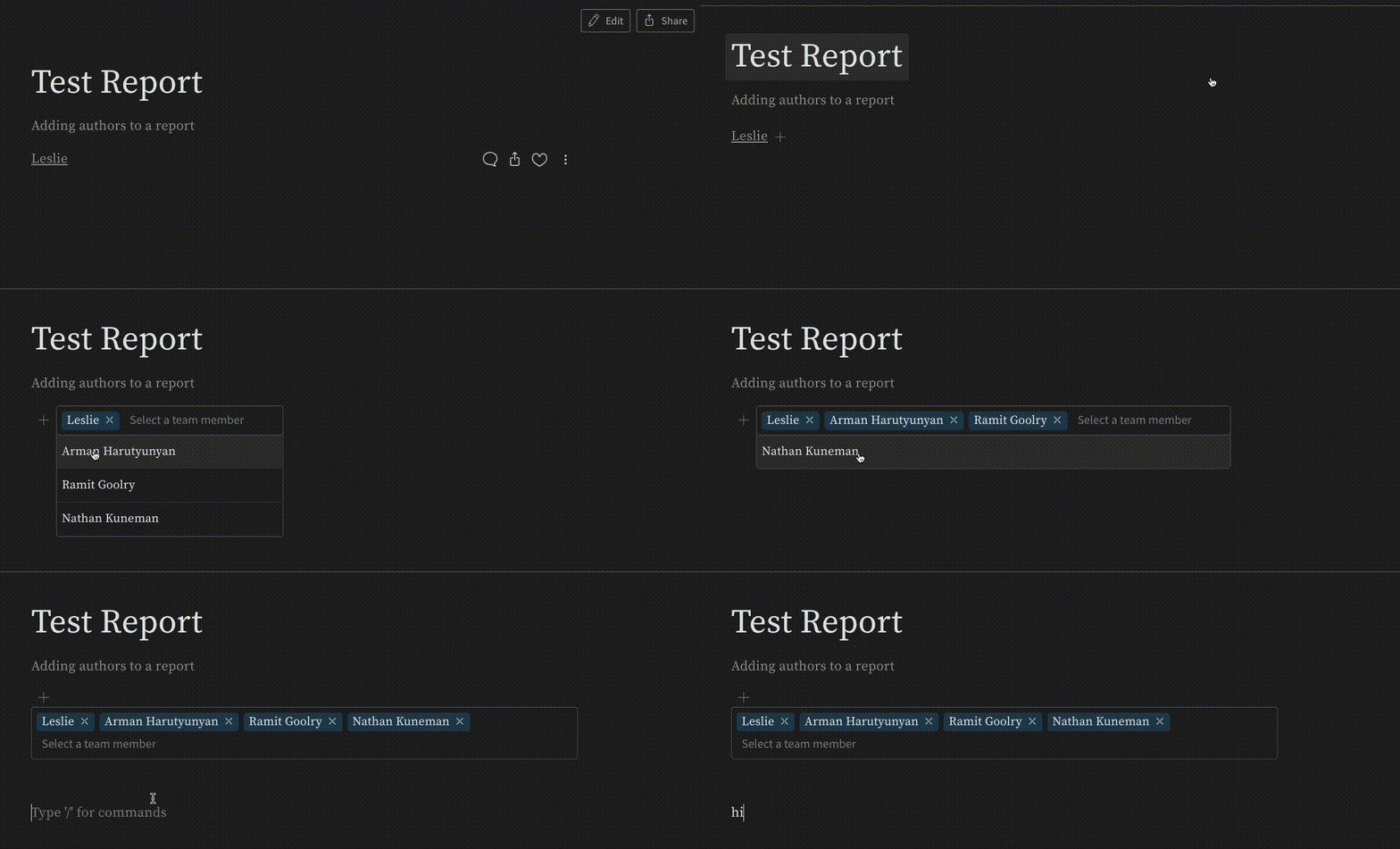
여러 작성자를 추가하려면 작성자 이름 옆의 **+** 아이콘을 클릭하세요. 그러면 리포트에 액세스할 수 있는 모든 사용자가 나열된 드롭다운 메뉴가 열립니다. 작성자로 추가할 사용자를 선택하세요. 선택한 사용자는 이제 리포트에 공동 작성자로 표시됩니다.
 ***
[Reports](/ko/support/models/tags/reports)
***
[Reports](/ko/support/models/tags/reports)