> ## Documentation Index
> Fetch the complete documentation index at: https://docs.wandb.ai/llms.txt
> Use this file to discover all available pages before exploring further.
# 맞춤형 차트 프리셋은 어떻게 삭제하나요?
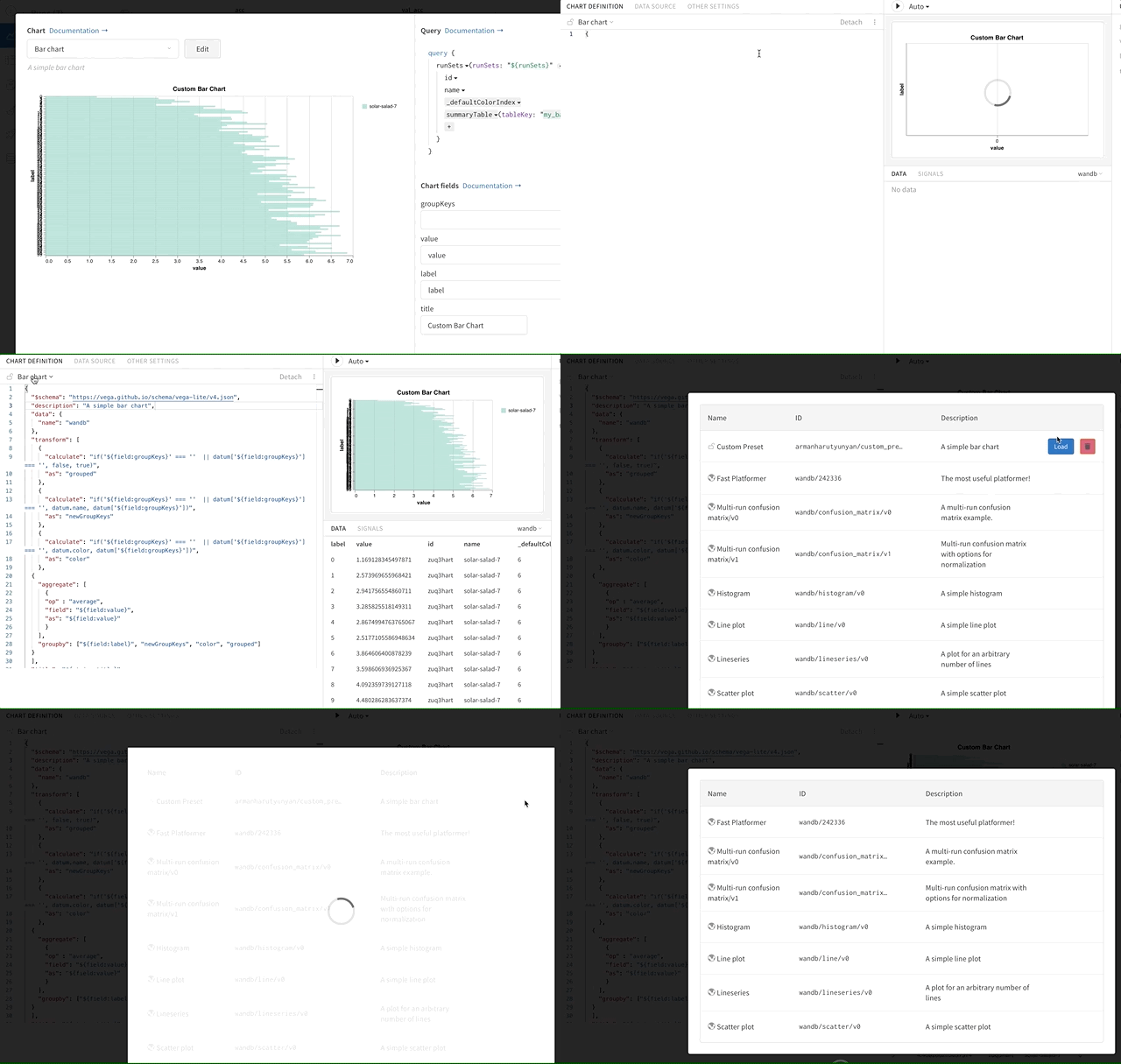
맞춤형 차트 프리셋을 삭제하려면 다음과 같이 하세요.
1. 맞춤형 차트 편집기를 엽니다.
2. 현재 선택된 차트 유형을 클릭해 모든 프리셋이 표시되는 메뉴를 엽니다.
3. 삭제할 프리셋 위에 마우스를 올린 다음 **휴지통** 아이콘을 클릭합니다.
 ***
[차트](/ko/support/models/tags/charts)
***
[차트](/ko/support/models/tags/charts)