> ## Documentation Index
> Fetch the complete documentation index at: https://docs.wandb.ai/llms.txt
> Use this file to discover all available pages before exploring further.

# 로컬 인스턴스에서 문제가 발생하면 어떤 파일을 확인해야 하나요?

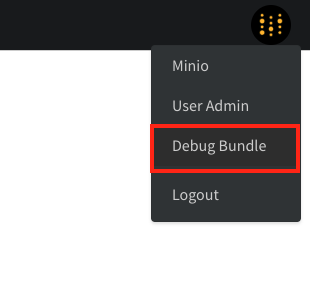
W\&B 로컬 인스턴스에서 문제를 해결할 때는 먼저 **Debug Bundle**을 수집하세요. 이 번들에는 문제를 진단하는 데 필요한 로그와 시스템 정보가 포함되어 있습니다.

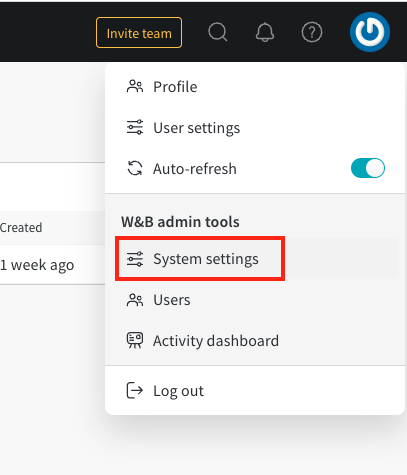
번들을 다운로드하려면 관리자가 `/system-admin` 페이지를 열고, 오른쪽 상단의 W\&B 아이콘을 선택한 다음 **Debug Bundle**을 선택합니다.
<Frame>
  <img src="https://mintcdn.com/wb-21fd5541/6bJLb4DIApn2yeFO/images/technical_faq/debug_bundle.png?fit=max&auto=format&n=6bJLb4DIApn2yeFO&q=85&s=0ad51c530dde495b9dd3b089ab38989b" alt="Debug Bundle 다운로드" width="310" height="302" data-path="images/technical_faq/debug_bundle.png" />
</Frame>

<Frame>
  <img src="https://mintcdn.com/wb-21fd5541/6bJLb4DIApn2yeFO/images/technical_faq/local_system_settings.png?fit=max&auto=format&n=6bJLb4DIApn2yeFO&q=85&s=041cfc896c8e8e8fb6d169caab8c1aed" alt="시스템 설정" width="407" height="475" data-path="images/technical_faq/local_system_settings.png" />
</Frame>

***

<Badge stroke shape="pill" color="orange" size="md">[관리자](/ko/support/models/tags/administrator)</Badge>