> ## Documentation Index
> Fetch the complete documentation index at: https://docs.wandb.ai/llms.txt
> Use this file to discover all available pages before exploring further.
# MistralAI
> Weave의 자동 Tracing으로 채팅 completion, 함수 호출, 모델 상호작용 전반에서 MistralAI 모델 Call을 추적하고 모니터링하세요.
 Weave는 [MistralAI Python 라이브러리](https://github.com/mistralai/client-python)를 통해 이루어진 LLM 호출을 자동으로 추적하고 로깅합니다. 이 가이드에서는 MistralAI 호출에 대한 트레이스를 캡처하고, 재현성을 위해 자체 ops로 호출을 래핑하며, `Model` 클래스를 사용해 Experiments를 구성하는 방법을 설명합니다.
> Weave는 Mistral v1.0 SDK를 지원합니다. 업그레이드에 대한 자세한 내용은 [마이그레이션 가이드](https://github.com/mistralai/client-python/blob/main/MIGRATION.md)를 참조하세요.
Weave는 [MistralAI Python 라이브러리](https://github.com/mistralai/client-python)를 통해 이루어진 LLM 호출을 자동으로 추적하고 로깅합니다. 이 가이드에서는 MistralAI 호출에 대한 트레이스를 캡처하고, 재현성을 위해 자체 ops로 호출을 래핑하며, `Model` 클래스를 사용해 Experiments를 구성하는 방법을 설명합니다.
> Weave는 Mistral v1.0 SDK를 지원합니다. 업그레이드에 대한 자세한 내용은 [마이그레이션 가이드](https://github.com/mistralai/client-python/blob/main/MIGRATION.md)를 참조하세요.
## 트레이스
개발 단계와 프로덕션 환경 모두에서 LLM 애플리케이션의 트레이스를 중앙 데이터베이스에 저장하는 것이 중요합니다. 이러한 트레이스는 디버깅에 활용하고, 애플리케이션 개선에 도움이 되는 데이터셋으로도 사용합니다.
Weave는 [mistralai](https://github.com/mistralai/client-python)의 트레이스를 자동으로 캡처합니다. 라이브러리를 평소처럼 사용하려면, 먼저 `weave.init()`을 호출하세요:
```python lines theme={null}
import weave
weave.init("cheese_recommender")
# 이후 mistralai 라이브러리를 평소처럼 사용하세요
import os
from mistralai import Mistral
api_key = os.environ["MISTRAL_API_KEY"]
model = "mistral-large-latest"
client = Mistral(api_key=api_key)
messages = [
{
"role": "user",
"content": "What is the best French cheese?",
},
]
chat_response = client.chat.complete(
model=model,
messages=messages,
)
```
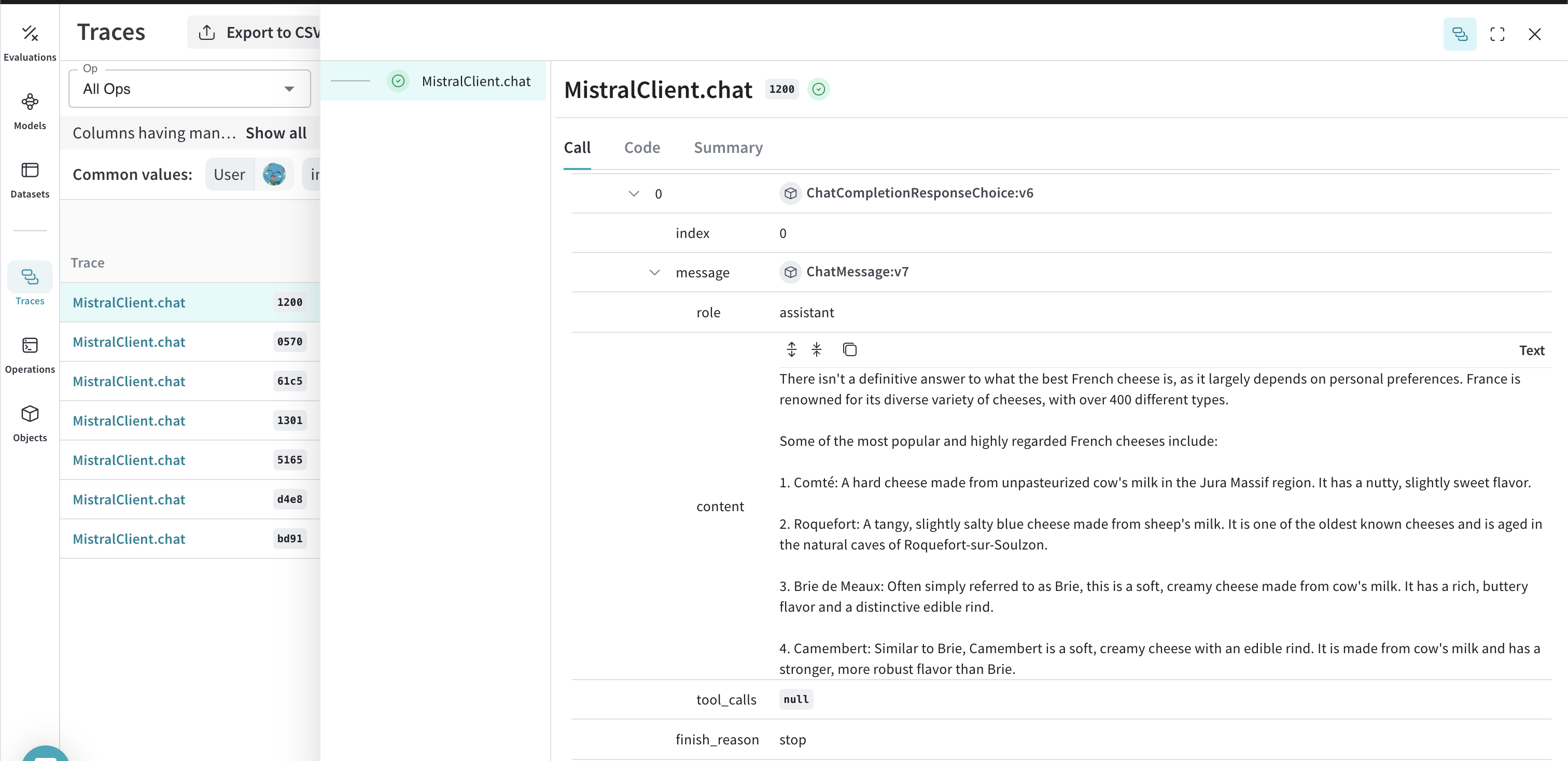
이제 Weave가 MistralAI 라이브러리를 통해 이루어지는 모든 LLM Call을 추적하고 로깅합니다. Weave 웹 인터페이스에서 트레이스를 확인할 수 있습니다.
[ ](https://wandb.ai/capecape/mistralai_project/weave/calls)
## 직접 만든 ops로 Call 감싸기
기본 Tracing이 작동하면 MistralAI Call을 Weave Ops로 감싸 실험 전반에서 재현 가능하게 만들 수 있습니다. Weave ops는 실험하는 동안 코드 버전을 자동으로 관리하고 입력과 출력을 함께 캡처해 결과를 *재현 가능*하게 만듭니다. [`mistralai.client.MistralClient.chat()`](https://docs.mistral.ai/capabilities/completion)을 호출하는 함수를 [`@weave.op()`](/ko/weave/guides/tracking/ops) 데코레이터로 만들기만 하면, Weave가 입력과 출력을 대신 추적해 줍니다. 다음 예시는 치즈 추천기에 이를 적용하는 방법을 보여줍니다:
```python lines {1} theme={null}
@weave.op()
def cheese_recommender(region:str, model:str) -> str:
"Recommend the best cheese in a given region"
messages = [
{
"role": "user",
"content": f"What is the best cheese in {region}?",
},
]
chat_response = client.chat.complete(
model=model,
messages=messages,
)
return chat_response.choices[0].message.content
cheese_recommender(region="France", model="mistral-large-latest")
cheese_recommender(region="Spain", model="mistral-large-latest")
cheese_recommender(region="Netherlands", model="mistral-large-latest")
```
[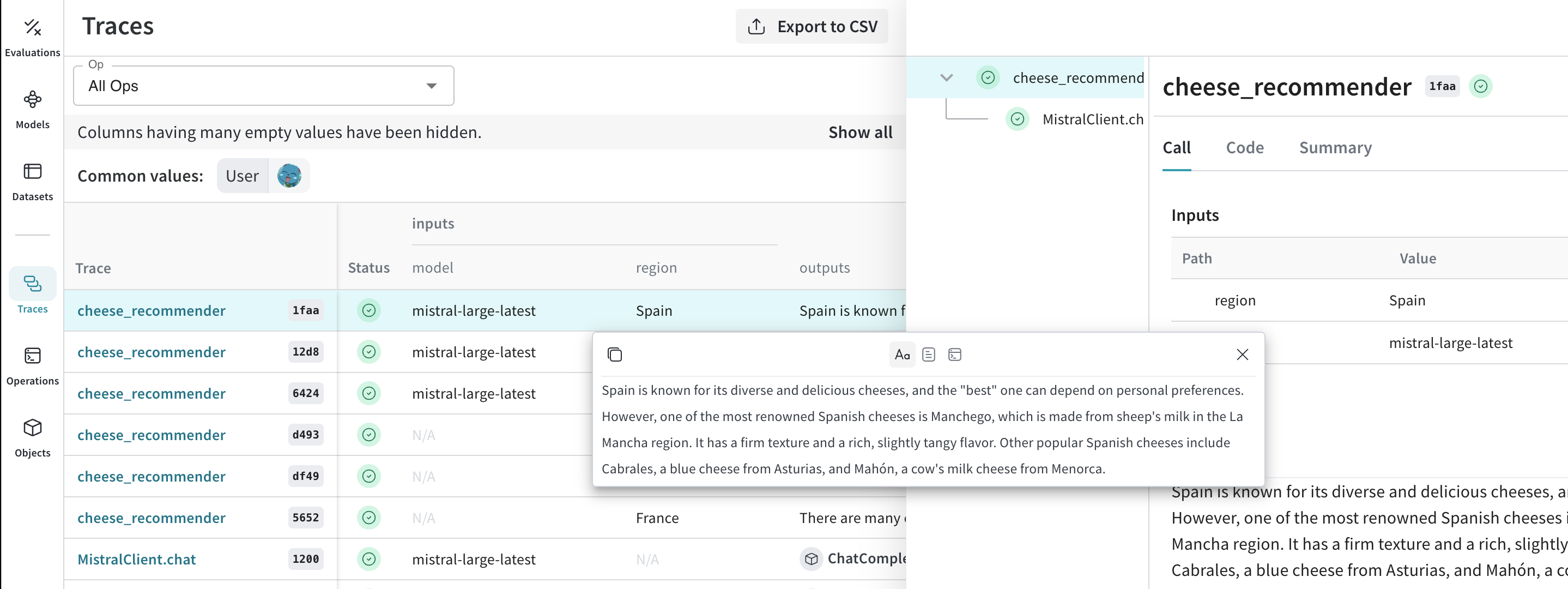 ](https://wandb.ai/capecape/mistralai_project/weave/calls)
## 더 쉽게 실험할 수 있도록 `Model` 만들기
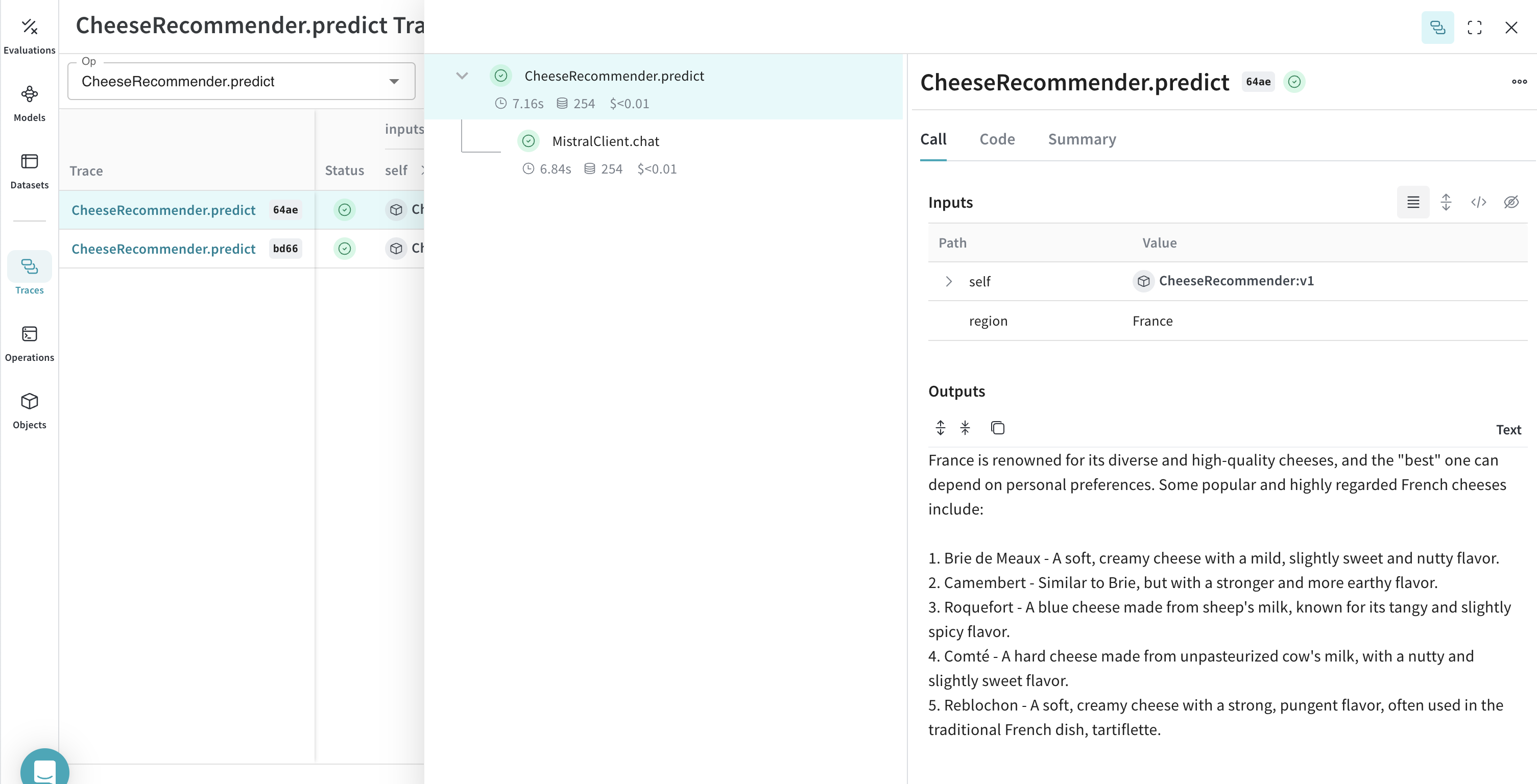
실험을 구성하는 요소가 많으면 정리하기가 어렵습니다. [`Model`](/ko/weave/guides/core-types/models) 클래스를 사용하면 system 프롬프트나 사용 중인 모델처럼 앱의 실험 세부 정보를 캡처하고 정리할 수 있습니다. 이렇게 하면 앱의 여러 버전을 체계적으로 정리하고 비교하는 데 도움이 됩니다.
코드를 버전 관리하고 입력과 출력을 캡처하는 것 외에도, [`Model`](/ko/weave/guides/core-types/models)은 애플리케이션의 동작을 제어하는 구조화된 파라미터를 캡처하므로 어떤 파라미터가 가장 효과적이었는지 쉽게 찾을 수 있습니다. 또한 Weave Models를 `serve` 및 [`Evaluation`](/ko/weave/guides/core-types/evaluations)과 함께 사용할 수도 있습니다.
다음 예시에서는 `model`과 `country`를 바꿔 가며 실험할 수 있습니다. 이들 중 하나를 변경할 때마다 `CheeseRecommender`의 새로운 *버전*이 생성됩니다.
```python lines theme={null}
import weave
from mistralai import Mistral
weave.init("mistralai_project")
class CheeseRecommender(weave.Model): # `weave.Model`로 변경
model: str
temperature: float
@weave.op()
def predict(self, region:str) -> str: # `predict`로 변경
"Recommend the best cheese in a given region"
client = Mistral(api_key=api_key)
messages = [
{
"role": "user",
"content": f"What is the best cheese in {region}?",
},
]
chat_response = client.chat.complete(
model=model,
messages=messages,
temperature=self.temperature
)
return chat_response.choices[0].message.content
cheese_model = CheeseRecommender(
model="mistral-medium-latest",
temperature=0.0
)
result = cheese_model.predict(region="France")
print(result)
```
[ ](https://wandb.ai/capecape/mistralai_project/weave/models)