> ## Documentation Index
> Fetch the complete documentation index at: https://docs.wandb.ai/llms.txt
> Use this file to discover all available pages before exploring further.
> In line plots, use smoothing to see trends in noisy data.
# Smooth line plots
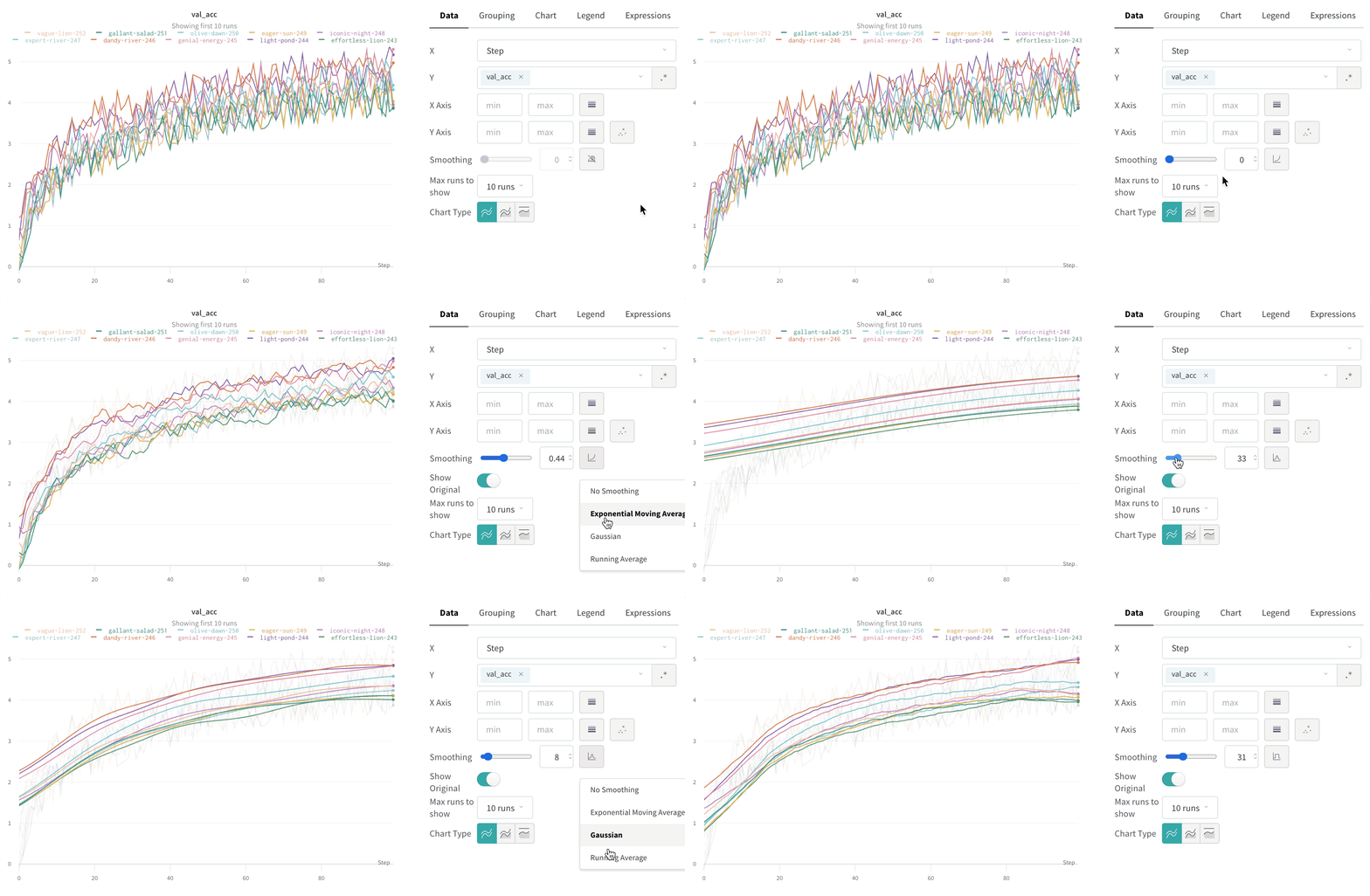
Smoothing helps you spot trends in noisy line plots by reducing point-to-point variation, making the underlying signal easier to read. This page describes the smoothing algorithms W\&B supports, when each one is most useful, and how to control whether the original data remains visible.
W\&B supports several types of smoothing:
* [Time weighted exponential moving average (TWEMA) smoothing](#time-weighted-exponential-moving-average-twema-smoothing-default)
* [Gaussian smoothing](#gaussian-smoothing)
* [Running average](#running-average-smoothing)
* [Exponential moving average (EMA) smoothing](#exponential-moving-average-ema-smoothing)
To see these algorithms applied to real data, see this [interactive W\&B report](https://wandb.ai/carey/smoothing-example/reports/W-B-Smoothing-Features--Vmlldzo1MzY3OTc).
 ## Time weighted exponential moving average (TWEMA) smoothing (default)
The time-weighted exponential moving average (TWEMA) smoothing algorithm is a technique for smoothing time series data by exponentially decaying the weight of previous points. For details about the technique, see [Exponential Smoothing](https://www.wikiwand.com/en/Exponential_smoothing). The range is 0 to 1. A debias term is added so that early values in the time series aren't biased towards zero.
The TWEMA algorithm takes the density of points on the line (the number of `y` values per unit of range on x-axis) into account. This allows consistent smoothing when displaying multiple lines with different characteristics simultaneously.
The following sample code shows how this works under the hood:
```javascript theme={null}
const smoothingWeight = Math.min(Math.sqrt(smoothingParam || 0), 0.999);
let lastY = yValues.length > 0 ? 0 : NaN;
let debiasWeight = 0;
return yValues.map((yPoint, index) => {
const prevX = index > 0 ? index - 1 : 0;
// VIEWPORT_SCALE scales the result to the chart's x-axis range
const changeInX =
((xValues[index] - xValues[prevX]) / rangeOfX) * VIEWPORT_SCALE;
const smoothingWeightAdj = Math.pow(smoothingWeight, changeInX);
lastY = lastY * smoothingWeightAdj + yPoint;
debiasWeight = debiasWeight * smoothingWeightAdj + 1;
return lastY / debiasWeight;
});
```
To see this algorithm applied to live data, see the [TWEMA section of the interactive W\&B report](https://wandb.ai/carey/smoothing-example/reports/W-B-Smoothing-Features--Vmlldzo1MzY3OTc).
## Time weighted exponential moving average (TWEMA) smoothing (default)
The time-weighted exponential moving average (TWEMA) smoothing algorithm is a technique for smoothing time series data by exponentially decaying the weight of previous points. For details about the technique, see [Exponential Smoothing](https://www.wikiwand.com/en/Exponential_smoothing). The range is 0 to 1. A debias term is added so that early values in the time series aren't biased towards zero.
The TWEMA algorithm takes the density of points on the line (the number of `y` values per unit of range on x-axis) into account. This allows consistent smoothing when displaying multiple lines with different characteristics simultaneously.
The following sample code shows how this works under the hood:
```javascript theme={null}
const smoothingWeight = Math.min(Math.sqrt(smoothingParam || 0), 0.999);
let lastY = yValues.length > 0 ? 0 : NaN;
let debiasWeight = 0;
return yValues.map((yPoint, index) => {
const prevX = index > 0 ? index - 1 : 0;
// VIEWPORT_SCALE scales the result to the chart's x-axis range
const changeInX =
((xValues[index] - xValues[prevX]) / rangeOfX) * VIEWPORT_SCALE;
const smoothingWeightAdj = Math.pow(smoothingWeight, changeInX);
lastY = lastY * smoothingWeightAdj + yPoint;
debiasWeight = debiasWeight * smoothingWeightAdj + 1;
return lastY / debiasWeight;
});
```
To see this algorithm applied to live data, see the [TWEMA section of the interactive W\&B report](https://wandb.ai/carey/smoothing-example/reports/W-B-Smoothing-Features--Vmlldzo1MzY3OTc).
 ## Gaussian smoothing
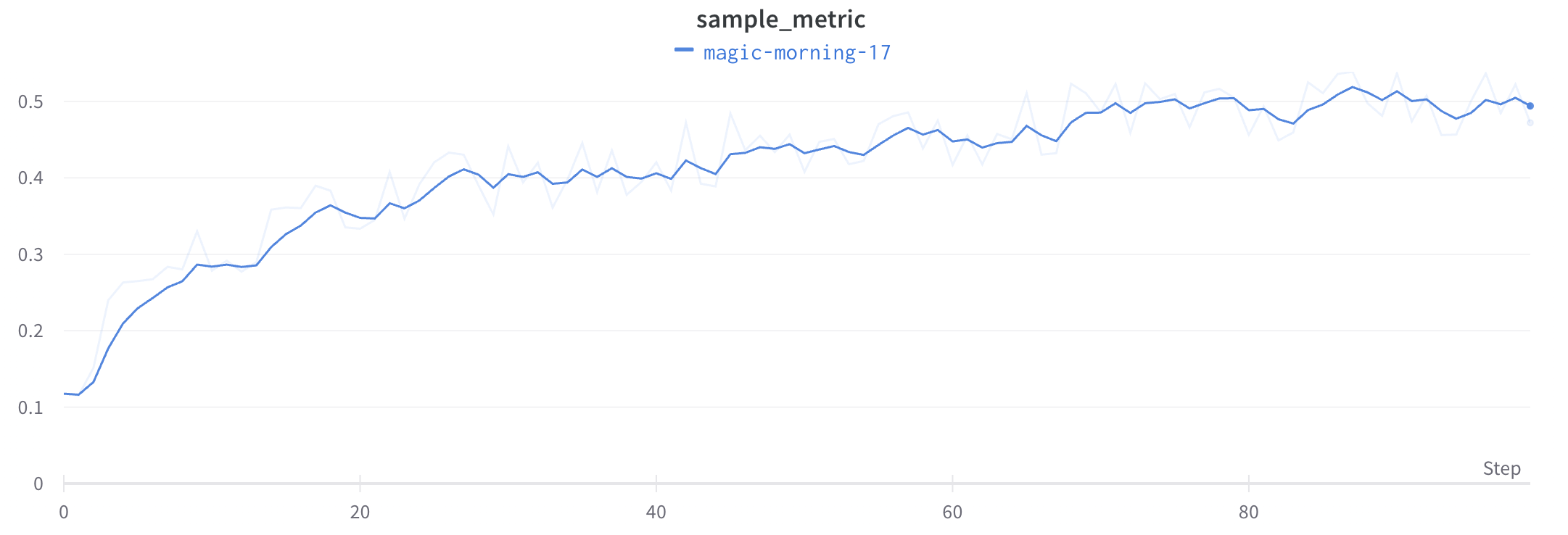
Gaussian smoothing (or Gaussian kernel smoothing) computes a weighted average of the points, where the weights correspond to a Gaussian distribution with the standard deviation specified as the smoothing parameter. W\&B calculates the smoothed value for every input `x` value, based on the points that occur both before and after it.
To see this algorithm applied to live data, see the [Gaussian smoothing section of the interactive W\&B report](https://wandb.ai/carey/smoothing-example/reports/W-B-Smoothing-Features--Vmlldzo1MzY3OTc#3.-gaussian-smoothing).
## Gaussian smoothing
Gaussian smoothing (or Gaussian kernel smoothing) computes a weighted average of the points, where the weights correspond to a Gaussian distribution with the standard deviation specified as the smoothing parameter. W\&B calculates the smoothed value for every input `x` value, based on the points that occur both before and after it.
To see this algorithm applied to live data, see the [Gaussian smoothing section of the interactive W\&B report](https://wandb.ai/carey/smoothing-example/reports/W-B-Smoothing-Features--Vmlldzo1MzY3OTc#3.-gaussian-smoothing).
 ## Running average smoothing
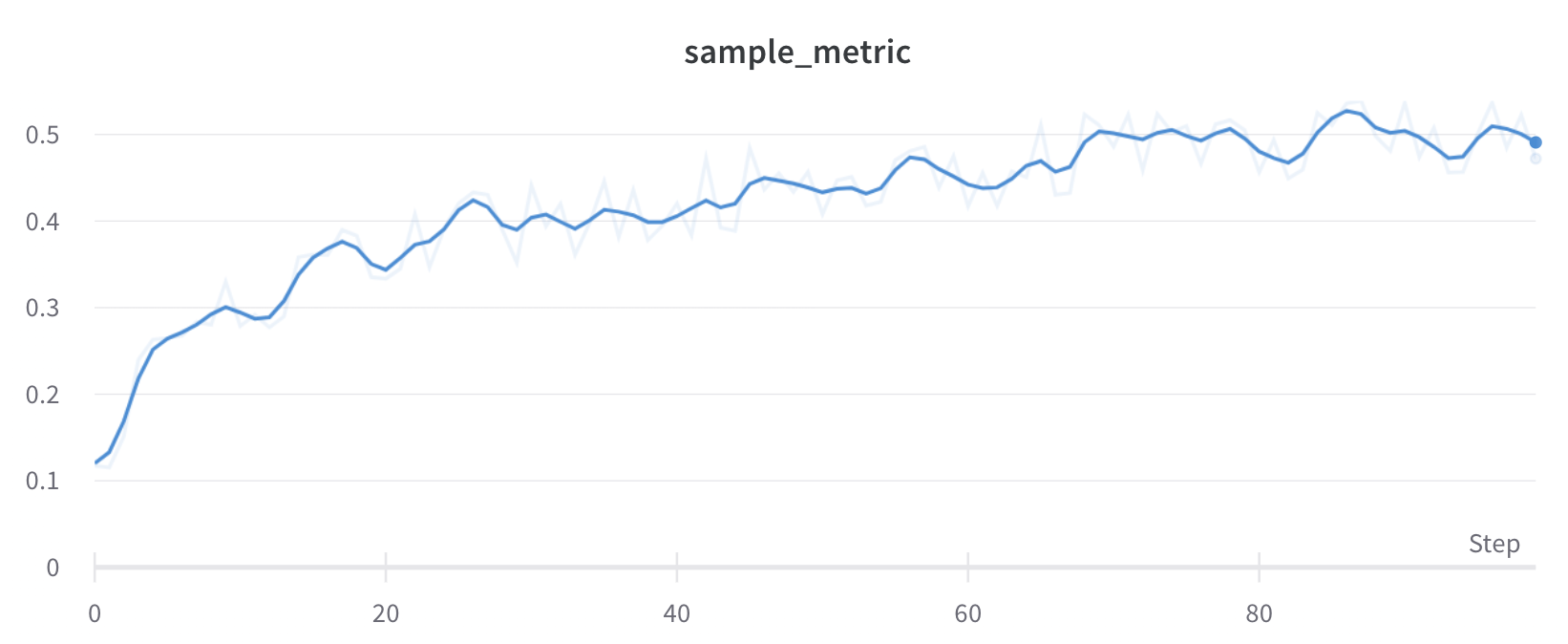
Running average is a smoothing algorithm that replaces a point with the average of points in a window before and after the given `x` value. See ["Boxcar Filter" on Wikipedia](https://en.wikipedia.org/wiki/Moving_average). The selected parameter for running average specifies the number of points to consider in the moving average.
If your points are spaced unevenly on the x-axis, use Gaussian smoothing instead, because a fixed-width window can produce misleading averages when point density varies.
To see this algorithm applied to live data, see the [running average section of the interactive W\&B report](https://wandb.ai/carey/smoothing-example/reports/W-B-Smoothing-Features--Vmlldzo1MzY3OTc#4.-running-average).
## Running average smoothing
Running average is a smoothing algorithm that replaces a point with the average of points in a window before and after the given `x` value. See ["Boxcar Filter" on Wikipedia](https://en.wikipedia.org/wiki/Moving_average). The selected parameter for running average specifies the number of points to consider in the moving average.
If your points are spaced unevenly on the x-axis, use Gaussian smoothing instead, because a fixed-width window can produce misleading averages when point density varies.
To see this algorithm applied to live data, see the [running average section of the interactive W\&B report](https://wandb.ai/carey/smoothing-example/reports/W-B-Smoothing-Features--Vmlldzo1MzY3OTc#4.-running-average).
 ## Exponential moving average (EMA) smoothing
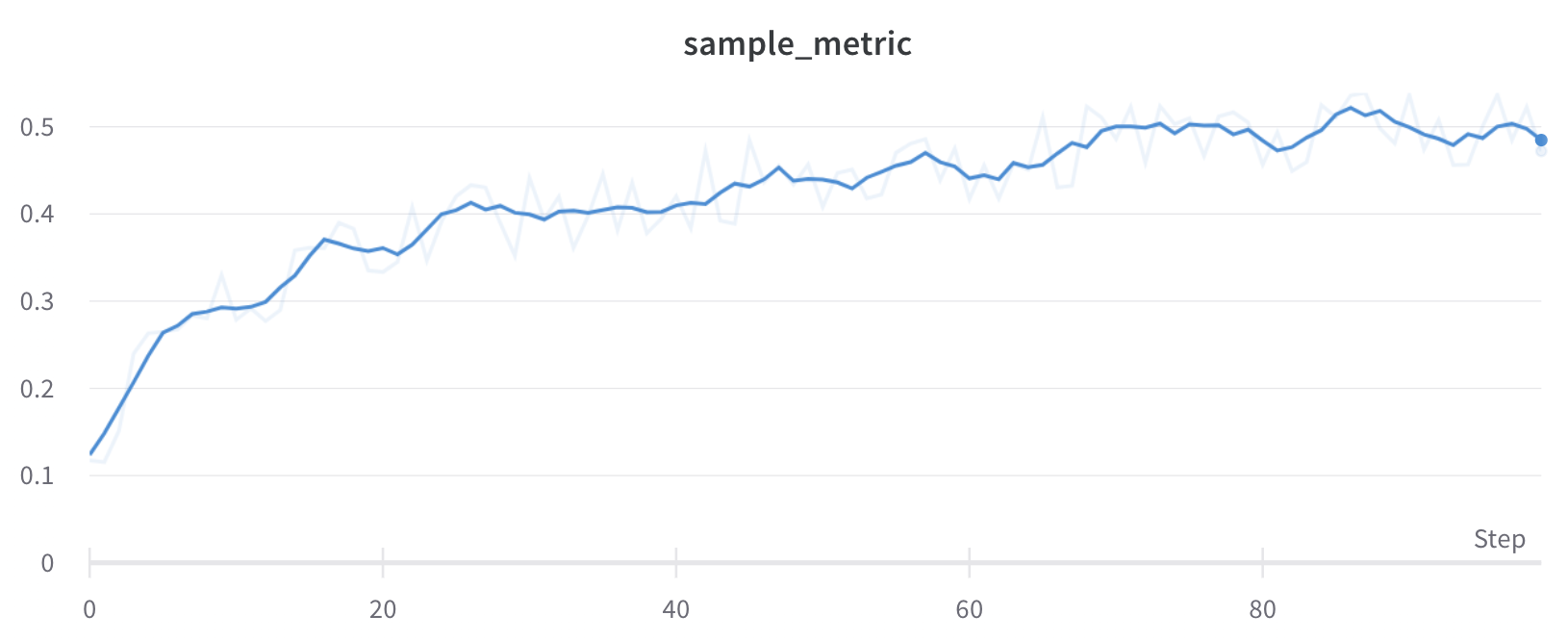
The exponential moving average (EMA) smoothing algorithm is a heuristic technique for smoothing time series data using the exponential window function. For details about the technique, see [Exponential Smoothing](https://www.wikiwand.com/en/Exponential_smoothing). The range is 0 to 1. A debias term is added so that early values in the time series aren't biased towards zero.
In most cases, EMA smoothing applies to a full scan of history, rather than bucketing first before smoothing. This typically produces more accurate smoothing.
In the following situations, EMA smoothing is applied after bucketing instead:
* Sampling
* Grouping
* Expressions
* Non-monotonic x-axes
* Time-based x-axes
The following sample code shows how this works under the hood:
```javascript theme={null}
data.forEach(d => {
const nextVal = d;
last = last * smoothingWeight + (1 - smoothingWeight) * nextVal;
numAccum++;
debiasWeight = 1.0 - Math.pow(smoothingWeight, numAccum);
smoothedData.push(last / debiasWeight);
```
To see this algorithm applied to live data, see the [EMA section of the interactive W\&B report](https://wandb.ai/carey/smoothing-example/reports/W-B-Smoothing-Features--Vmlldzo1MzY3OTc).
## Exponential moving average (EMA) smoothing
The exponential moving average (EMA) smoothing algorithm is a heuristic technique for smoothing time series data using the exponential window function. For details about the technique, see [Exponential Smoothing](https://www.wikiwand.com/en/Exponential_smoothing). The range is 0 to 1. A debias term is added so that early values in the time series aren't biased towards zero.
In most cases, EMA smoothing applies to a full scan of history, rather than bucketing first before smoothing. This typically produces more accurate smoothing.
In the following situations, EMA smoothing is applied after bucketing instead:
* Sampling
* Grouping
* Expressions
* Non-monotonic x-axes
* Time-based x-axes
The following sample code shows how this works under the hood:
```javascript theme={null}
data.forEach(d => {
const nextVal = d;
last = last * smoothingWeight + (1 - smoothingWeight) * nextVal;
numAccum++;
debiasWeight = 1.0 - Math.pow(smoothingWeight, numAccum);
smoothedData.push(last / debiasWeight);
```
To see this algorithm applied to live data, see the [EMA section of the interactive W\&B report](https://wandb.ai/carey/smoothing-example/reports/W-B-Smoothing-Features--Vmlldzo1MzY3OTc).
 ## Hide original data
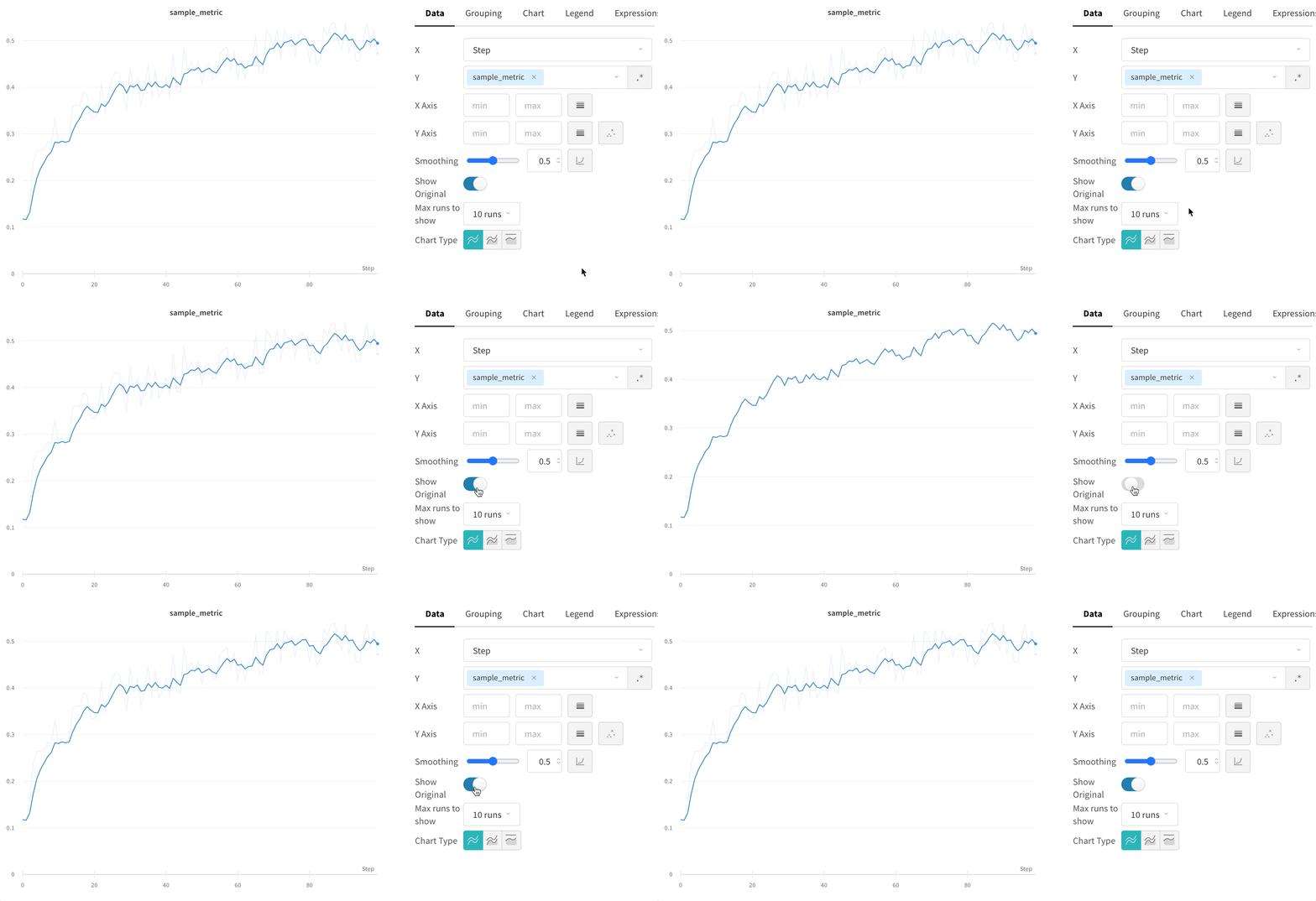
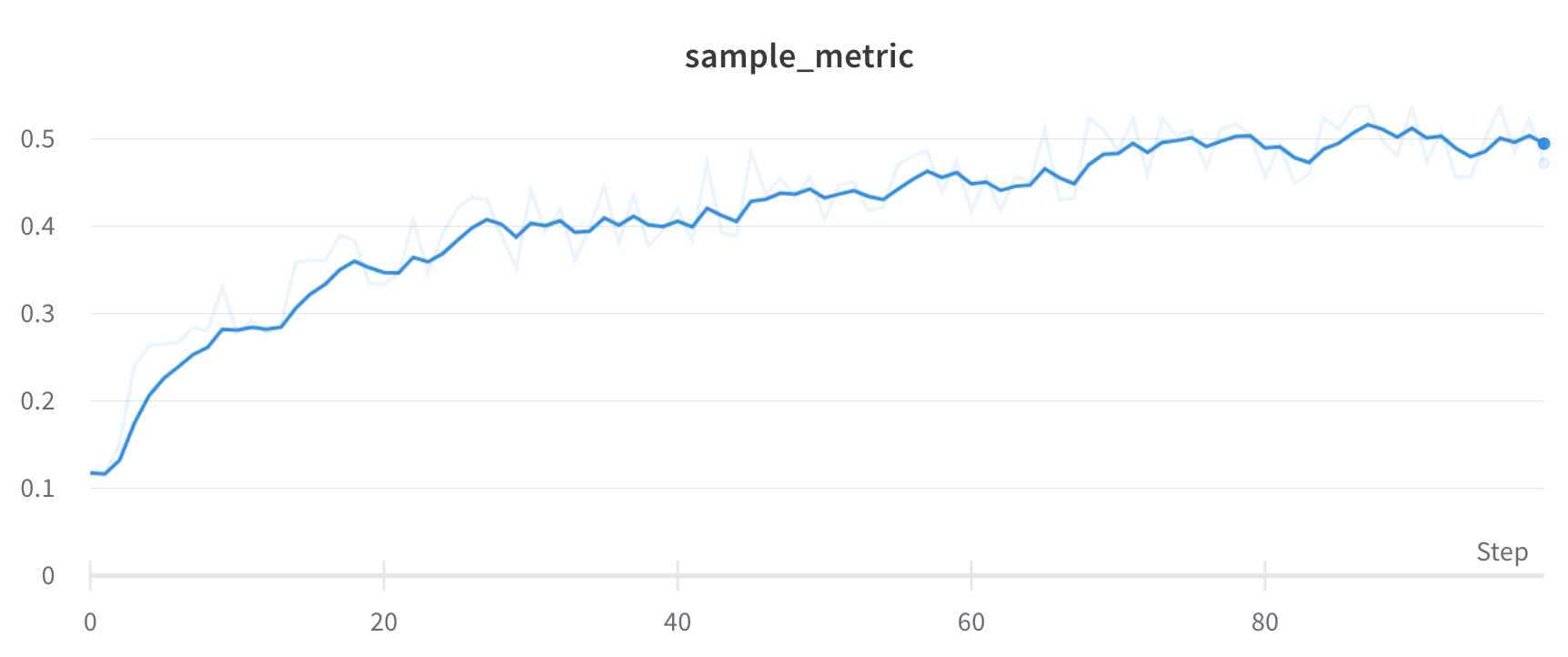
Compare the smoothed line to the raw data to judge how aggressively smoothing alters the signal. By default, the original unsmoothed data displays in the plot as a faint line in the background. Click **Show Original** to turn this off.
## Hide original data
Compare the smoothed line to the raw data to judge how aggressively smoothing alters the signal. By default, the original unsmoothed data displays in the plot as a faint line in the background. Click **Show Original** to turn this off.