> ## Documentation Index
> Fetch the complete documentation index at: https://docs.wandb.ai/llms.txt
> Use this file to discover all available pages before exploring further.
# YOLOv5
> Use the built-in W&B integration in YOLOv5 for experiment tracking, model versioning, and prediction visualization.
export const ColabLink = ({url}) =>
Try in Colab
;
[Ultralytics' YOLOv5](https://www.ultralytics.com/yolo) ("You Only Look Once") model family enables real-time object detection with convolutional neural networks without all the agonizing pain.
[W\&B](https://wandb.com) is directly integrated into YOLOv5, providing experiment metric tracking, model and dataset versioning, rich model prediction visualization, and more. **It's as easy as running a single `pip install` before you run your YOLO experiments.**
All W\&B logging features are compatible with data-parallel multi-GPU training, such as with [PyTorch DDP](https://pytorch.org/tutorials/intermediate/ddp_tutorial.html).
## Track core experiments
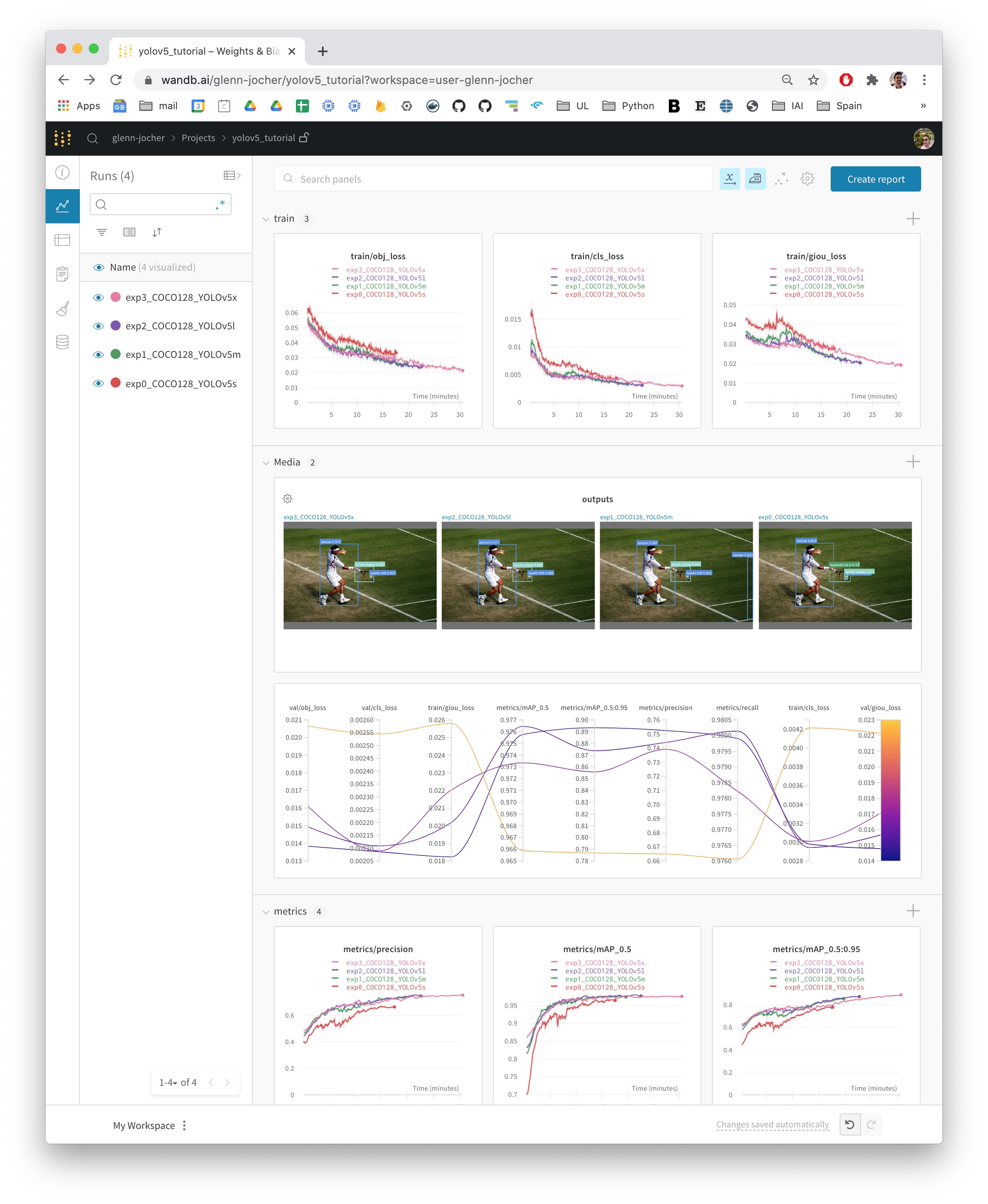
Simply by installing `wandb`, you'll activate the built-in W\&B [logging features](/models/track/log/): system metrics, model metrics, and media logged to interactive [Dashboards](/models/track/workspaces/).
```python theme={null}
pip install wandb
git clone https://github.com/ultralytics/yolov5.git
python yolov5/train.py # train a small network on a small dataset
```
Just follow the links printed to the standard out by wandb.
## Customize the integration
By passing a few simple command line arguments to YOLO, you can take advantage of even more W\&B features.
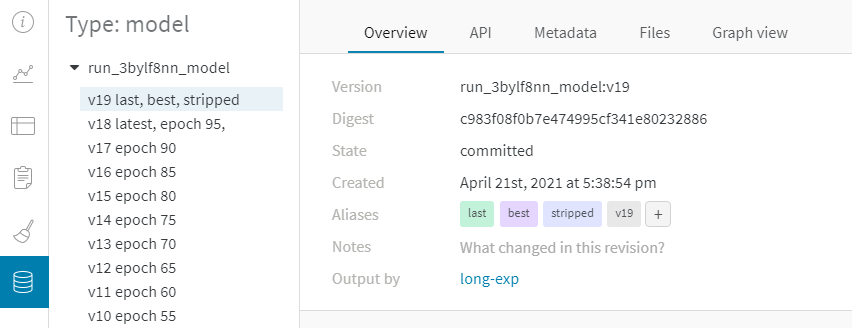
* If you pass a number to `--save_period`, W\&B saves a [model version](/models/registry/) at the end of every `save_period` epochs. The model version includes the model weights and tags the best-performing model in the validation set.
* Turning on the `--upload_dataset` flag will also upload the dataset for data versioning.
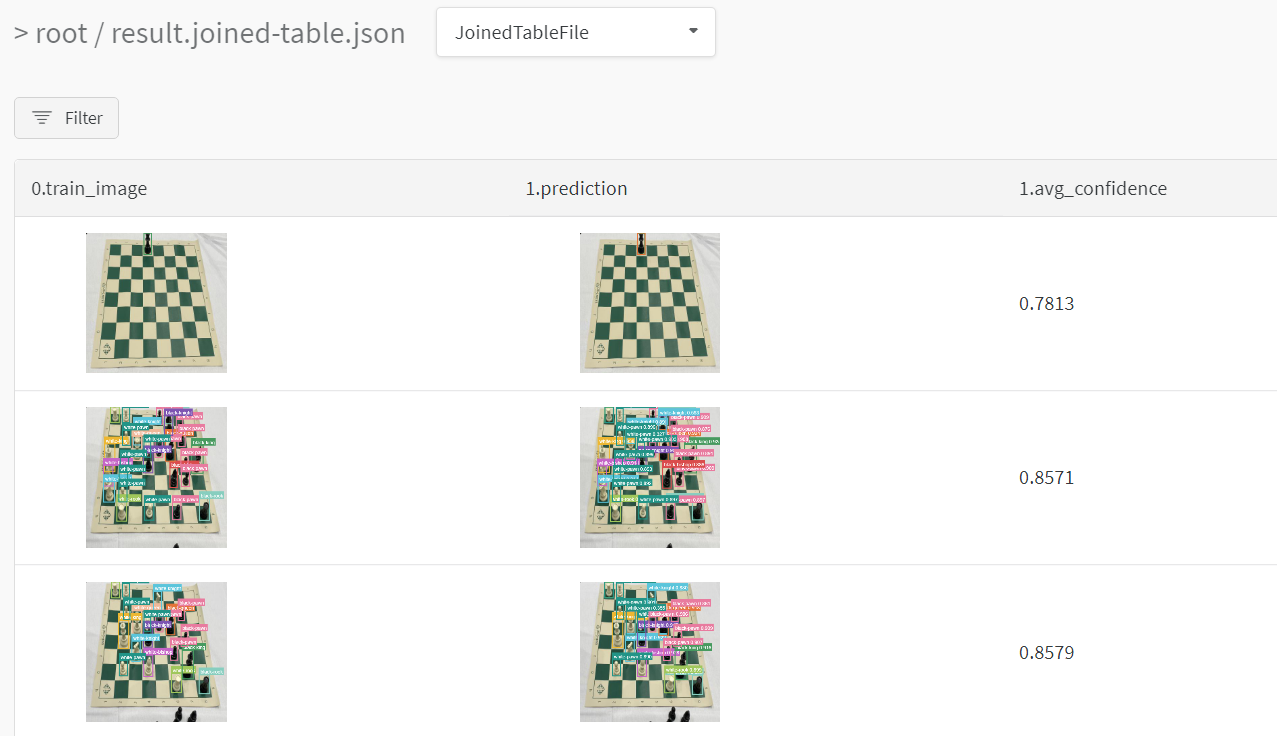
* Passing a number to `--bbox_interval` will turn on [data visualization](../). At the end of every `bbox_interval` epochs, the outputs of the model on the validation set will be uploaded to W\&B.
```python theme={null}
python yolov5/train.py --epochs 20 --save_period 1
```
```python theme={null}
python yolov5/train.py --epochs 20 --save_period 1 \
--upload_dataset --bbox_interval 1
```
Every W\&B account comes with 100 GB of free storage for datasets and models.
Here's what that looks like.
With data and model versioning, you can resume paused or crashed experiments from any device, no setup necessary. Check out [the Colab ](https://wandb.me/yolo-colab) for details.
 ## Customize the integration
By passing a few simple command line arguments to YOLO, you can take advantage of even more W\&B features.
* If you pass a number to `--save_period`, W\&B saves a [model version](/models/registry/) at the end of every `save_period` epochs. The model version includes the model weights and tags the best-performing model in the validation set.
* Turning on the `--upload_dataset` flag will also upload the dataset for data versioning.
* Passing a number to `--bbox_interval` will turn on [data visualization](../). At the end of every `bbox_interval` epochs, the outputs of the model on the validation set will be uploaded to W\&B.
## Customize the integration
By passing a few simple command line arguments to YOLO, you can take advantage of even more W\&B features.
* If you pass a number to `--save_period`, W\&B saves a [model version](/models/registry/) at the end of every `save_period` epochs. The model version includes the model weights and tags the best-performing model in the validation set.
* Turning on the `--upload_dataset` flag will also upload the dataset for data versioning.
* Passing a number to `--bbox_interval` will turn on [data visualization](../). At the end of every `bbox_interval` epochs, the outputs of the model on the validation set will be uploaded to W\&B.