> ## Documentation Index
> Fetch the complete documentation index at: https://docs.wandb.ai/llms.txt
> Use this file to discover all available pages before exploring further.
> Integrate W&B with YOLOX to track object detection model training, log metrics, and visualize detection results.
# YOLOX
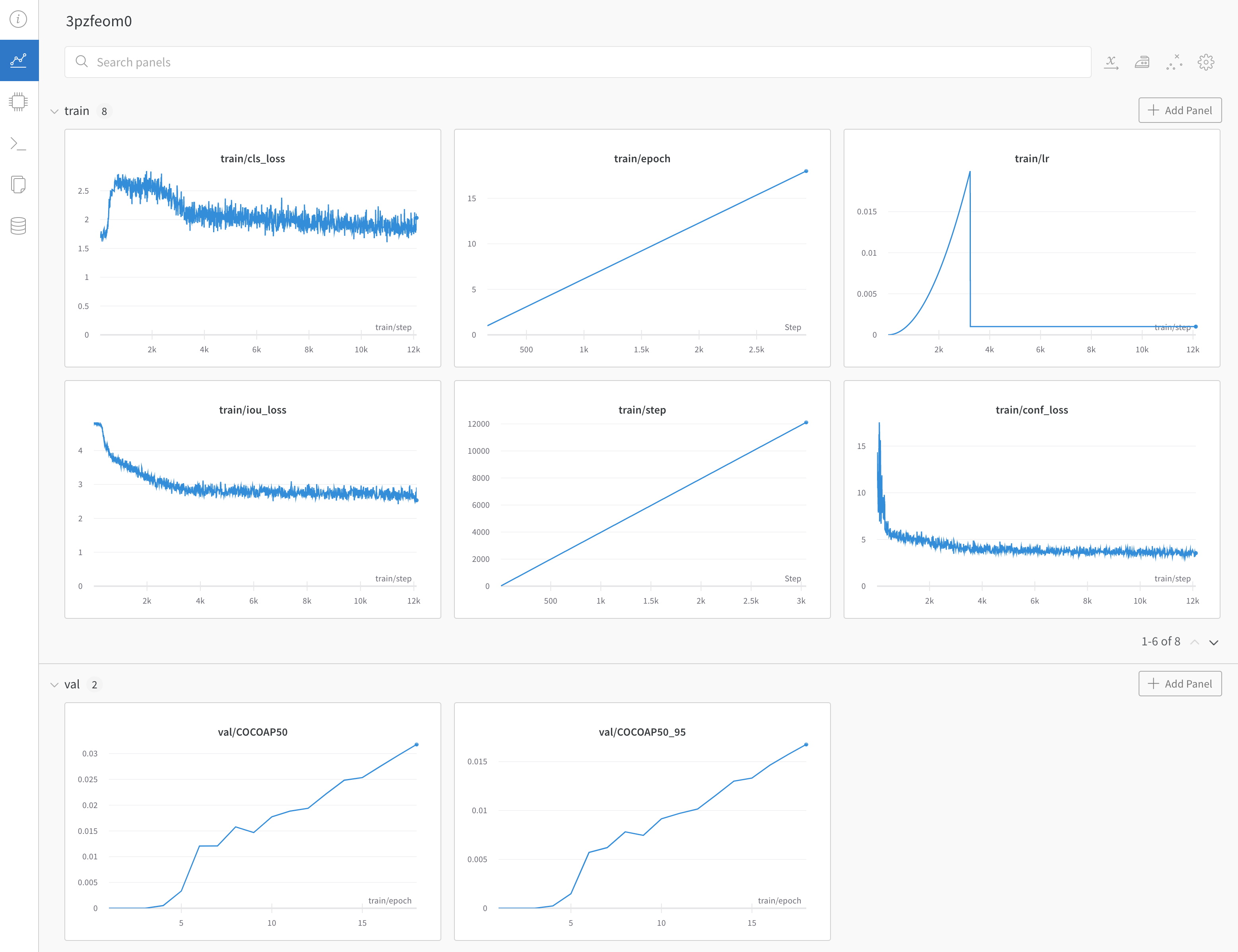
[YOLOX](https://github.com/Megvii-BaseDetection/YOLOX) is an anchor-free version of YOLO with strong performance for object detection. You can use the YOLOX W\&B integration to turn on logging of metrics related to training, validation, and the system, and you can interactively validate predictions with a single command-line argument.
## Sign up and create an API key
An API key authenticates your machine to W\&B. You can generate an API key from your user profile.
For a more streamlined approach, create an API key by going directly to [User Settings](https://wandb.ai/settings). Copy the newly created API key immediately and save it in a secure location such as a password manager.
1. Click your user profile icon in the upper right corner.
2. Select **User Settings**, then scroll to the **API Keys** section.
## Install the `wandb` library and log in
To install the `wandb` library locally and log in:
1. Set the `WANDB_API_KEY` [environment variable](/models/track/environment-variables/) to your API key.
```bash theme={null}
export WANDB_API_KEY=
```
2. Install the `wandb` library and log in.
```shell theme={null}
pip install wandb
wandb login
```
```bash theme={null}
pip install wandb
```
```python theme={null}
import wandb
wandb.login()
```
```notebook theme={null}
!pip install wandb
import wandb
wandb.login()
```
## Log metrics
Use the `--logger wandb` command line argument to turn on logging with wandb. Optionally you can also pass all of the arguments that [`wandb.init()`](/models/ref/python/functions/init) expects; prepend each argument with `wandb-`.
`num_eval_imges` controls the number of validation set images and predictions that are logged to W\&B tables for model evaluation.
```shell theme={null}
# login to wandb
wandb login
# call your yolox training script with the `wandb` logger argument
python tools/train.py .... --logger wandb \
wandb-project \
wandb-entity
wandb-name \
wandb-id \
wandb-save_dir \
wandb-num_eval_imges \
wandb-log_checkpoints
```
## Example
[Example dashboard with YOLOX training and validation metrics ->](https://wandb.ai/manan-goel/yolox-nano/runs/3pzfeom)
 Any questions or issues about this W\&B integration? Open an issue in the [YOLOX repository](https://github.com/Megvii-BaseDetection/YOLOX).