> ## Documentation Index
> Fetch the complete documentation index at: https://docs.wandb.ai/llms.txt
> Use this file to discover all available pages before exploring further.
> Hyperparameter search and model optimization with W&B Sweeps
# Sweeps overview
export const TryProductLink = ({url}) =>
Try in W&B
;
export const ColabLink = ({url}) =>
Try in Colab
;
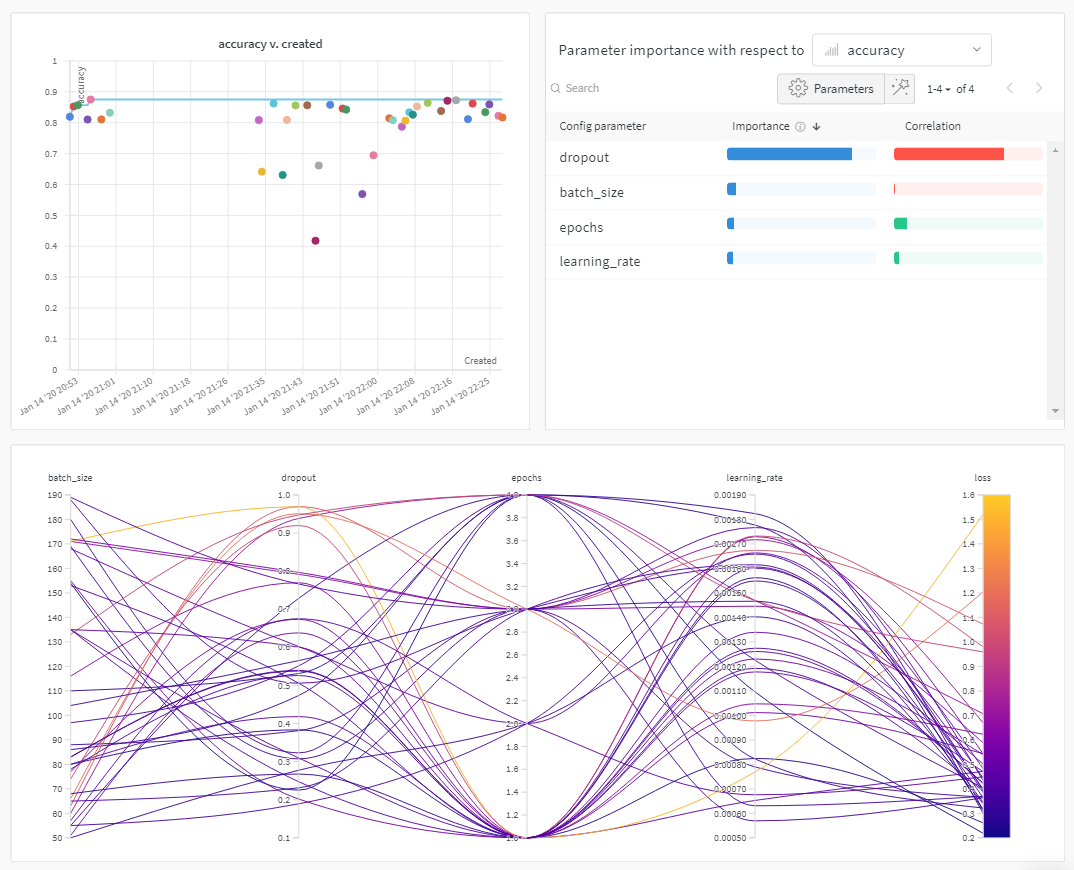
Use W\&B Sweeps to automate hyperparameter search and visualize rich, interactive experiment tracking. Pick from popular search methods such as Bayesian, grid search, and random to search the hyperparameter space. Scale and parallelize sweep across one or more machines.
## How it works
Create a sweep with two [W\&B CLI](/models/ref/cli/) commands:
1. Initialize a sweep.
```bash theme={null}
wandb sweep --project
```
2. Start the sweep agent.
```bash theme={null}
wandb agent
```
The preceding code snippet, and the colab linked on this page, show how to initialize and create a sweep with the W\&B CLI. See the [Sweeps walkthrough](/models/sweeps/walkthrough/) to use the Python SDK to configure, initialize, and run a sweep.
## How to get started
Depending on your use case, explore the following resources to get started with W\&B Sweeps:
* Read through the [sweeps walkthrough](/models/sweeps/walkthrough/) for a step-by-step outline of the W\&B Python SDK commands to use to define a sweep configuration, initialize a sweep, and start a sweep.
* Explore this chapter to learn how to:
* [Add W\&B to your code](/models/sweeps/add-w-and-b-to-your-code/)
* [Define sweep configuration](/models/sweeps/define-sweep-configuration/)
* [Initialize sweeps](/models/sweeps/initialize-sweeps/)
* [Start sweep agents](/models/sweeps/start-sweep-agents/)
* [Visualize sweep results](/models/sweeps/visualize-sweep-results/)
* Explore a [curated list of Sweep experiments](/models/sweeps/useful-resources/) that explore hyperparameter optimization with W\&B Sweeps. Results are stored in W\&B Reports.
For a step-by-step video, see: [Tune Hyperparameters Easily with W\&B Sweeps](https://www.youtube.com/watch?v=9zrmUIlScdY\&ab_channel=Weights%26Biases).
### Notebook examples
The following notebook examples explore how to use W\&B Sweeps for hyperparameter optimization across a variety of frameworks and use cases:
* [Hyperparameter optimization with Sweeps](https://colab.research.google.com/github/wandb/examples/blob/master/colabs/tensorflow/Hyperparameter_Optimization_in_TensorFlow_using_W\&B_Sweeps.ipynb)
* [Using XGBoost with W\&B Sweeps](https://colab.research.google.com/github/wandb/examples/blob/master/colabs/boosting/Using_W\&B_Sweeps_with_XGBoost.ipynb)
 ## How it works
Create a sweep with two [W\&B CLI](/models/ref/cli/) commands:
1. Initialize a sweep.
```bash theme={null}
wandb sweep --project
## How it works
Create a sweep with two [W\&B CLI](/models/ref/cli/) commands:
1. Initialize a sweep.
```bash theme={null}
wandb sweep --project