> ## Documentation Index
> Fetch the complete documentation index at: https://docs.wandb.ai/llms.txt
> Use this file to discover all available pages before exploring further.
> Add, delete, and manage email addresses and login methods in your W&B profile settings page.
# Manage email settings
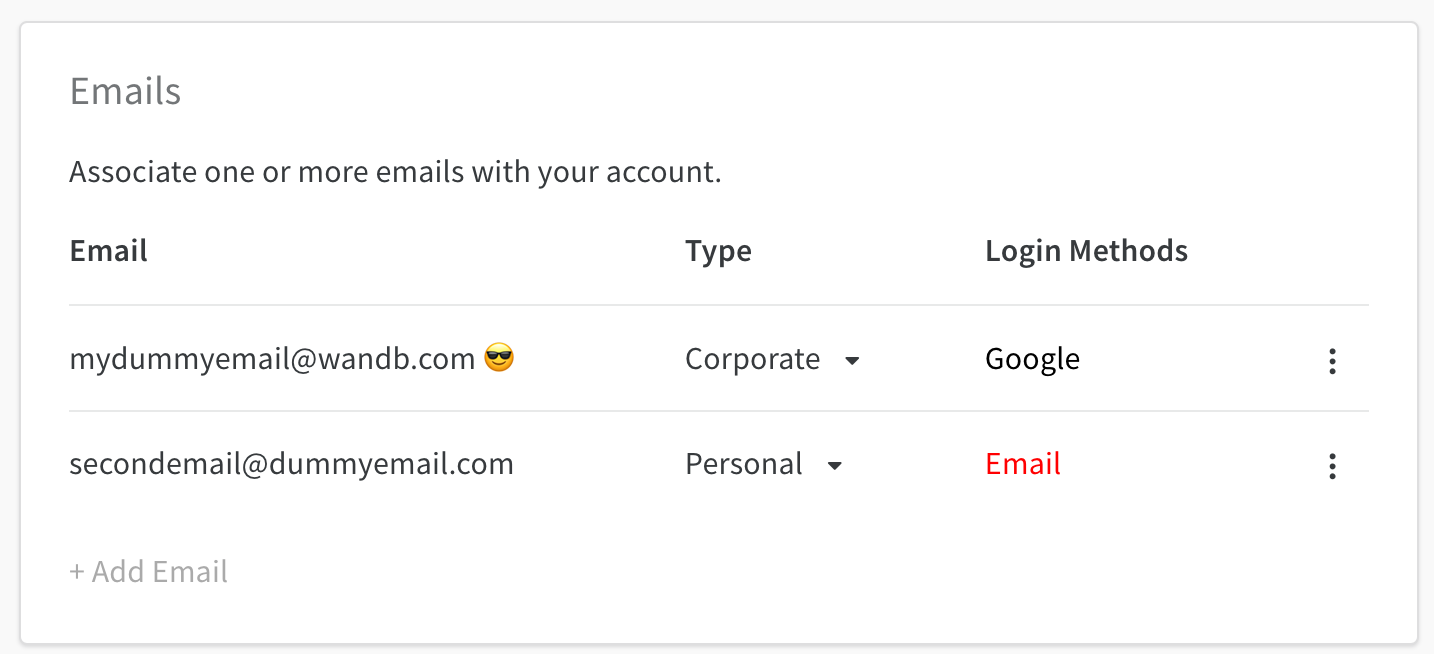
In your W\&B **Settings** page, the Emails dashboard lets you add, delete, and manage email types and primary email addresses.
To open the Emails dashboard, follow these steps:
1. In the W\&B dashboard, select your profile icon in the upper-right corner.
2. From the dropdown, select **Settings**.
3. Scroll down to the Emails dashboard.
 ## Manage primary email
A smiling-face-with-sunglasses icon marks your primary email. Your primary email defaults to the address you provided when you created your W\&B account.
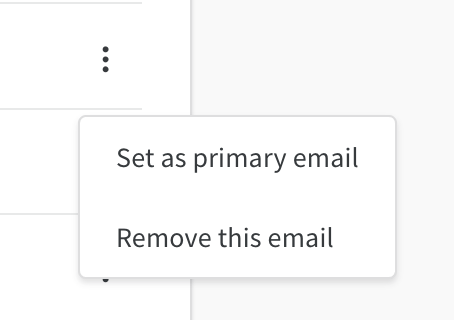
To change the primary email associated with your W\&B account, select the **action ()** menu.
You can only set verified emails as primary.
## Manage primary email
A smiling-face-with-sunglasses icon marks your primary email. Your primary email defaults to the address you provided when you created your W\&B account.
To change the primary email associated with your W\&B account, select the **action ()** menu.
You can only set verified emails as primary.
 ## Add emails
To add an email, select **+ Add Email**. The Auth0 page opens, where you can enter credentials for the new email or connect using single sign-on (SSO).
## Delete emails
To delete an email registered to your W\&B account, select the **action ()** menu and choose **Delete Emails**.
You can't delete a primary email. Set a different email as primary before deleting.
## Login methods
The **Log in Methods** column shows the login methods associated with your account.
When you create a W\&B account, W\&B sends a verification email to your address. Your email account stays unverified until you verify the address, and unverified emails appear in red.
If you no longer have the original verification email, attempt to log in with your email address again to receive a second one.
For account login issues, contact [support@wandb.com](mailto:support@wandb.com).
## Add emails
To add an email, select **+ Add Email**. The Auth0 page opens, where you can enter credentials for the new email or connect using single sign-on (SSO).
## Delete emails
To delete an email registered to your W\&B account, select the **action ()** menu and choose **Delete Emails**.
You can't delete a primary email. Set a different email as primary before deleting.
## Login methods
The **Log in Methods** column shows the login methods associated with your account.
When you create a W\&B account, W\&B sends a verification email to your address. Your email account stays unverified until you verify the address, and unverified emails appear in red.
If you no longer have the original verification email, attempt to log in with your email address again to receive a second one.
For account login issues, contact [support@wandb.com](mailto:support@wandb.com).