> ## Documentation Index
> Fetch the complete documentation index at: https://docs.wandb.ai/llms.txt
> Use this file to discover all available pages before exploring further.
# Adding multiple authors to a report
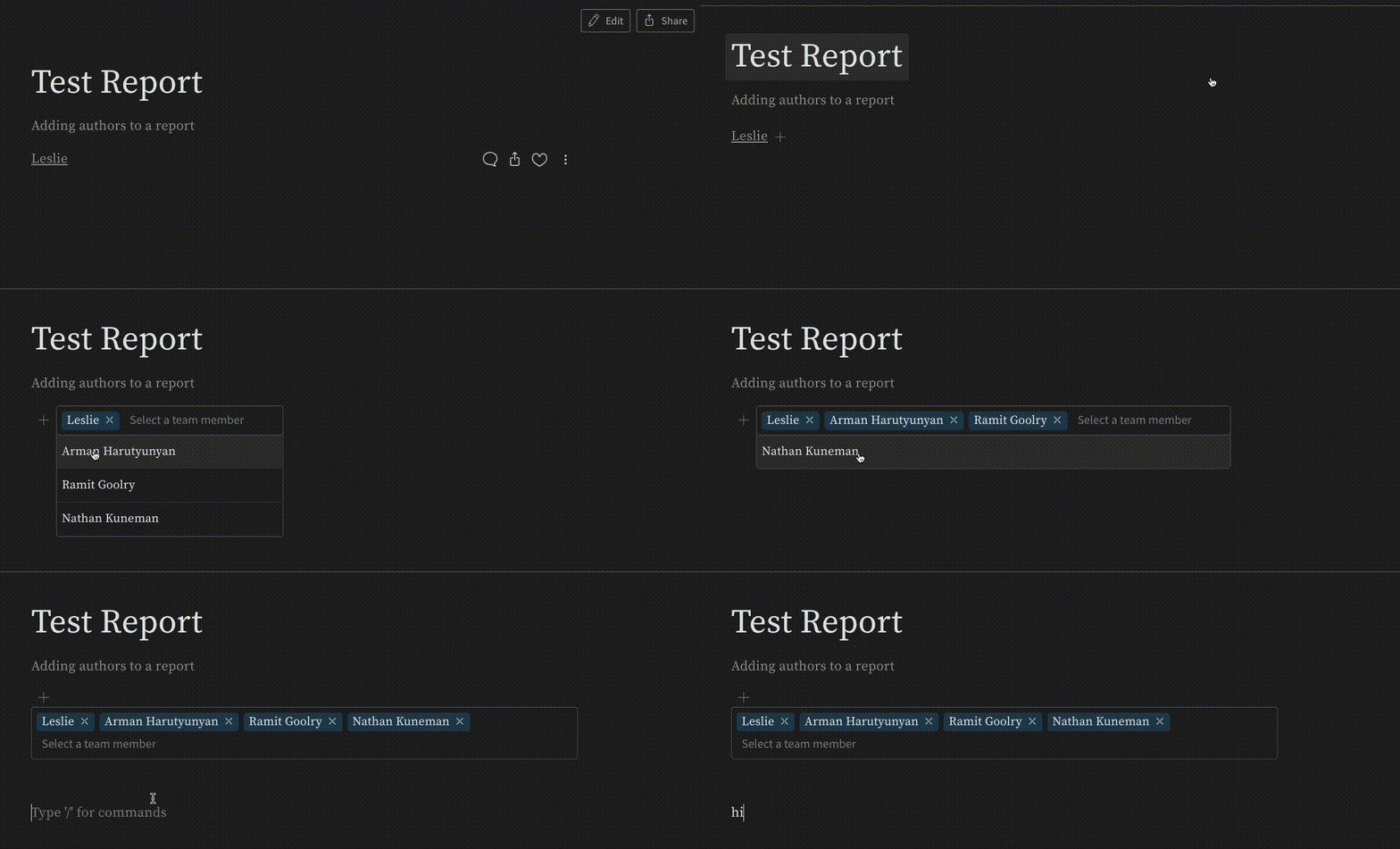
You can credit contributors by adding multiple authors to a report. This is useful when a report represents work from more than one person.
To add multiple authors, click the **+** icon next to the name of the author. The **+** icon opens a drop-down menu listing all users who have access to the report. Select the users you want to add as authors. The selected users now appear as co-authors on the report.
 ***
[Reports](/support/models/tags/reports)
***
[Reports](/support/models/tags/reports)