> ## Documentation Index
> Fetch the complete documentation index at: https://docs.wandb.ai/llms.txt
> Use this file to discover all available pages before exploring further.
# Cohere
> Use Weave to automatically track and log LLM calls made via the Cohere Python library
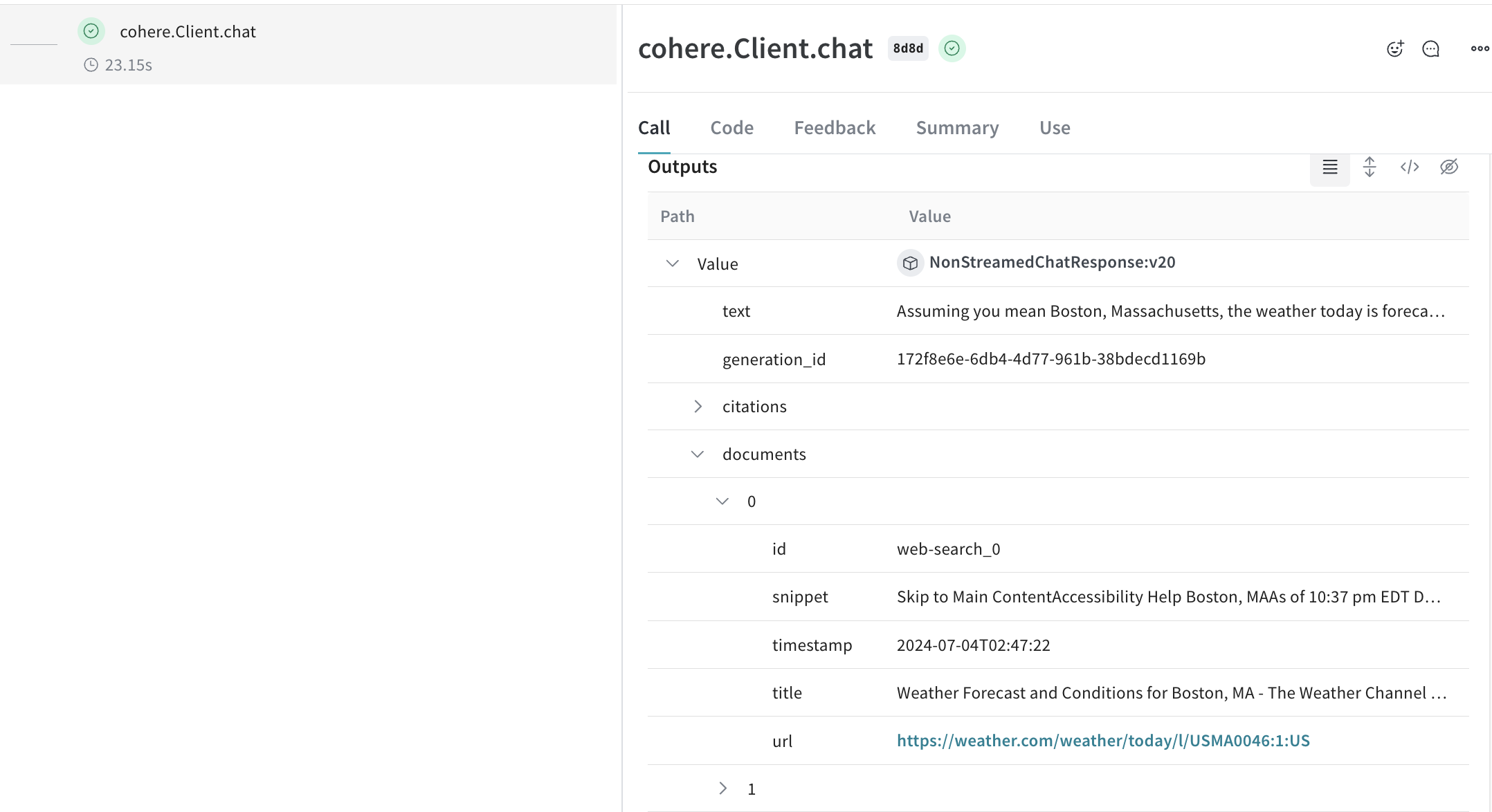
 Weave automatically tracks and logs LLM calls made via the [Cohere Python library](https://github.com/cohere-ai/cohere-python) after `weave.init()` is called.
## Traces
It's important to store traces of LLM applications in a central database, both during development and in production. You'll use these traces for debugging, and as a dataset that will help you improve your application.
Weave will automatically capture traces for [cohere-python](https://github.com/cohere-ai/cohere-python). You can use the library as usual, start by calling `weave.init()`:
```python lines {8} theme={null}
import cohere
import os
import weave
# Use the Cohere library as usual
co = cohere.Client(api_key=os.environ["COHERE_API_KEY"])
weave.init("cohere_project")
response = co.chat(
message="How is the weather in Boston?",
# perform web search before answering the question. You can also use your own custom connector.
connectors=[{"id": "web-search"}],
)
print(response.text)
```
If you don't specify a W\&B team when you call `weave.init()`, your default entity is used. To find or update your default entity, refer to [User Settings](https://docs.wandb.ai/platform/app/settings-page/user-settings/#default-team) in the W\&B Models documentation.
A powerful feature of cohere models is using [connectors](https://docs.cohere.com/docs/overview-rag-connectors#using-connectors-to-create-grounded-generations) enabling you to make requests to other API on the endpoint side. The response will then contain the generated text with citation elements that link to the documents returned from the connector.
[
Weave automatically tracks and logs LLM calls made via the [Cohere Python library](https://github.com/cohere-ai/cohere-python) after `weave.init()` is called.
## Traces
It's important to store traces of LLM applications in a central database, both during development and in production. You'll use these traces for debugging, and as a dataset that will help you improve your application.
Weave will automatically capture traces for [cohere-python](https://github.com/cohere-ai/cohere-python). You can use the library as usual, start by calling `weave.init()`:
```python lines {8} theme={null}
import cohere
import os
import weave
# Use the Cohere library as usual
co = cohere.Client(api_key=os.environ["COHERE_API_KEY"])
weave.init("cohere_project")
response = co.chat(
message="How is the weather in Boston?",
# perform web search before answering the question. You can also use your own custom connector.
connectors=[{"id": "web-search"}],
)
print(response.text)
```
If you don't specify a W\&B team when you call `weave.init()`, your default entity is used. To find or update your default entity, refer to [User Settings](https://docs.wandb.ai/platform/app/settings-page/user-settings/#default-team) in the W\&B Models documentation.
A powerful feature of cohere models is using [connectors](https://docs.cohere.com/docs/overview-rag-connectors#using-connectors-to-create-grounded-generations) enabling you to make requests to other API on the endpoint side. The response will then contain the generated text with citation elements that link to the documents returned from the connector.
[ ](https://wandb.ai/capecape/cohere_dev/weave/calls)
We patch the Cohere `Client.chat()`, `AsyncClient.chat()`, `Client.chat_stream()`, and `AsyncClient.chat_stream()` methods for you to keep track of your LLM calls.
## Wrapping with your own ops
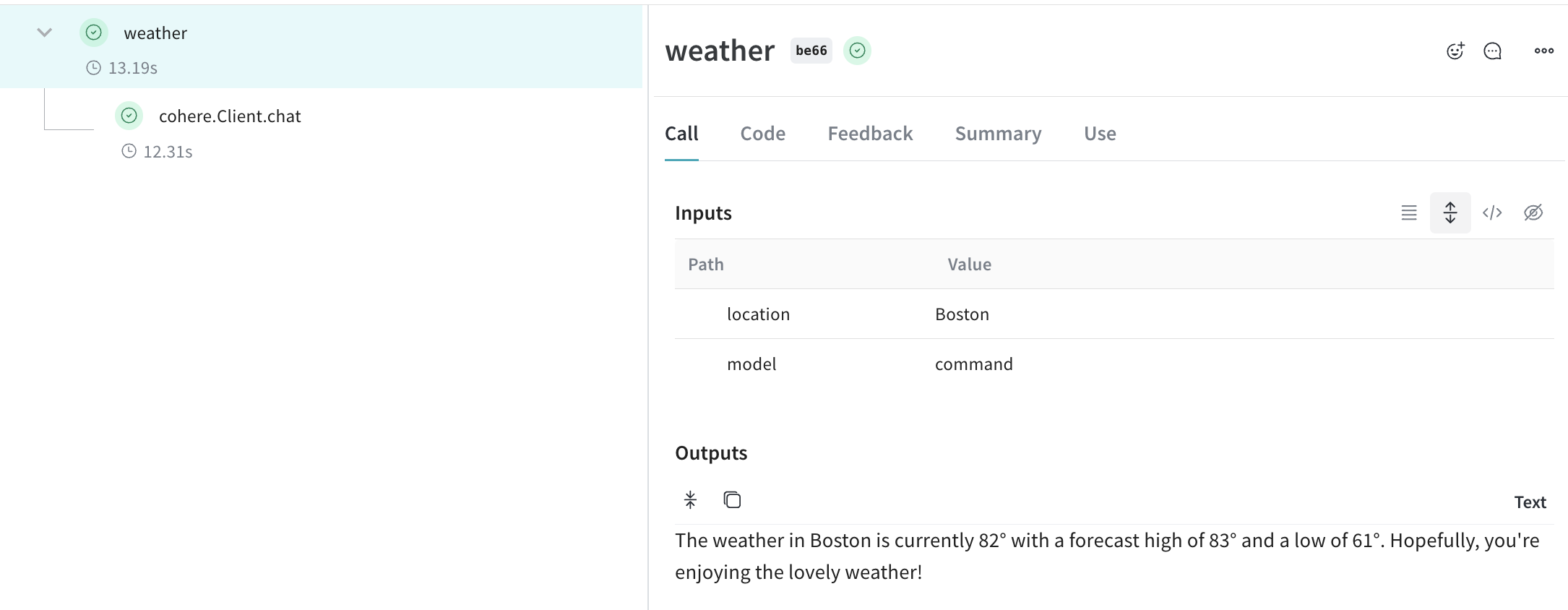
Weave ops make results *reproducible* by automatically versioning code as you experiment, and they capture their inputs and outputs. Simply create a function decorated with [`@weave.op()`](/weave/guides/tracking/ops) that calls into Cohere's chat methods, and Weave will track the inputs and outputs for you. Here's an example:
```python lines {9} theme={null}
import cohere
import os
import weave
co = cohere.Client(api_key=os.environ["COHERE_API_KEY"])
weave.init("cohere_project")
@weave.op()
def weather(location: str, model: str) -> str:
response = co.chat(
model=model,
message=f"How is the weather in {location}?",
# perform web search before answering the question. You can also use your own custom connector.
connectors=[{"id": "web-search"}],
)
return response.text
print(weather("Boston", "command"))
```
[
](https://wandb.ai/capecape/cohere_dev/weave/calls)
We patch the Cohere `Client.chat()`, `AsyncClient.chat()`, `Client.chat_stream()`, and `AsyncClient.chat_stream()` methods for you to keep track of your LLM calls.
## Wrapping with your own ops
Weave ops make results *reproducible* by automatically versioning code as you experiment, and they capture their inputs and outputs. Simply create a function decorated with [`@weave.op()`](/weave/guides/tracking/ops) that calls into Cohere's chat methods, and Weave will track the inputs and outputs for you. Here's an example:
```python lines {9} theme={null}
import cohere
import os
import weave
co = cohere.Client(api_key=os.environ["COHERE_API_KEY"])
weave.init("cohere_project")
@weave.op()
def weather(location: str, model: str) -> str:
response = co.chat(
model=model,
message=f"How is the weather in {location}?",
# perform web search before answering the question. You can also use your own custom connector.
connectors=[{"id": "web-search"}],
)
return response.text
print(weather("Boston", "command"))
```
[ ](https://wandb.ai/capecape/cohere_dev/weave/calls)
## Create a `Model` for easier experimentation
Organizing experimentation is difficult when there are many moving pieces. By using the [`Model`](/weave/guides/core-types/models) class, you can capture and organize the experimental details of your app like your system prompt or the model you're using. This helps organize and compare different iterations of your app.
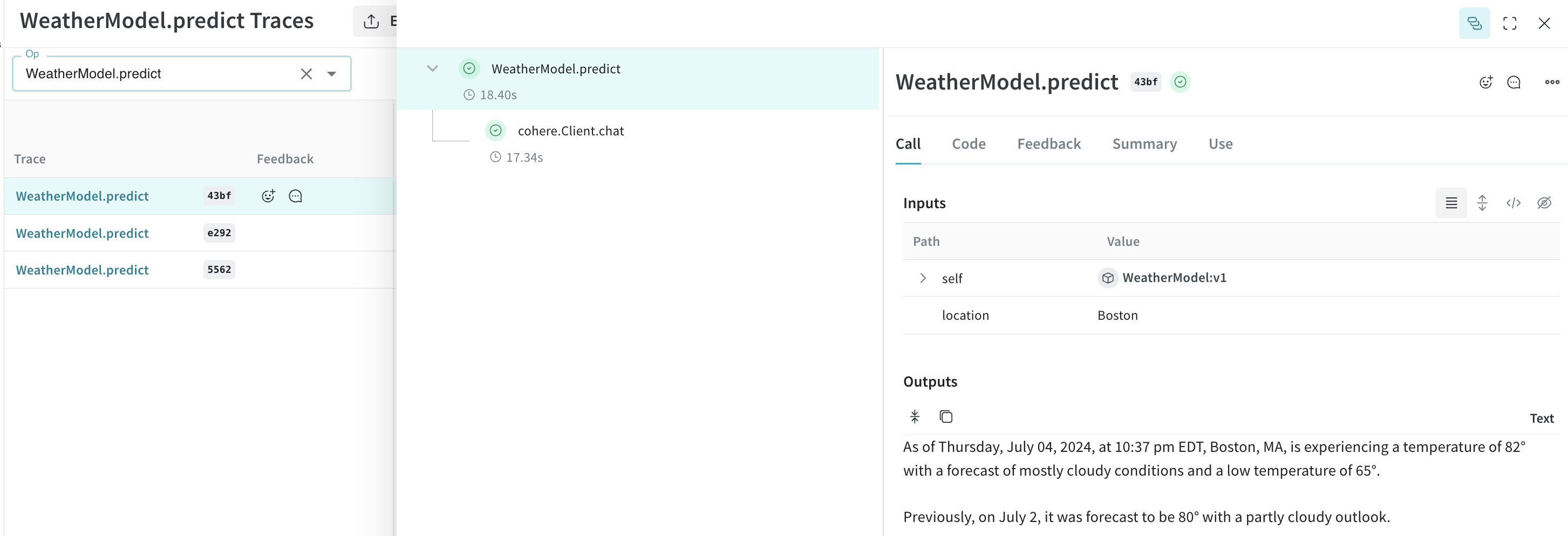
In addition to versioning code and capturing inputs/outputs, [`Model`](/weave/guides/core-types/models)s capture structured parameters that control your application's behavior, making it easy to find what parameters worked best. You can also use Weave Models with `serve`, and [`Evaluation`](/weave/guides/core-types/evaluations)s.
In the example below, you can experiment with `model` and `temperature`. Every time you change one of these, you'll get a new *version* of `WeatherModel`.
```python lines theme={null}
import weave
import cohere
import os
weave.init('weather-cohere')
class WeatherModel(weave.Model):
model: str
temperature: float
@weave.op()
def predict(self, location: str) -> str:
co = cohere.Client(api_key=os.environ["COHERE_API_KEY"])
response = co.chat(
message=f"How is the weather in {location}?",
model=self.model,
temperature=self.temperature,
connectors=[{"id": "web-search"}]
)
return response.text
weather_model = WeatherModel(
model="command",
temperature=0.7
)
result = weather_model.predict("Boston")
print(result)
```
[
](https://wandb.ai/capecape/cohere_dev/weave/calls)
## Create a `Model` for easier experimentation
Organizing experimentation is difficult when there are many moving pieces. By using the [`Model`](/weave/guides/core-types/models) class, you can capture and organize the experimental details of your app like your system prompt or the model you're using. This helps organize and compare different iterations of your app.
In addition to versioning code and capturing inputs/outputs, [`Model`](/weave/guides/core-types/models)s capture structured parameters that control your application's behavior, making it easy to find what parameters worked best. You can also use Weave Models with `serve`, and [`Evaluation`](/weave/guides/core-types/evaluations)s.
In the example below, you can experiment with `model` and `temperature`. Every time you change one of these, you'll get a new *version* of `WeatherModel`.
```python lines theme={null}
import weave
import cohere
import os
weave.init('weather-cohere')
class WeatherModel(weave.Model):
model: str
temperature: float
@weave.op()
def predict(self, location: str) -> str:
co = cohere.Client(api_key=os.environ["COHERE_API_KEY"])
response = co.chat(
message=f"How is the weather in {location}?",
model=self.model,
temperature=self.temperature,
connectors=[{"id": "web-search"}]
)
return response.text
weather_model = WeatherModel(
model="command",
temperature=0.7
)
result = weather_model.predict("Boston")
print(result)
```
[ ](https://wandb.ai/capecape/cohere_dev/weave/models)