

- Replicate code state with GitHub repository
- Download source code
The following steps show you how to replicate the code state of the GitHub repository:
- Navigate to the project where the run is logged to.
- Select the Workspace tab from the project sidebar.
- Click the run that you want to reproduce. The run page opens with the Overview tab shown by default.
-
Hover your mouse over the Reproduce this run button next to the Command field. A modal appears with steps to reproduce the experiment. It describes how to set up the code state and the command to run the experiment.
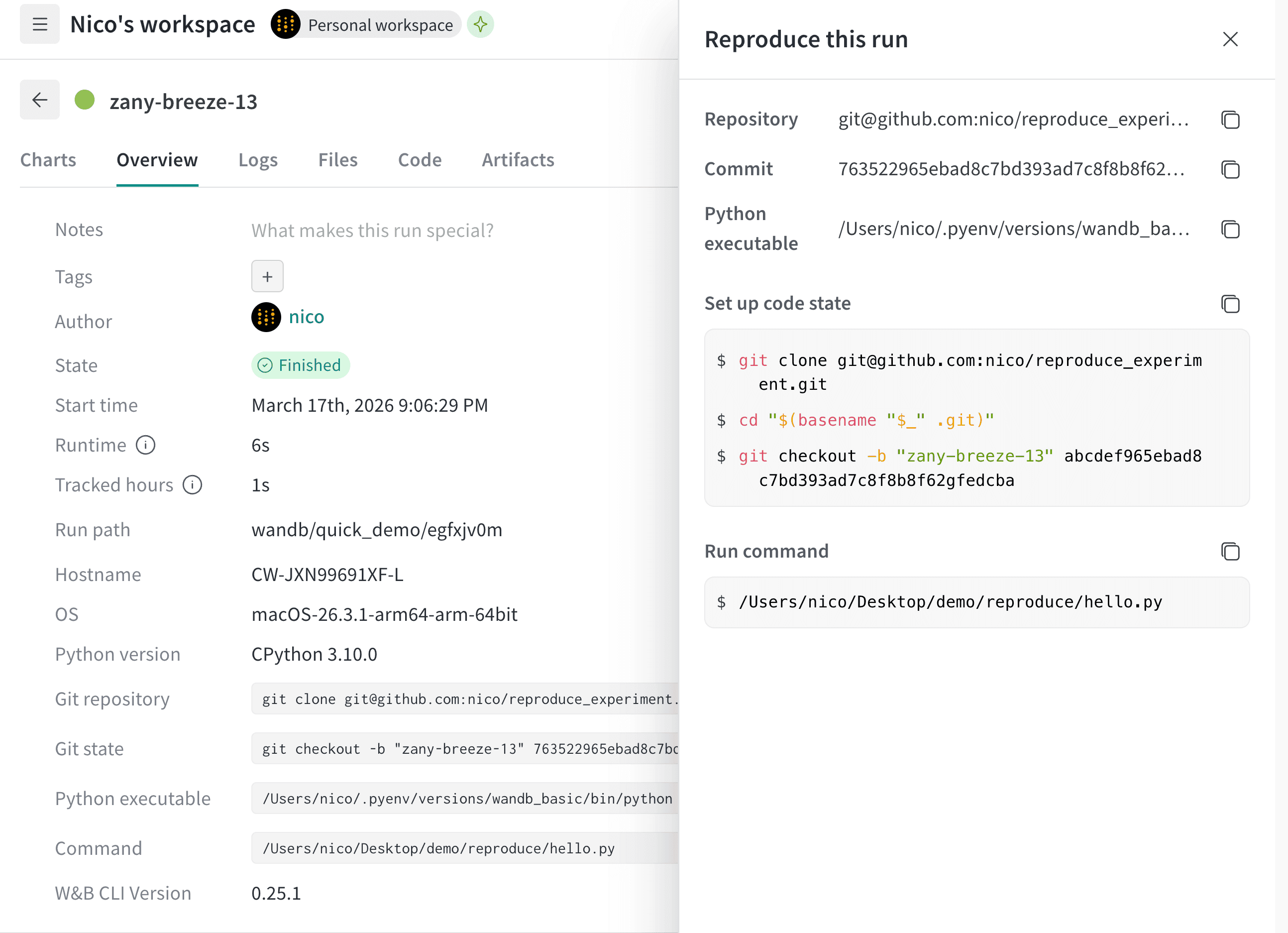
- Copy and paste the Git repository field into your terminal to clone the repository. The following code snippet shows an example. Replace
your-repowith the name of your repository: - Copy and paste the Git state field into your terminal to checkout the exact commit that your teammate used to create the experiment. The following code snippet shows an example of how to do this. Replace values specified in the following code snippet with your own: