Share a report
Share a report when you want to give peers, coworkers, or teammates access to view or edit its contents. When viewing a report, click Share. You can share a report in one of the following ways:- To share a link to the report with an email address or a username, click Invite. Enter an email address or username, select Can view or Can edit, then click Invite. If you share by email, the email address doesn’t need to be a member of your organization or team.
- To generate a sharing link instead, click Share. Adjust the permissions for the link, then click Copy report link. Share the link with the member.

Edit a report
Reports support collaborative editing so that team members can contribute updates without overwriting each other’s work. Multiple team members can edit the same report and publish changes when they’re ready. When any team member clicks Edit to begin editing the report, W&B automatically saves a draft. Select Save to report to publish your changes. If an edit conflict occurs, such as when two team members edit the report at once, a warning notification helps you resolve any conflicts.Comment on a report
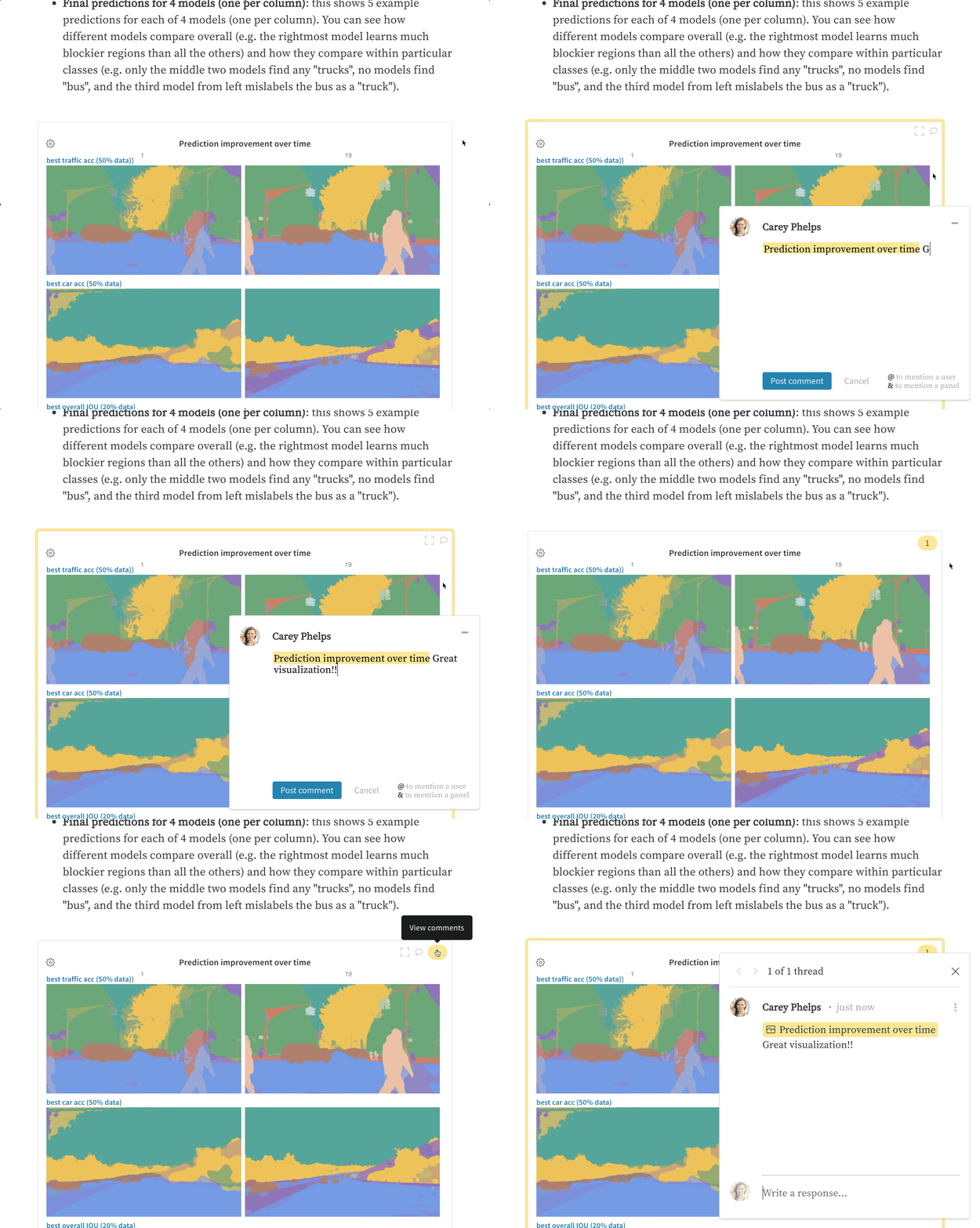
Use comments to give feedback or ask questions about a report or one of its panels without modifying its contents. To leave a comment on a report, click Comment. To comment directly on a panel, hover over the panel, then click the comment button ().