When you build complex LLM workflows, you may need to prompt different models according to accuracy, cost, or call latency. You can use Not Diamond to route prompts in these workflows to the right model for your needs, helping maximize accuracy while saving on model costs. This guide shows you how to integrate Not Diamond with W&B Weave so that Weave automatically traces routed model calls, and how to train a custom router using Weave Evaluations to route prompts based on your own performance data.

Get started

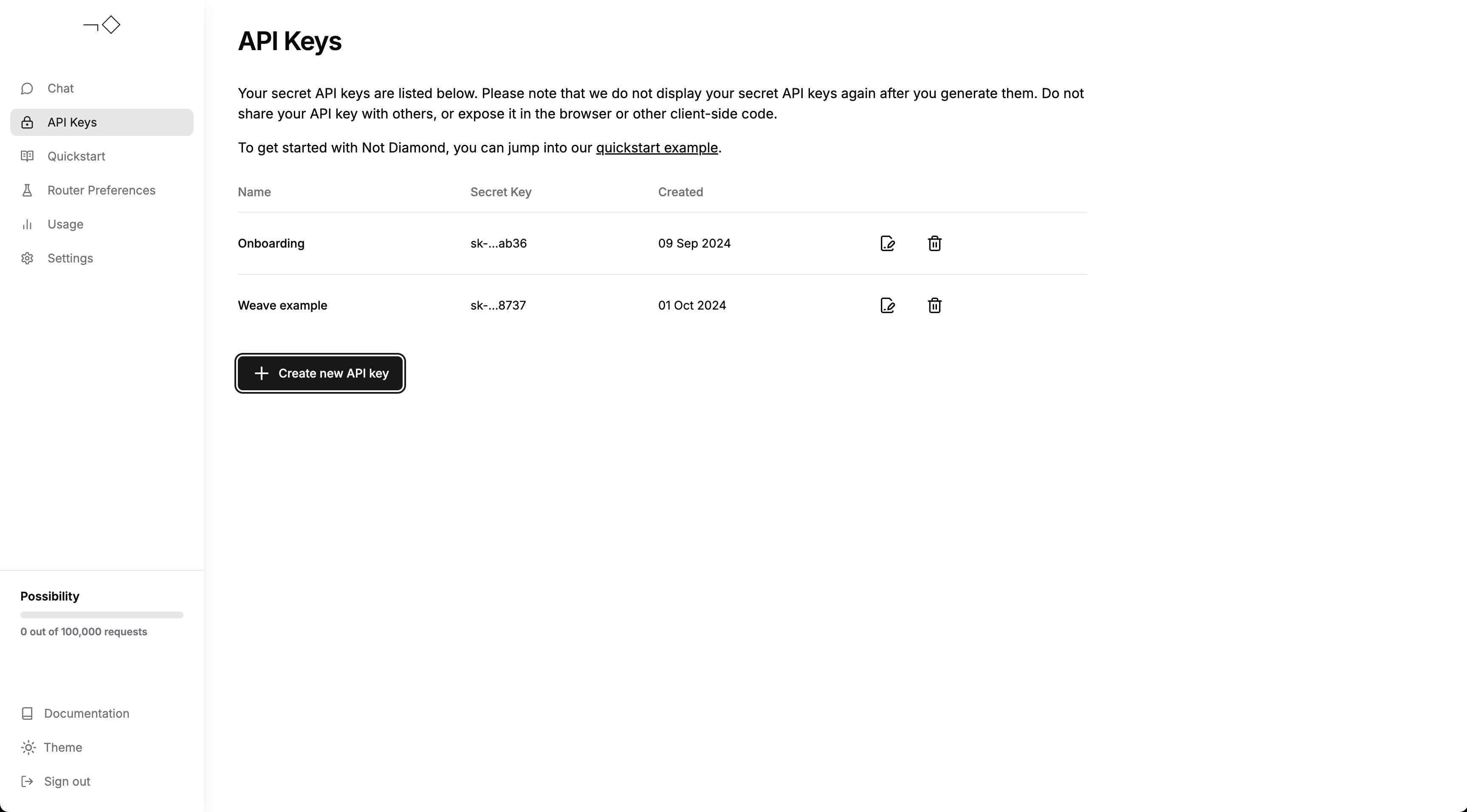
To use Not Diamond with Weave, you must have a Not Diamond account and an API key. Create an account and generate an API key, then add your API key to your environment as NOTDIAMOND_API_KEY. Create an API key From here, you can do any of the following:

Tracing

Weave integrates with Not Diamond’s Python library to automatically log API calls, so you can inspect routing decisions and provider responses alongside the rest of your Weave traces. Run weave.init() at the start of your workflow, then continue to use the routed provider as usual:
from notdiamond import NotDiamond

import weave
weave.init('notdiamond-quickstart')

client = NotDiamond()
session_id, provider = client.chat.completions.model_select(
    messages=[
        {"role": "system", "content": "You are a helpful assistant."},
        {"role": "user", "content": "Concisely explain merge sort."}
    ],
    model=['openai/gpt-4o', 'anthropic/claude-3-5-sonnet-20240620']
)

print("LLM called: ", provider.provider)  # openai, anthropic, etc
print("Provider model: ", provider.model) # gpt-4o, claude-3-5-sonnet-20240620, etc

Custom routing

For specialized use cases, you can train your own custom router on Evaluations, which lets Not Diamond route prompts according to eval performance rather than the default routing policy. Start by training a custom router. The train_router call returns a preference_id that identifies your trained router for later use:
from weave.flow.eval import EvaluationResults
from weave.integrations.notdiamond.custom_router import train_router

# Build an Evaluation on gpt-4o and Claude 3.5 Sonnet
evaluation = weave.Evaluation(...)
gpt_4o = weave.Model(...)
sonnet = weave.Model(...)

model_evals = {
    'openai/gpt-4o': evaluation.get_eval_results(gpt_4o),
    'anthropic/claude-3-5-sonnet-20240620': evaluation.get_eval_results(sonnet),
}
preference_id = train_router(
    model_evals=model_evals,
    prompt_column="prompt",
    response_column="actual",
    language="en",
    maximize=True,
)
When you pass this preference ID to any model_select request, you can reuse your custom router to route prompts to maximize performance and minimize cost on your evaluation data:
from notdiamond import NotDiamond
client = NotDiamond()

import weave
weave.init('notdiamond-quickstart')

session_id, provider = client.chat.completions.model_select(
    messages=[
        {"role": "system", "content": "You are a helpful assistant."},
        {"role": "user", "content": "Concisely explain merge sort."}
    ],
    model=['openai/gpt-4o', 'anthropic/claude-3-5-sonnet-20240620'],

    # passing this preference ID reuses your custom router
    preference_id=preference_id
)

print("LLM called: ", provider.provider)  # openai, anthropic, etc
print("Provider model: ", provider.model) # gpt-4o, claude-3-5-sonnet-20240620, etc

Additional support

For further support, visit the docs or send a message.