

- Python
- TypeScript
To create an Op, decorate a Python function with Calling an Op creates a new Op version if the code changed from the last call, and logs the function’s inputs and outputs.Functions that you decorate with
weave.op().@weave.op() behave normally (without code versioning and tracking) if you don’t call weave.init('your-project-name') before calling them.You can serve or deploy Ops using the Weave toolbelt.Customize display names
A custom display name makes it easier to identify an Op in the Weave UI, especially when the function name is generic or auto-generated.- Python
- TypeScript
To customize the Op’s display name, set the
name parameter in the @weave.op decorator:Apply kinds and colors
To better organize your Ops in the Weave UI, apply custom kinds and colors by adding thekind and color arguments to the @weave.op decorators in your code. For example, the following code applies an LLM kind and a blue color to the parent function, and a tool kind and a red color to a nested function:
- Python
- TypeScript
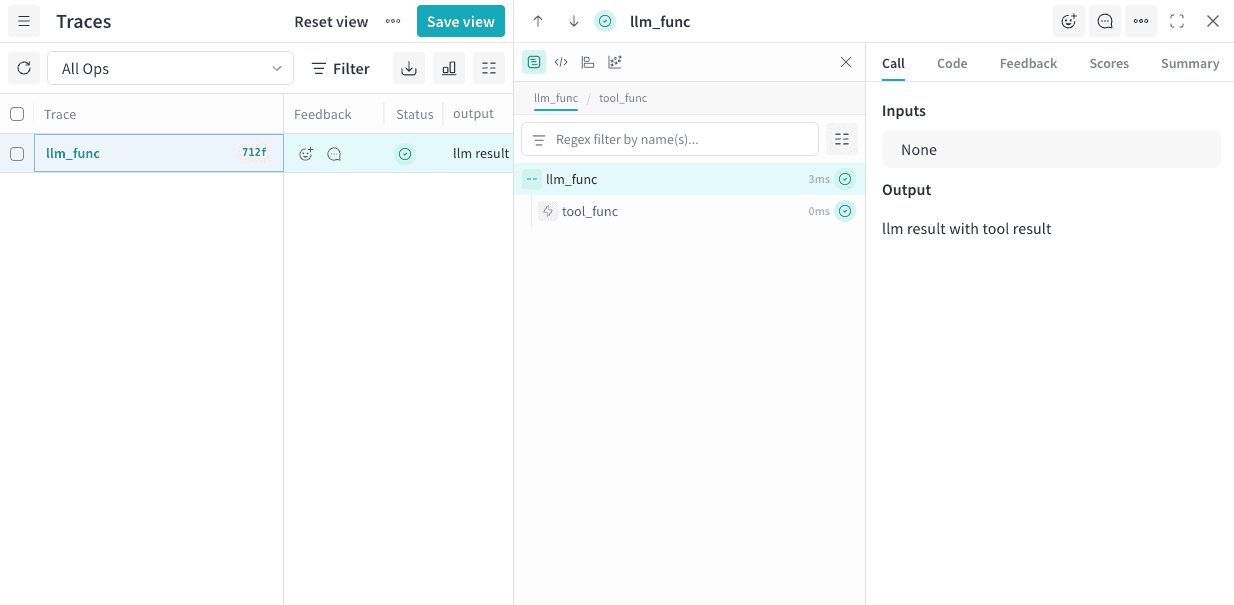
kind values are:
agentllmtoolsearch
color values are:
redorangeyellowgreenbluepurple
Customize logged inputs and outputs
- Python
- TypeScript
To change the data that Weave logs without modifying the original function (for example, to hide sensitive data), pass
postprocess_inputs and postprocess_output to the Op decorator.postprocess_inputs takes a dict where the keys are the argument names and the values are the argument values, and returns a dict with the transformed inputs.postprocess_output takes any value that the function would normally return and returns the transformed output.Control sampling rate
- Python
- TypeScript
To control how frequently Weave traces an Op’s calls, set the When Weave doesn’t sample an Op’s call:
tracing_sample_rate parameter in the @weave.op decorator. Use this for high-frequency Ops where you only need to trace a subset of calls.Collect all traces during agent development to help you shape and understand its behavior. In production, configure trace sampling to lower costs while maintaining observability into your agent’s behavior.Weave applies sampling rates only to outer-most Ops. If a nested Op has a sample rate but a parent Op calls it first, Weave ignores the sampling rate of the nested Op.- The function executes normally.
- Weave receives no trace data.
- Weave doesn’t trace child Ops for that call.
Control Call link output
By default, Weave prints a link to each Call as it logs the Call. To suppress the printing of Call links during logging, set theWEAVE_PRINT_CALL_LINK environment variable to false. Use this to reduce output verbosity and clutter in your logs.
Delete an Op
Deleting an Op version removes it from your project. Use this to clean up obsolete or unwanted versions.- Python
- TypeScript
To delete a version of an Op, call Accessing a deleted Op returns an error.
.delete() on the Op ref.