weave.Markdown. Use the following tabs to choose the interface that fits your workflow.
- Web App
- Python
- TypeScript
- HTTP API
To view a Call in the UI:
- Navigate to wandb.ai and select your project.
- In the Weave project sidebar, click Traces.
- Find the Call you want to view in the table.
- Click the Call to open its details page.
Customize rendered traces with weave.Markdown
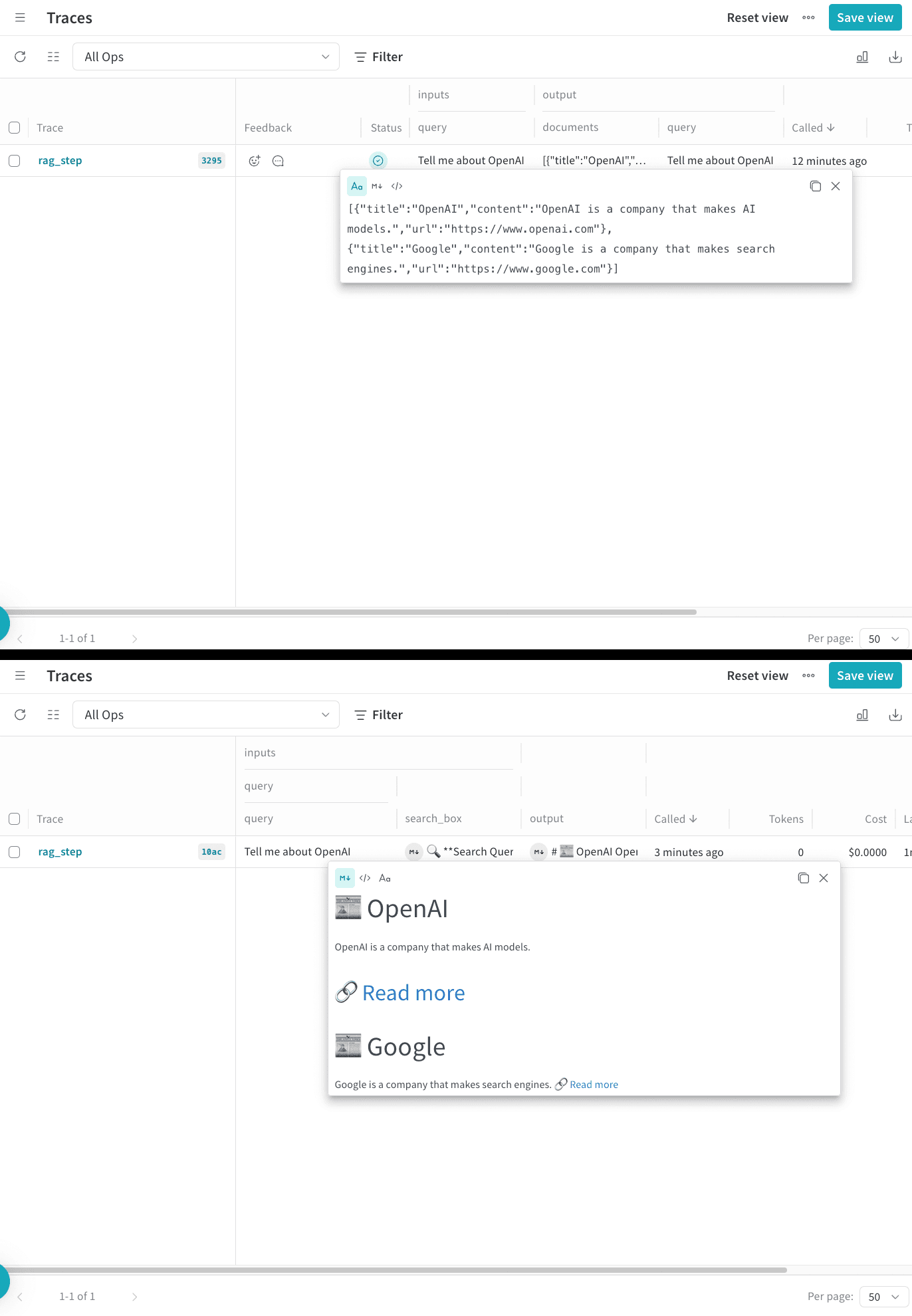
After you can view a Call, you may want to control how its inputs and outputs appear in the UI. Use weave.Markdown to customize how Weave displays your trace information without losing the original data. This lets you render your inputs and outputs as readable blocks of formatted content while preserving the underlying data structure.
- Python
- TypeScript
Use
postprocess_inputs and postprocess_output functions in your @weave.op decorator to format your trace data. The following code sample uses postprocessors to render a call in Weave with more readable formatting: