

The ability to rewind a run is in active development. It is in preview for Multi-tenant Cloud and Dedicated Cloud, and not yet available in Self-Managed.Due to known performance limitations with rewind, W&B typically recommends Forking as an alternative.
Prerequisites
Before you rewind a run, ensure you meet the following prerequisites:- To rewind a run, you must have W&B Python SDK version >=
0.17.1. - You must use monotonically increasing steps. This does not work with non-monotonic steps defined with
define_metric()because it disrupts the required chronological order of run history.
Limitations
Rewind does not support the following:- Log rewind: Logs are reset in the new run segment.
- System metrics rewind: W&B logs only new system metrics after the rewind point.
- Artifact association: W&B associates artifacts with the source run that produces them.
- History truncation: W&B truncates the history to the rewind point, allowing new data logging.
- Summary metrics: Recomputed based on the newly logged history.
- Configuration preservation: W&B preserves the original configurations and you can merge new configurations.
Rewind and forking compatibility
Forking complements a rewind. When you fork from a run, W&B creates a new branch off a run at a specific point to try different parameters or models. When you rewind a run, W&B lets you correct or modify the run history itself.Rewind a run
Rewind a run from a specific step and log new data from that point in time. Pass both the run ID and the step you want to rewind from as arguments to theresume_from parameter in wandb.init(). The resume_from parameter accepts a string in the format of <run ID>?_step=<step>, where <run ID> is the run ID of the run you want to rewind and <step> is the step you want to rewind from.
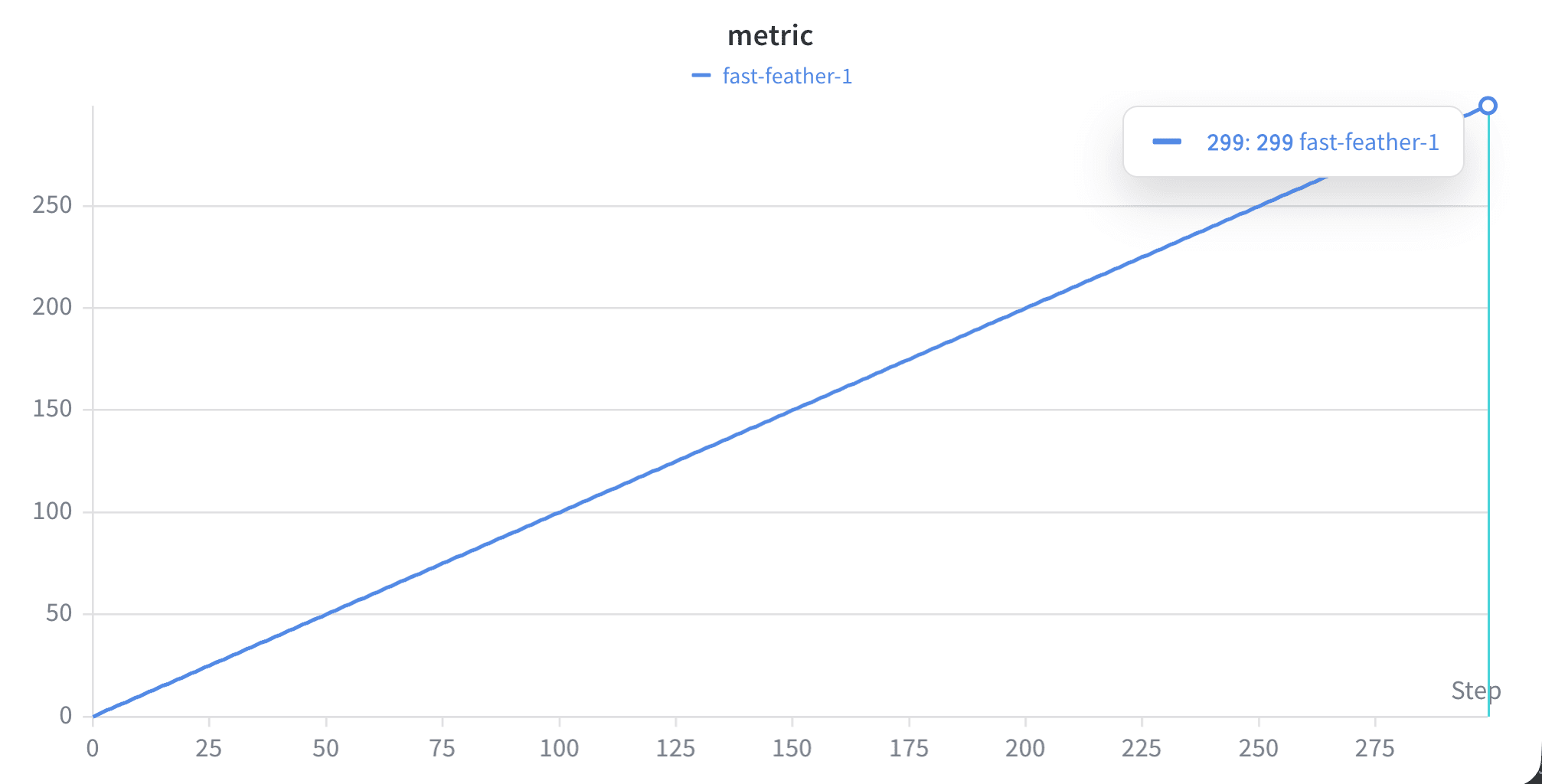
Suppose you log a linear line for 300 steps:
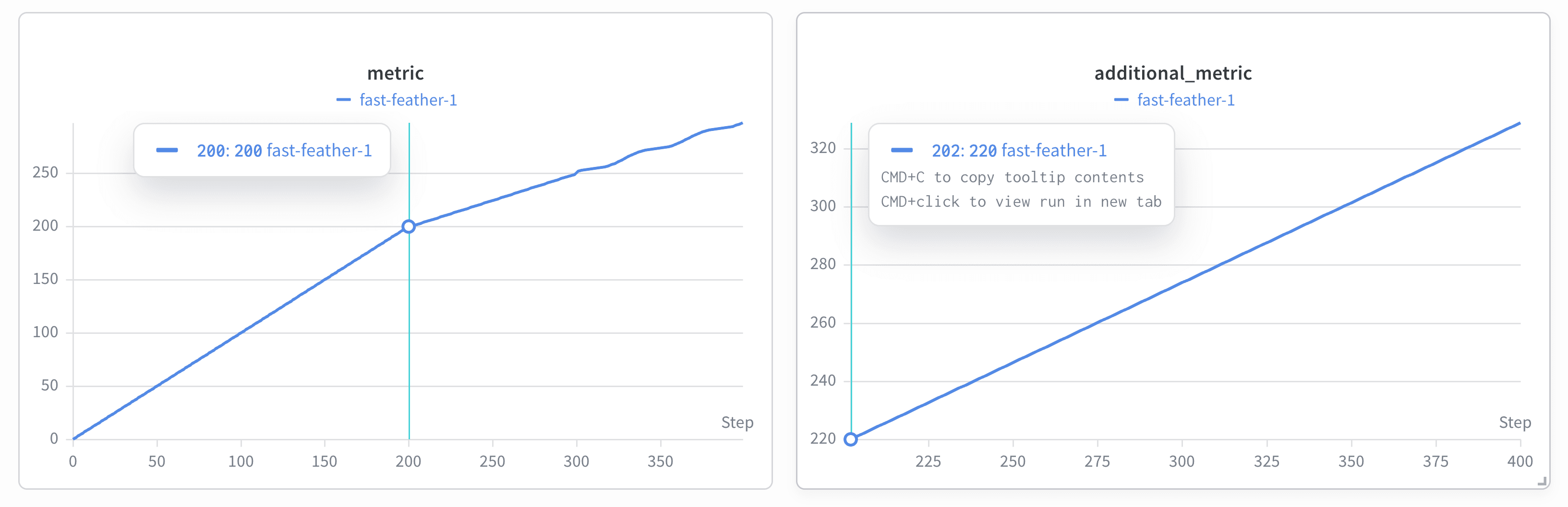
additional_metric that logs i*1.1 from step 200 to step 300. From step 250 you want to log a new subtle wavy pattern (i**2 + 2*sin(i/3)) instead of a linear line:
- The line plot shows the original linear line from step 0 to step 200 and the new subtle wavy pattern starts from step 250 (left image).
- W&B created a new plot (right plot) labeled
additional_metricthat starts from step 200.
View an archived run
After you rewind a run, you can explore the original archived run in the W&B App. Follow these steps to view an archived run:- Access the Overview Tab: Navigate to the Overview tab on the run’s page. This tab provides a comprehensive view of the run’s details and history.
- Locate the Forked From field: Within the Overview tab, find the
Forked Fromfield. This field captures the history of the resumptions. The Forked From field includes a link to the source run, allowing you to trace back to the original run and understand the entire rewind history.
Forked From field, you can effortlessly navigate the tree of archived resumptions and gain insights into the sequence and origin of each rewind.
Fork from a run that you rewind
To fork from a rewound run, use thefork_from argument in wandb.init() and specify the source run ID and the step from the source run to fork from: