Weave automatically tracks and logs LLM calls made via the Cerebras Cloud SDK.

Traces

Tracking LLM calls is crucial for debugging and performance monitoring. Weave helps you do this by automatically capturing traces for the Cerebras Cloud SDK. Here’s an example of how to use Weave with Cerebras:
import os
import weave
from cerebras.cloud.sdk import Cerebras

# Initialise the weave project
weave.init("cerebras_speedster")

# Use the Cerebras SDK as usual
api_key = os.environ["CEREBRAS_API_KEY"]
model = "llama3.1-8b"  # Cerebras model

client = Cerebras(api_key=api_key)

response = client.chat.completions.create(
    model=model,
    messages=[{"role": "user", "content": "What's the fastest land animal?"}],
)

print(response.choices[0].message.content)
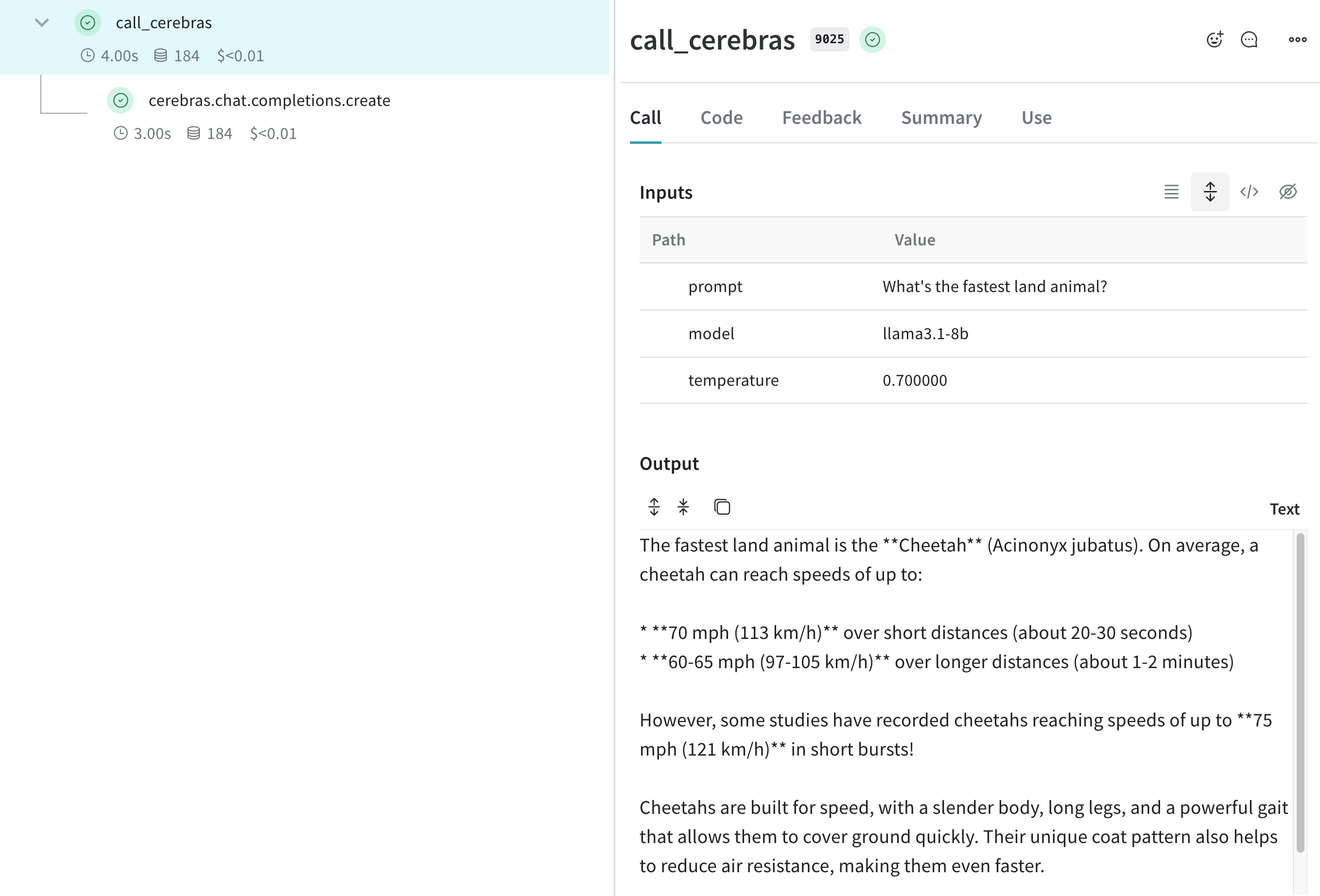
Weave now tracks and logs all LLM calls made through the Cerebras SDK. You can view the traces in the Weave web interface, including details like token usage and response time. Weave trace view showing Cerebras LLM calls

Wrap with your own ops

Weave Ops enhance reproducibility and traceability in your experiments by automatically versioning your code and capturing inputs and outputs. Here’s an example of how to use Weave Ops with the Cerebras SDK:
import os
import weave
from cerebras.cloud.sdk import Cerebras

# Initialise the weave project
weave.init("cerebras_speedster")

client = Cerebras(api_key=os.environ["CEREBRAS_API_KEY"])

# Weave will track the inputs, outputs and code of this function
@weave.op
def animal_speedster(animal: str, model: str) -> str:
    "Find out how fast an animal can run"
    
    response = client.chat.completions.create(
        model=model,
        messages=[{"role": "user", "content": f"How fast can a {animal} run?"}],
    )
    return response.choices[0].message.content

animal_speedster("cheetah", "llama3.1-8b")
animal_speedster("ostrich", "llama3.1-8b")
animal_speedster("human", "llama3.1-8b")

Create a Model for easier experimentation

The Model class in Weave helps you organize and compare different iterations of your app. This is useful when experimenting with Cerebras models. Here’s an example:
import os
import weave
from cerebras.cloud.sdk import Cerebras

# Initialise the weave project
weave.init("cerebras_speedster")

client = Cerebras(api_key=os.environ["CEREBRAS_API_KEY"])

class AnimalSpeedModel(weave.Model):
    model: str
    temperature: float

    @weave.op
    def predict(self, animal: str) -> str:
        "Predict the top speed of an animal"        

        response = client.chat.completions.create(
            model=self.model,
            messages=[{"role": "user", "content": f"What's the top speed of a {animal}?"}],
            temperature=self.temperature
        )
        return response.choices[0].message.content

speed_model = AnimalSpeedModel(
    model="llama3.1-8b",
    temperature=0.7
)
result = speed_model.predict(animal="cheetah")
print(result)
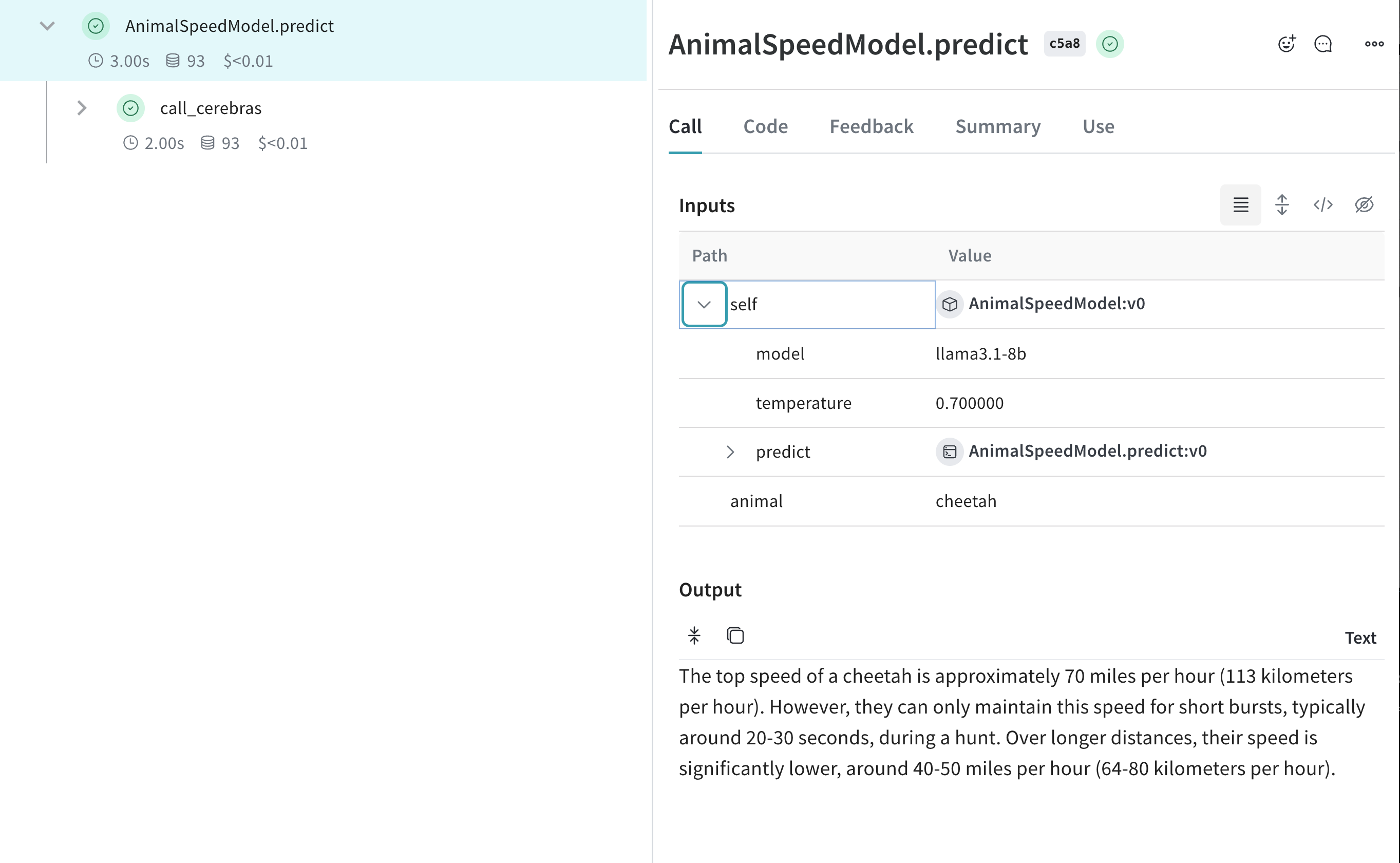
With this setup, you can experiment with different models and parameters while tracking your Cerebras-powered inferences. Weave Model traces for Cerebras experiments