Open In Colab Weave automatically tracks and logs LLM calls made through LiteLLM after you call weave.init(). This guide explains how to use Weave with LiteLLM to capture traces, wrap calls in versioned ops, organize experiments with a Model, and track function-calling behavior. Use it when you’re building LLM applications and want observability across the multiple model providers that LiteLLM supports.

Traces

It’s important to store traces of LLM applications in a central database, both during development and in production. You use these traces for debugging and as a dataset that helps you improve your application.
Note: When using LiteLLM, make sure to import the library using import litellm and call the completion function with litellm.completion() instead of from litellm import completion. This ensures that all functions and parameters are correctly referenced.
Weave automatically captures traces for LiteLLM. Use the library as usual, and start by calling weave.init():
import litellm
import weave

weave.init("weave_litellm_integration")

openai_response = litellm.completion(
    model="gpt-3.5-turbo", 
    messages=[{"role": "user", "content": "Translate 'Hello, how are you?' to French"}],
    max_tokens=1024
)
print(openai_response.choices[0].message.content)

claude_response = litellm.completion(
    model="claude-3-5-sonnet-20240620", 
    messages=[{"role": "user", "content": "Translate 'Hello, how are you?' to French"}],
    max_tokens=1024
)
print(claude_response.choices[0].message.content)
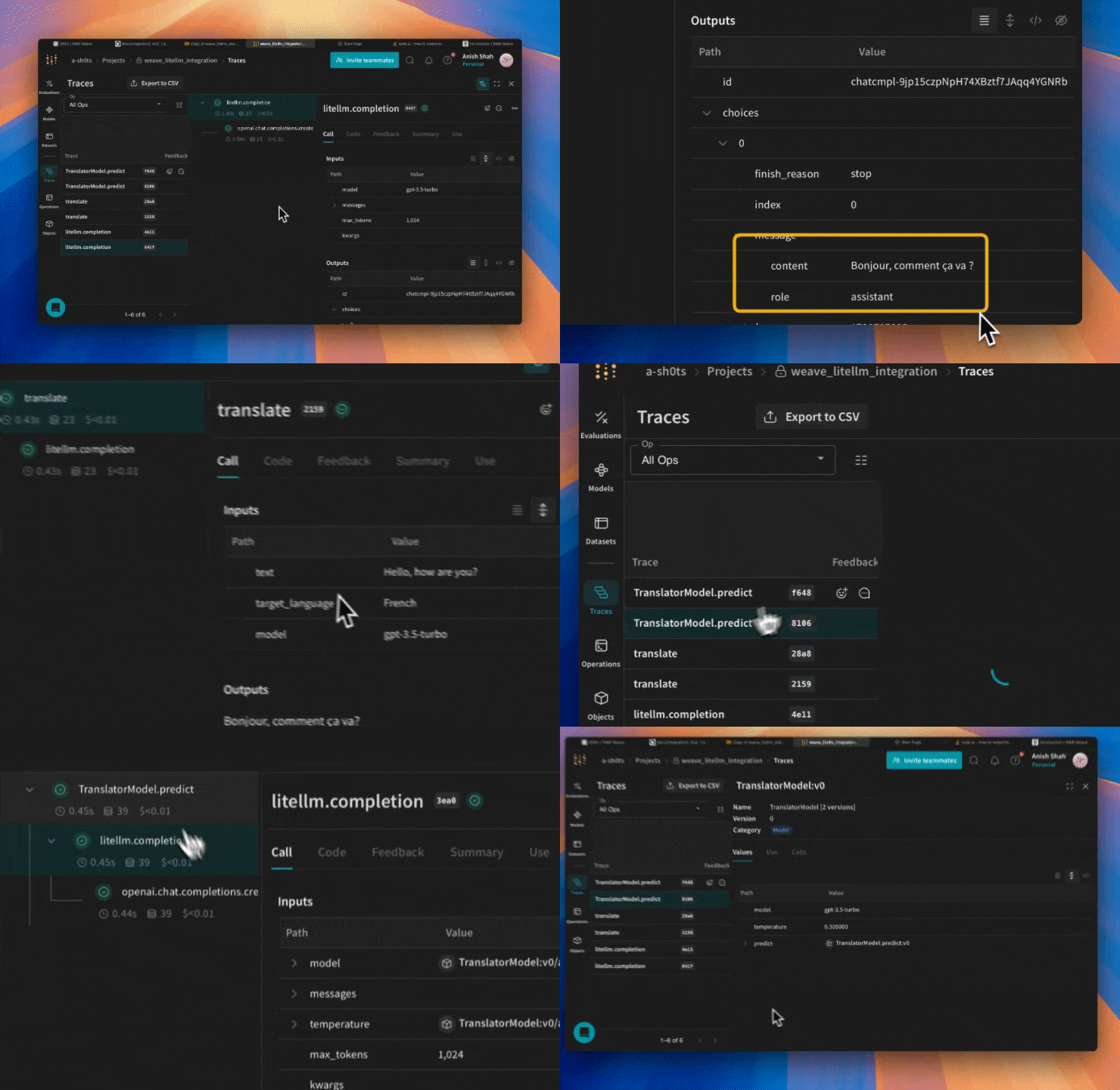
Weave now tracks and logs all LLM calls made through LiteLLM. You can view the traces in the Weave web interface. With basic tracing in place, the next section shows how to wrap LiteLLM calls in your own Weave ops to gain finer-grained, versioned tracking of your application logic.

Wrap with your own ops

Weave ops make results reproducible by automatically versioning code as you experiment, and they capture their inputs and outputs. Create a function decorated with @weave.op() that calls into LiteLLM’s completion function, and Weave tracks the inputs and outputs for you. Here’s an example:
import litellm
import weave

weave.init("weave_litellm_integration")

@weave.op()
def translate(text: str, target_language: str, model: str) -> str:
    response = litellm.completion(
        model=model,
        messages=[{"role": "user", "content": f"Translate '{text}' to {target_language}"}],
        max_tokens=1024
    )
    return response.choices[0].message.content

print(translate("Hello, how are you?", "French", "gpt-3.5-turbo"))
print(translate("Hello, how are you?", "Spanish", "claude-3-5-sonnet-20240620"))

Create a Model for easier experimentation

Organizing experimentation is difficult when many pieces move at once. By using the Model class, you can capture and organize the experimental details of your app, such as your system prompt or the model you’re using. This helps you organize and compare different iterations of your app. In addition to versioning code and capturing inputs and outputs, Models capture structured parameters that control your application’s behavior, helping you find which parameters work best. You can also use Weave Models with serve and Evaluations. In the following example, you can experiment with different models and temperatures:
import litellm
import weave

weave.init('weave_litellm_integration')

class TranslatorModel(weave.Model):
    model: str
    temperature: float
  
    @weave.op()
    def predict(self, text: str, target_language: str):
        response = litellm.completion(
            model=self.model,
            messages=[
                {"role": "system", "content": f"You are a translator. Translate the given text to {target_language}."},
                {"role": "user", "content": text}
            ],
            max_tokens=1024,
            temperature=self.temperature
        )
        return response.choices[0].message.content

# Create instances with different models
gpt_translator = TranslatorModel(model="gpt-3.5-turbo", temperature=0.3)
claude_translator = TranslatorModel(model="claude-3-5-sonnet-20240620", temperature=0.1)

# Use different models for translation
english_text = "Hello, how are you today?"

print("GPT-3.5 Translation to French:")
print(gpt_translator.predict(english_text, "French"))

print("\nClaude-3.5 Sonnet Translation to Spanish:")
print(claude_translator.predict(english_text, "Spanish"))

Function calling

LiteLLM supports function calling for compatible models. Weave automatically tracks these function calls so you can inspect the functions, arguments, and responses alongside your other traces.
import litellm
import weave

weave.init("weave_litellm_integration")

response = litellm.completion(
    model="gpt-3.5-turbo",
    messages=[{"role": "user", "content": "Translate 'Hello, how are you?' to French"}],
    functions=[
        {
            "name": "translate",
            "description": "Translate text to a specified language",
            "parameters": {
                "type": "object",
                "properties": {
                    "text": {
                        "type": "string",
                        "description": "The text to translate",
                    },
                    "target_language": {
                        "type": "string",
                        "description": "The language to translate to",
                    }
                },
                "required": ["text", "target_language"],
            },
        },
    ],
)

print(response)
Weave automatically captures the functions you use in the prompt and keeps them versioned. litellm.gif