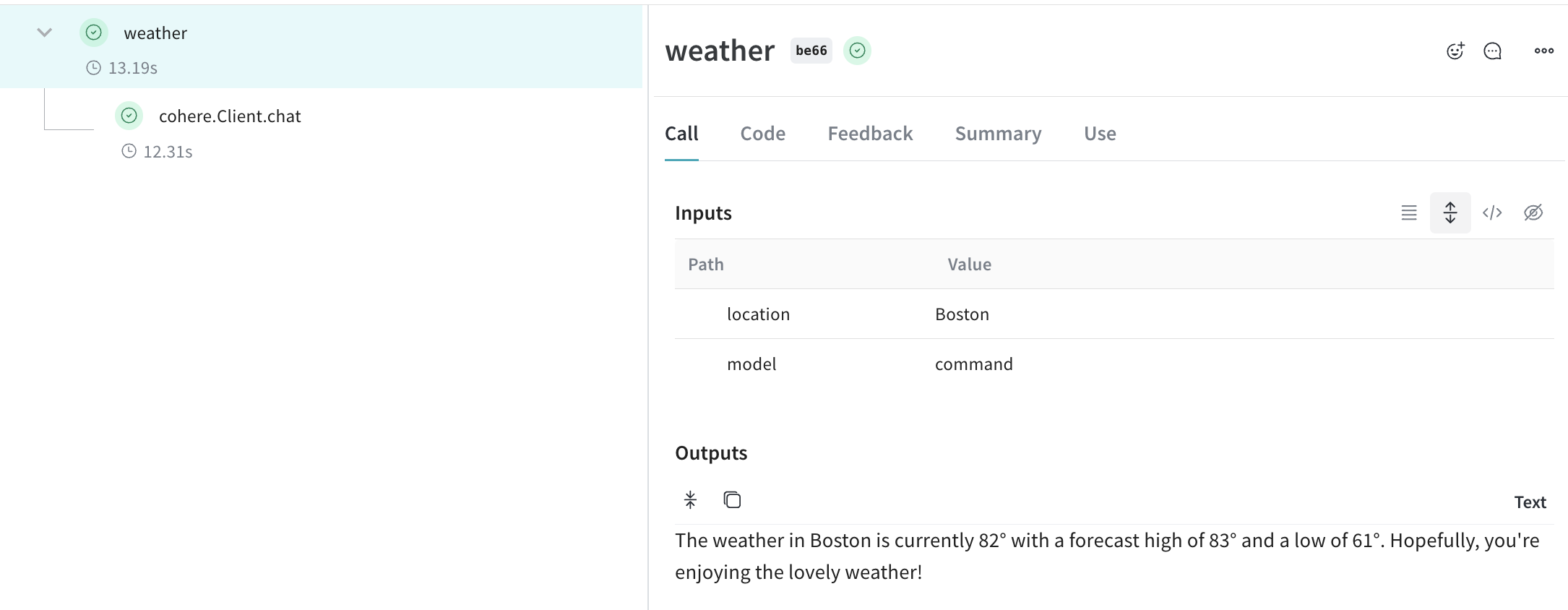
weave.init() の呼び出し後、Weave は Cohere Python ライブラリ 経由で行われる LLM call を自動的にトラッキングしてログします。
開発中でも本番環境でも、LLM アプリケーションのトレースを一元管理されたデータベースに保存することが重要です。これらのトレースは、デバッグや、アプリケーション改善に役立つデータセットとして活用できます。
Weave は cohere-python のトレースを自動的に収集します。ライブラリは通常どおり使用でき、まず weave.init() を呼び出します:
import cohere
import os
import weave
# Cohere ライブラリを通常どおり使用する
co = cohere.Client(api_key=os.environ["COHERE_API_KEY"])
weave.init("cohere_project")
response = co.chat(
message="How is the weather in Boston?",
# 質問に回答する前にウェブ検索を実行します。独自の custom コネクタ を使用することもできます。
connectors=[{"id": "web-search"}],
)
print(response.text)
weave.init() の呼び出し時に W&B team を指定しない場合は、デフォルトの entity が使用されます。デフォルトの entity を確認または更新するには、W&B Models ドキュメントの User Settings を参照してください。
Cohere モデルの強力な機能の 1 つに、connectors を使って、エンドポイント側から他の API へリクエストを送信できることがあります。レスポンスには、コネクタ から返されたドキュメントへのリンクを含む citation 要素付きの生成テキストが含まれます。
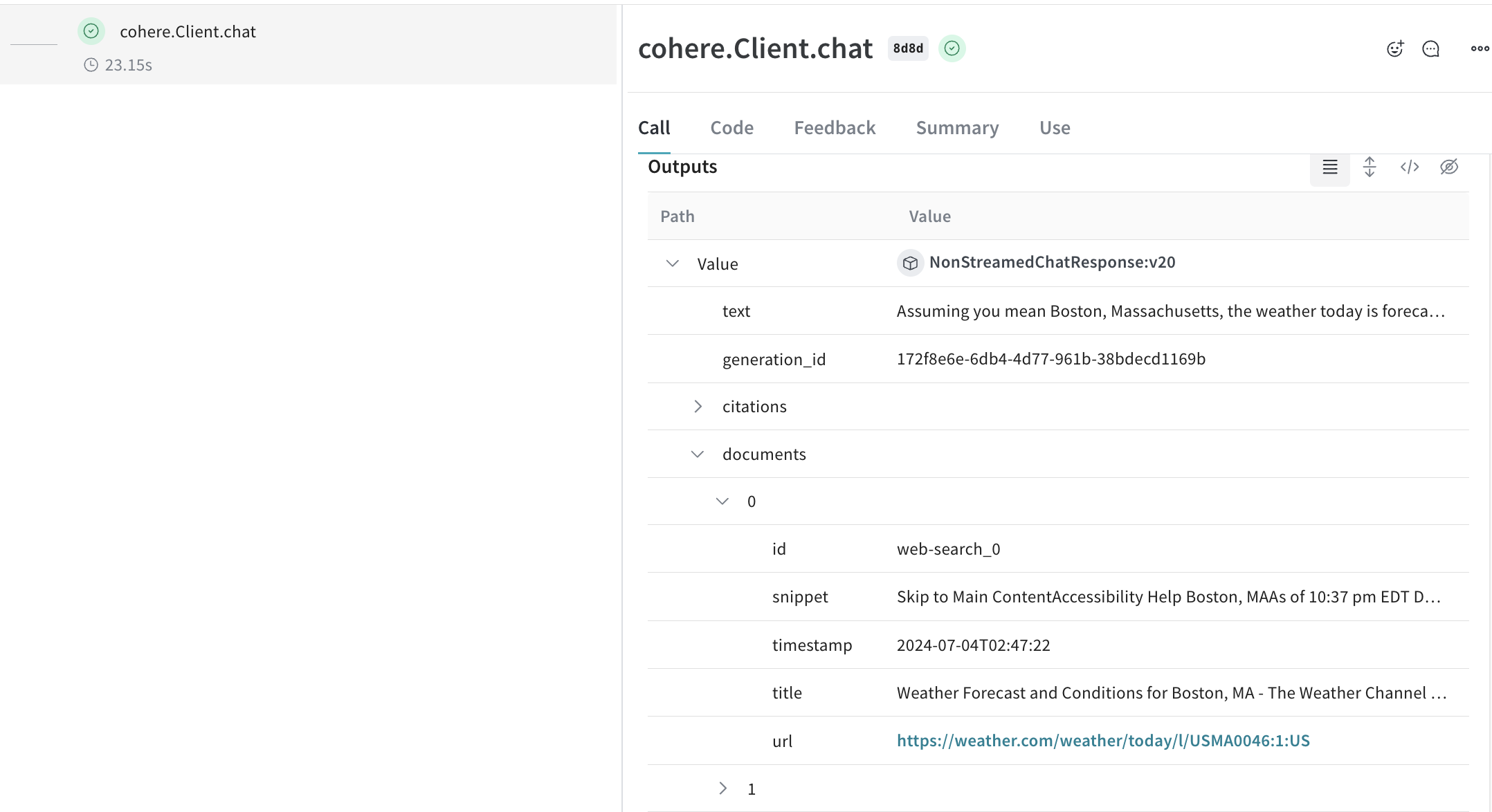
LLM Call をトラッキングできるように、Cohere の Client.chat()、AsyncClient.chat()、Client.chat_stream()、AsyncClient.chat_stream() の各 method にはこちらでパッチを適用しています。
Weave の op を使うと、実験を進めながらコードが自動的にバージョン管理され、入力と出力も記録されるため、結果を_再現可能_にできます。Cohere の chat method を呼び出す @weave.op() でデコレートした関数を作成するだけで、Weave が入力と出力をトラッキングしてくれます。以下はその例です。
import cohere
import os
import weave
co = cohere.Client(api_key=os.environ["COHERE_API_KEY"])
weave.init("cohere_project")
@weave.op()
def weather(location: str, model: str) -> str:
response = co.chat(
model=model,
message=f"How is the weather in {location}?",
# 質問に回答する前にウェブ検索を実行します。独自のカスタムコネクタを使用することもできます。
connectors=[{"id": "web-search"}],
)
return response.text
print(weather("Boston", "command"))
複数の要素が絡む実験では、情報を整理するのが難しくなります。Model クラスを使用すると、system prompt や使用しているモデルなど、アプリの実験に関する詳細を記録して整理できます。これにより、アプリのさまざまなバージョンを整理し、比較しやすくなります。
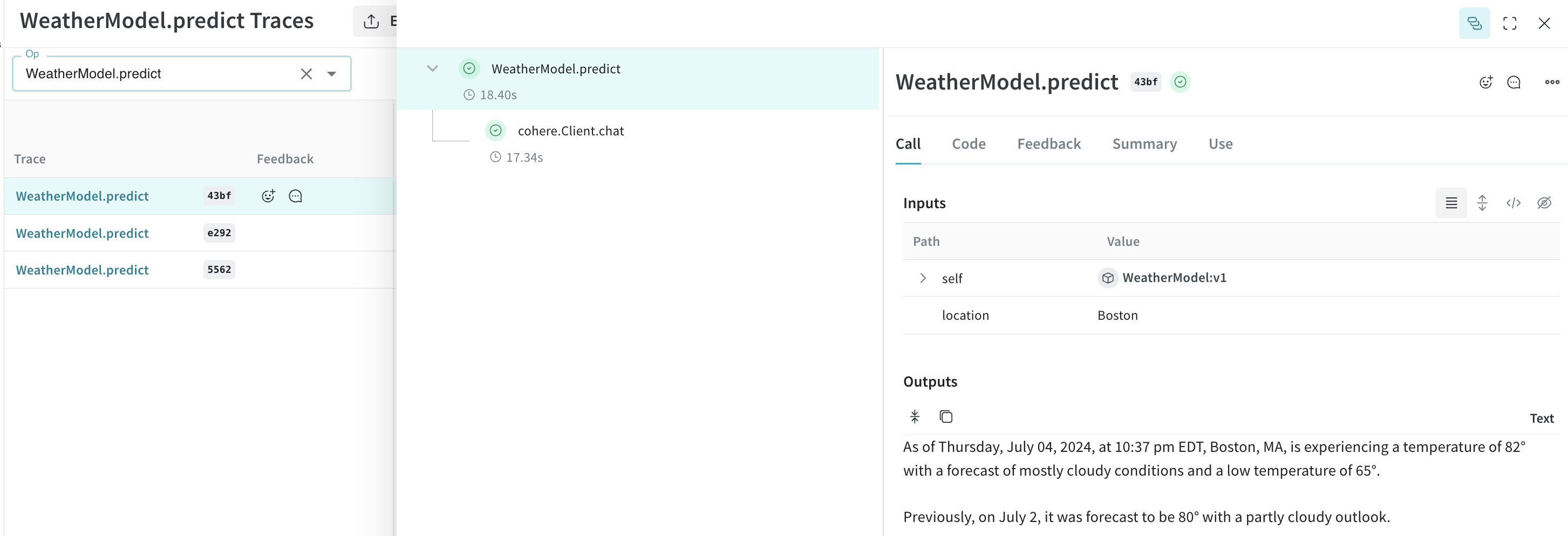
Model は、コードのバージョン管理や入力/出力の記録に加えて、アプリケーションの挙動を制御する構造化されたパラメーターも保持するため、どのパラメーターが最も効果的だったかを簡単に見つけられます。また、Weave Models は serve や Evaluation でも使用できます。
以下の例では、model と temperature を試せます。これらのいずれかを変更するたびに、WeatherModel の新しい version が作成されます。
import weave
import cohere
import os
weave.init('weather-cohere')
class WeatherModel(weave.Model):
model: str
temperature: float
@weave.op()
def predict(self, location: str) -> str:
co = cohere.Client(api_key=os.environ["COHERE_API_KEY"])
response = co.chat(
message=f"How is the weather in {location}?",
model=self.model,
temperature=self.temperature,
connectors=[{"id": "web-search"}]
)
return response.text
weather_model = WeatherModel(
model="command",
temperature=0.7
)
result = weather_model.predict("Boston")
print(result)