메인 콘텐츠로 건너뛰기
Weave는 Cerebras Cloud SDK를 통해 이루어진 LLM 호출을 자동으로 추적하고 로깅합니다.”

트레이스

LLM 호출 추적은 디버깅과 성능 모니터링에 매우 중요합니다. Weave는 Cerebras Cloud SDK의 트레이스를 자동으로 캡처하여 이를 지원합니다. 다음은 Weave를 Cerebras와 함께 사용하는 예입니다:
import os
import weave
from cerebras.cloud.sdk import Cerebras

# weave 프로젝트 초기화
weave.init("cerebras_speedster")

# Cerebras SDK를 평소와 같이 사용
api_key = os.environ["CEREBRAS_API_KEY"]
model = "llama3.1-8b"  # Cerebras 모델

client = Cerebras(api_key=api_key)

response = client.chat.completions.create(
    model=model,
    messages=[{"role": "user", "content": "What's the fastest land animal?"}],
)

print(response.choices[0].message.content)
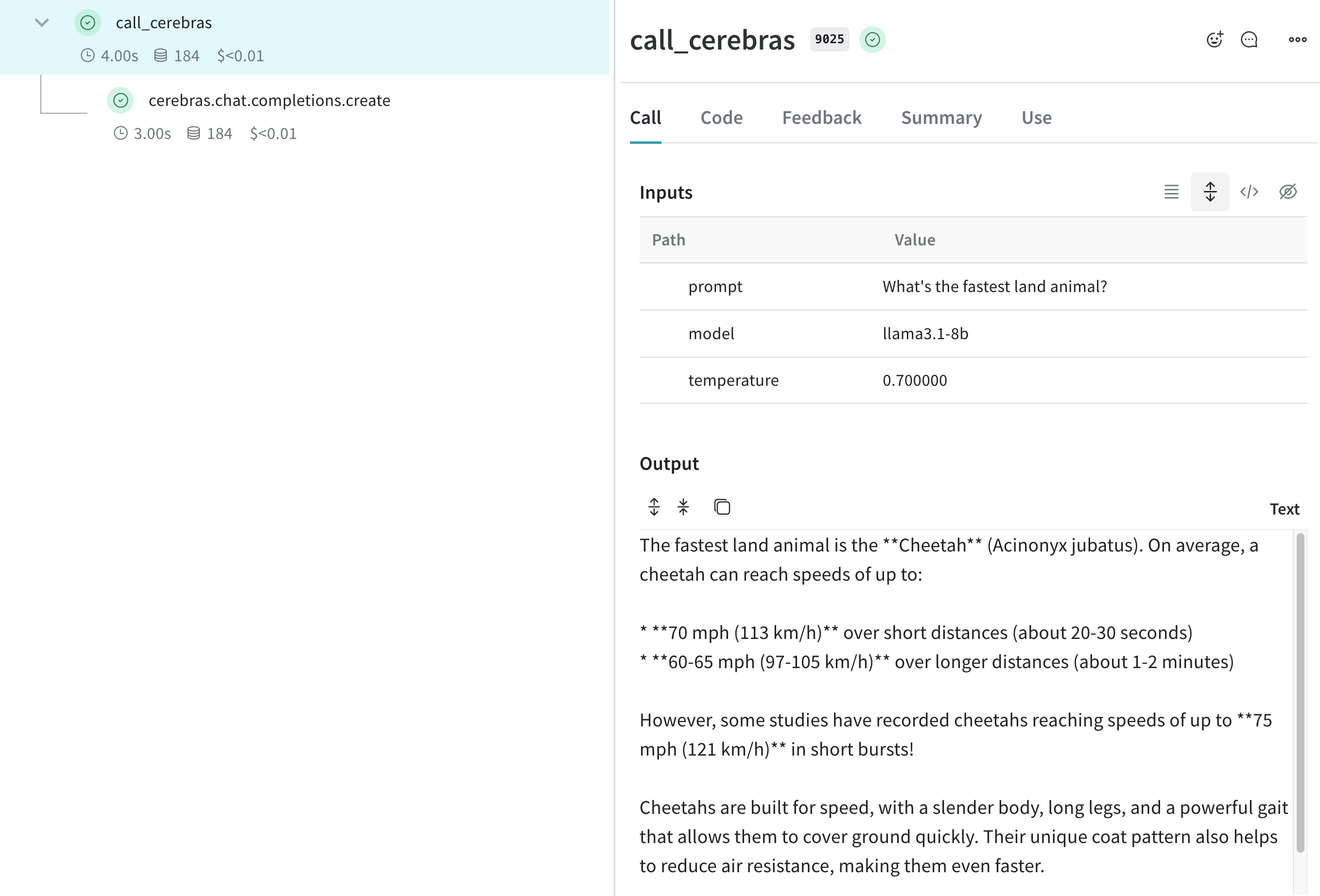
이제 Weave가 Cerebras SDK를 통해 이루어지는 모든 LLM 호출을 추적하고 로깅합니다. Weave 웹 인터페이스에서 token 사용량, 응답 시간 등의 세부 정보를 포함한 트레이스를 볼 수 있습니다. Cerebras LLM 호출을 보여주는 Weave 트레이스 뷰

자신만의 ops로 래핑하기

Weave Ops는 코드 버전을 자동으로 관리하고 입력과 출력을 캡처해 실험의 재현성과 추적 가능성을 높여 줍니다. 다음은 Cerebras SDK와 함께 Weave Ops를 사용하는 예시입니다:
import os
import weave
from cerebras.cloud.sdk import Cerebras

# Weave 프로젝트 초기화
weave.init("cerebras_speedster")

client = Cerebras(api_key=os.environ["CEREBRAS_API_KEY"])

# Weave가 이 함수의 입력, 출력 및 코드를 추적합니다
@weave.op
def animal_speedster(animal: str, model: str) -> str:
    "Find out how fast an animal can run"
    
    response = client.chat.completions.create(
        model=model,
        messages=[{"role": "user", "content": f"How fast can a {animal} run?"}],
    )
    return response.choices[0].message.content

animal_speedster("cheetah", "llama3.1-8b")
animal_speedster("ostrich", "llama3.1-8b")
animal_speedster("human", "llama3.1-8b")

더 쉽게 실험할 수 있도록 Model 만들기

Weave의 Model 클래스는 앱의 여러 반복 버전을 정리하고 비교하는 데 도움이 됩니다. 이는 Cerebras 모델로 실험할 때 유용합니다. 다음은 예시입니다:
import os
import weave
from cerebras.cloud.sdk import Cerebras

# Weave 프로젝트 초기화
weave.init("cerebras_speedster")

client = Cerebras(api_key=os.environ["CEREBRAS_API_KEY"])

class AnimalSpeedModel(weave.Model):
    model: str
    temperature: float

    @weave.op
    def predict(self, animal: str) -> str:
        "Predict the top speed of an animal"        

        response = client.chat.completions.create(
            model=self.model,
            messages=[{"role": "user", "content": f"What's the top speed of a {animal}?"}],
            temperature=self.temperature
        )
        return response.choices[0].message.content

speed_model = AnimalSpeedModel(
    model="llama3.1-8b",
    temperature=0.7
)
result = speed_model.predict(animal="cheetah")
print(result)
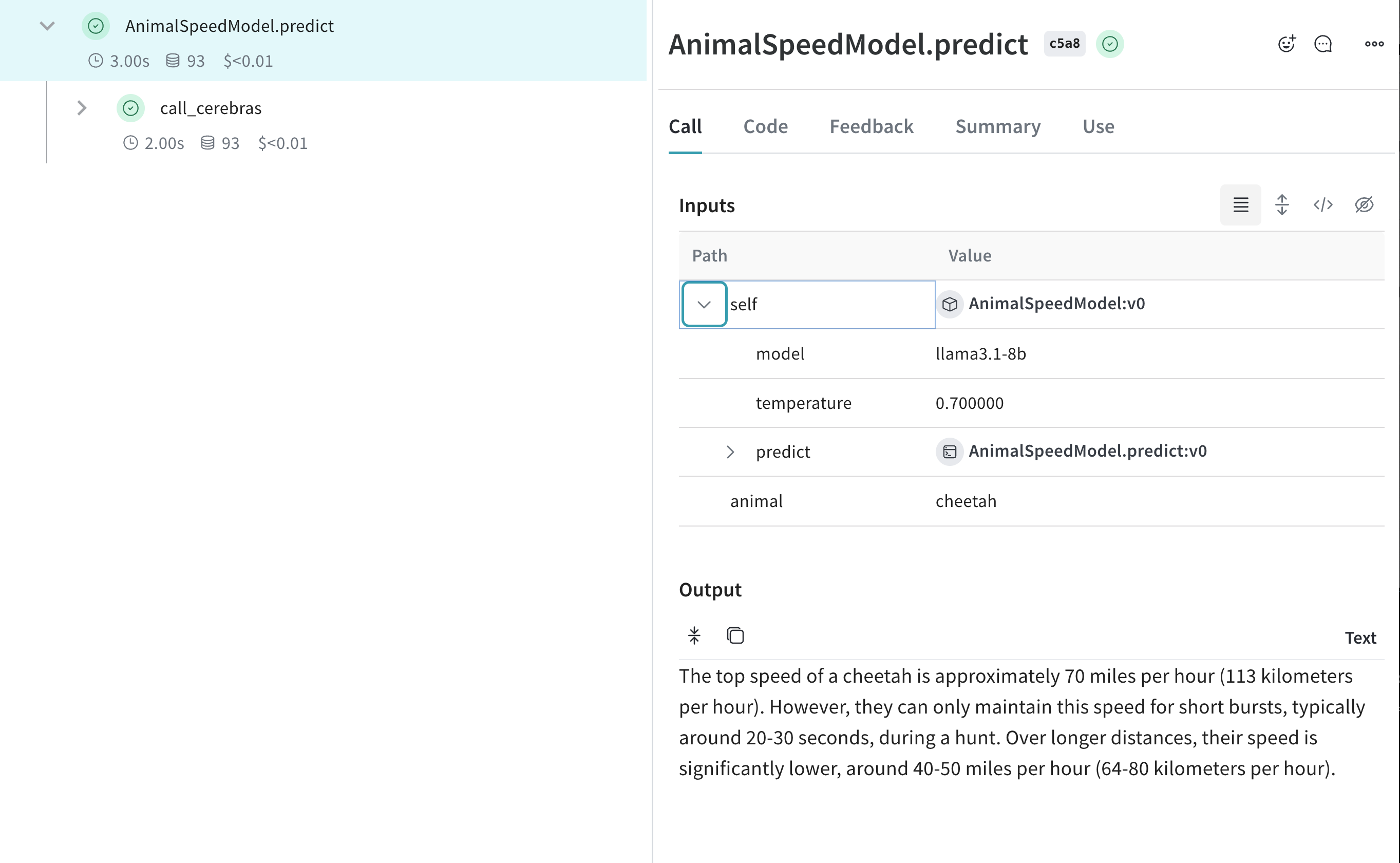
이렇게 설정하면 Cerebras 기반 추론을 추적하면서 다양한 모델과 파라미터로 실험할 수 있습니다. Cerebras 실험용 Weave Model 트레이스