- Python
- TypeScript
Pass Scorers to a
weave.Evaluation object during evaluation. Weave supports two types of Scorers:- Function-based Scorers: Python functions decorated with
@weave.op. - Class-based Scorers: Python classes that inherit from
weave.Scorerfor more complex evaluations.
Create your own scorers
Custom Scorers let you encode evaluation criteria that are specific to your use case, beyond what the built-in Scorers cover. The following sections describe the two ways to define a Scorer: as a function, or as a class for more complex logic.Function-based scorers
- Python
- TypeScript
Function-based Scorers are functions decorated with When you run the evaluation,
@weave.op that return a dictionary. They work well for straightforward evaluations like:evaluate_uppercase checks whether the text is all uppercase.Class-based scorers
- Python
- TypeScript
For more advanced evaluations, especially when you need to track additional scorer metadata, try different prompts for your LLM-evaluators, or make multiple function calls, use the This class evaluates the quality of a summary by comparing it to the original text.
Scorer class.Requirements:- Inherit from
weave.Scorer. - Define a
scoremethod decorated with@weave.op. - The
scoremethod must return a dictionary.
How scorers work
This section explains how Scorers receive data from your evaluation, how to map dataset columns to Scorer arguments, how to reference op variables in scoring prompts, and how Weave summarizes per-row scores into a final result.Scorer keyword arguments
- Python
- TypeScript
Scorers can access both the output from your AI system and the input data from the dataset row.When a Weave Mapping column names with
Sometimes the Now, the
- Input: If you want your scorer to use data from your dataset row, such as a
labelortargetcolumn, make this available to the scorer by adding alabelortargetkeyword argument to your scorer definition.
label from your dataset, your scorer function (or score class method) has a parameter list like this:Evaluation runs, it passes the output of the AI system to the output parameter. The Evaluation also automatically tries to match any additional scorer argument names to your dataset columns. If customizing your scorer arguments or dataset columns isn’t feasible, you can use column mapping. See the following section.- Output: Include an
outputparameter in your scorer function’s signature to access the AI system’s output.
Mapping column names with column_map
Sometimes the score method’s argument names don’t match the column names in your dataset. You can fix this using a column_map.If you’re using a class-based scorer, pass a dictionary to the column_map attribute of Scorer when you initialize your scorer class. This dictionary maps your score method’s argument names to the dataset’s column names, in the order {scorer_keyword_argument: dataset_column_name}.Example:text argument in the score method receives data from the news_article dataset column.Notes:- Another equivalent option to map your columns is to subclass the
Scorerand overload thescoremethod, mapping the columns explicitly.
Access variables from your ops in scoring prompts
In scoring prompts for LLM-as-a-judge scorers, you can reference variables from your op. Weave automatically extracts these values when the scorer runs. For a function like:
Example scoring prompt:
Final summarization of the scorer
- Python
- TypeScript
During evaluation, Weave computes the scorer for each row of your dataset. To provide a final score for the evaluation, Weave runs
auto_summarize based on the return type of the output.You can override the summarize method on the Scorer class and provide your own way to compute the final scores. The summarize function expects:- A single parameter
score_rows: a list of dictionaries, where each dictionary contains the scores returned by thescoremethod for a single row of your dataset. - It returns a dictionary containing the summarized scores.
In this example, the default auto_summarize would return the count and proportion of True.
For more information, see the implementation of CorrectnessLLMJudge.Apply scorers to a call
In addition to running Scorers as part of aweave.Evaluation, you can apply them directly to an individual call. This is useful when you want to score production traffic or attach evaluation metrics to a specific op invocation.
To apply scorers to your Weave ops, use the .call() method, which provides access to both the operation’s result and its tracking information. This lets you associate scorer results with specific calls in Weave’s database.
For more information about using the .call() method, see the Calling Ops guide.
- Python
- TypeScript
Here’s a basic example:You can also apply multiple scorers to the same call:Notes:
- Weave automatically stores scorer results in its database.
- Scorers run asynchronously after the main operation completes.
- You can view scorer results in the UI or query them through the API.
Use preprocess_model_input
You can use the preprocess_model_input parameter to modify dataset examples before they reach your model during evaluation.
For usage information and an example, see Using preprocess_model_input to format dataset rows before evaluating.
Score analysis
After your Scorers run, you’ll often want to inspect the scores they produced to understand model behavior or compare versions. The following sections describe how to analyze the scores for a single call, multiple calls, and all calls scored by a specific Scorer, using both the API and the Weave UI.Analyze a single call’s scores
Single call API
To retrieve a single call, use theget_call method.
Single call UI
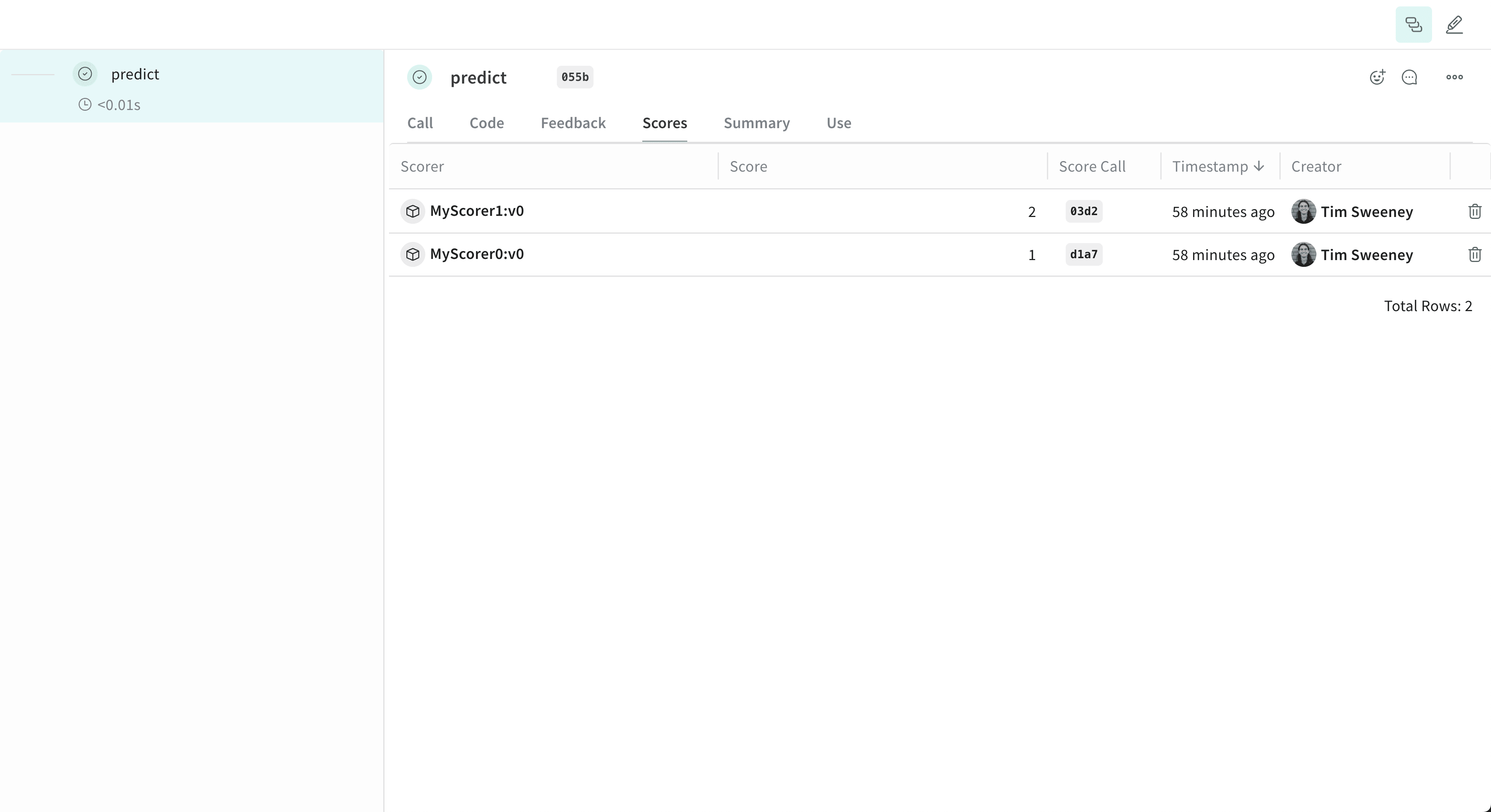
Analyze multiple calls’ scores
Multiple calls API
To retrieve multiple calls, use theget_calls method.
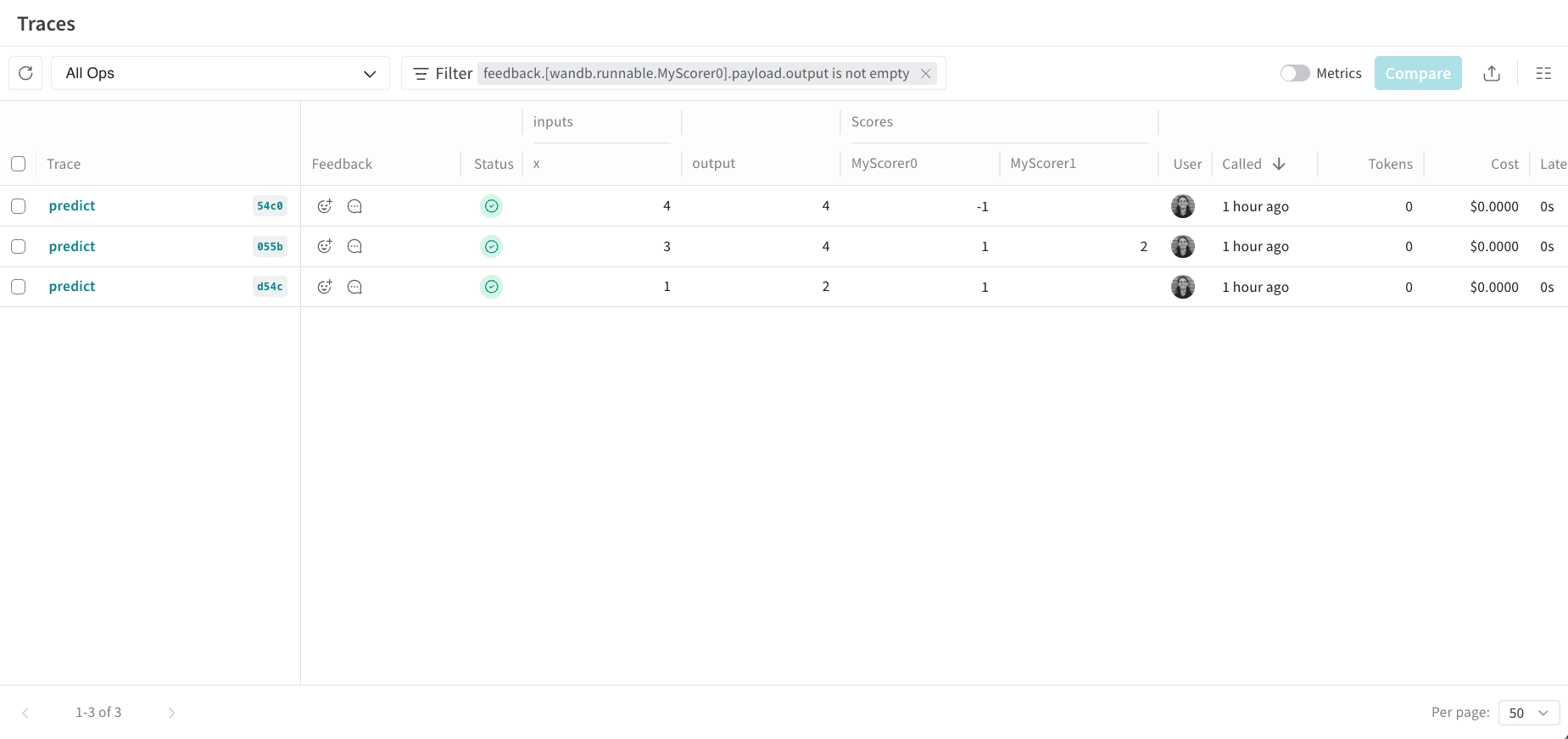
Multiple calls UI
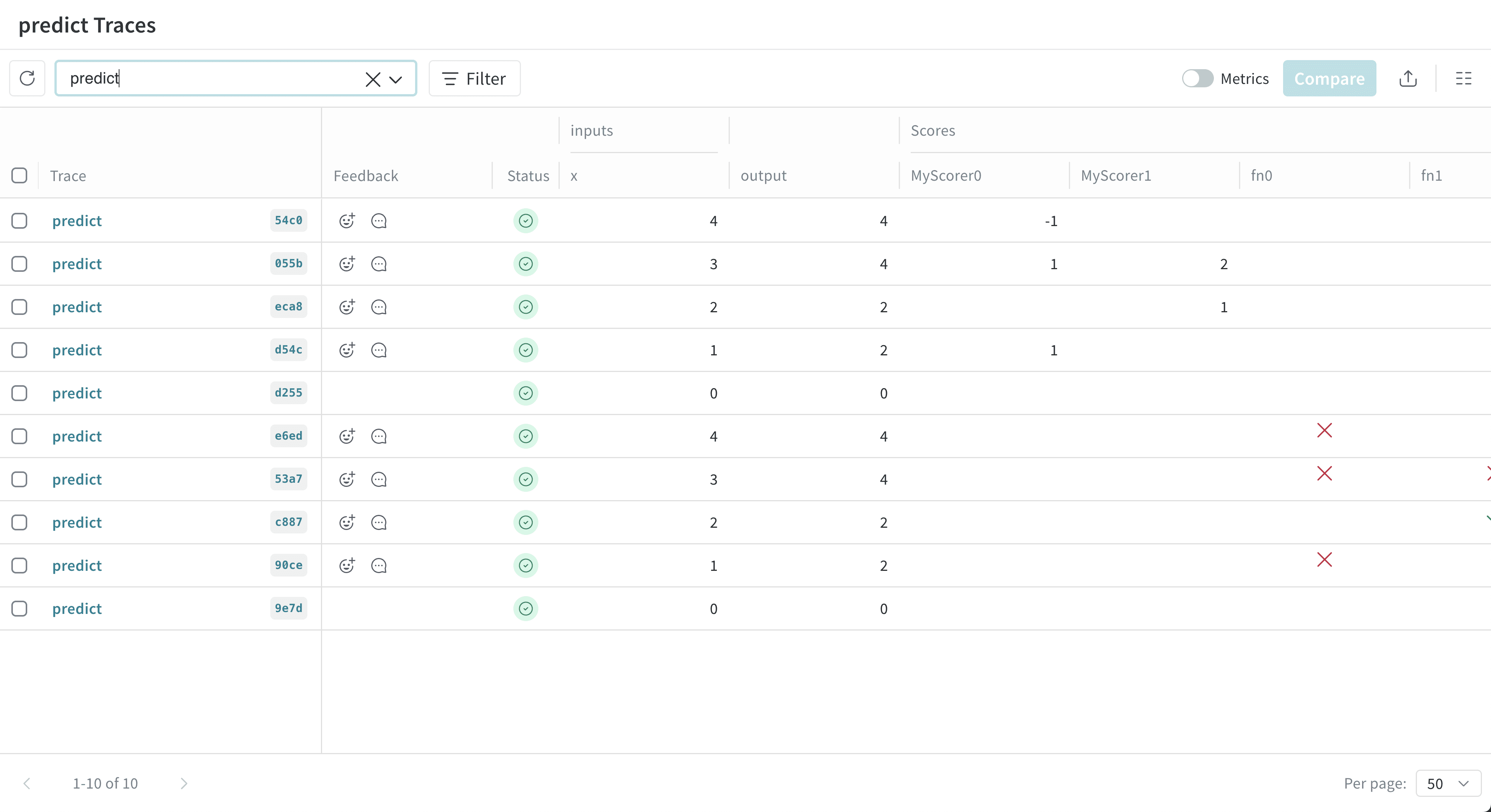
Analyze all calls scored by a specific scorer
All calls by scorer API
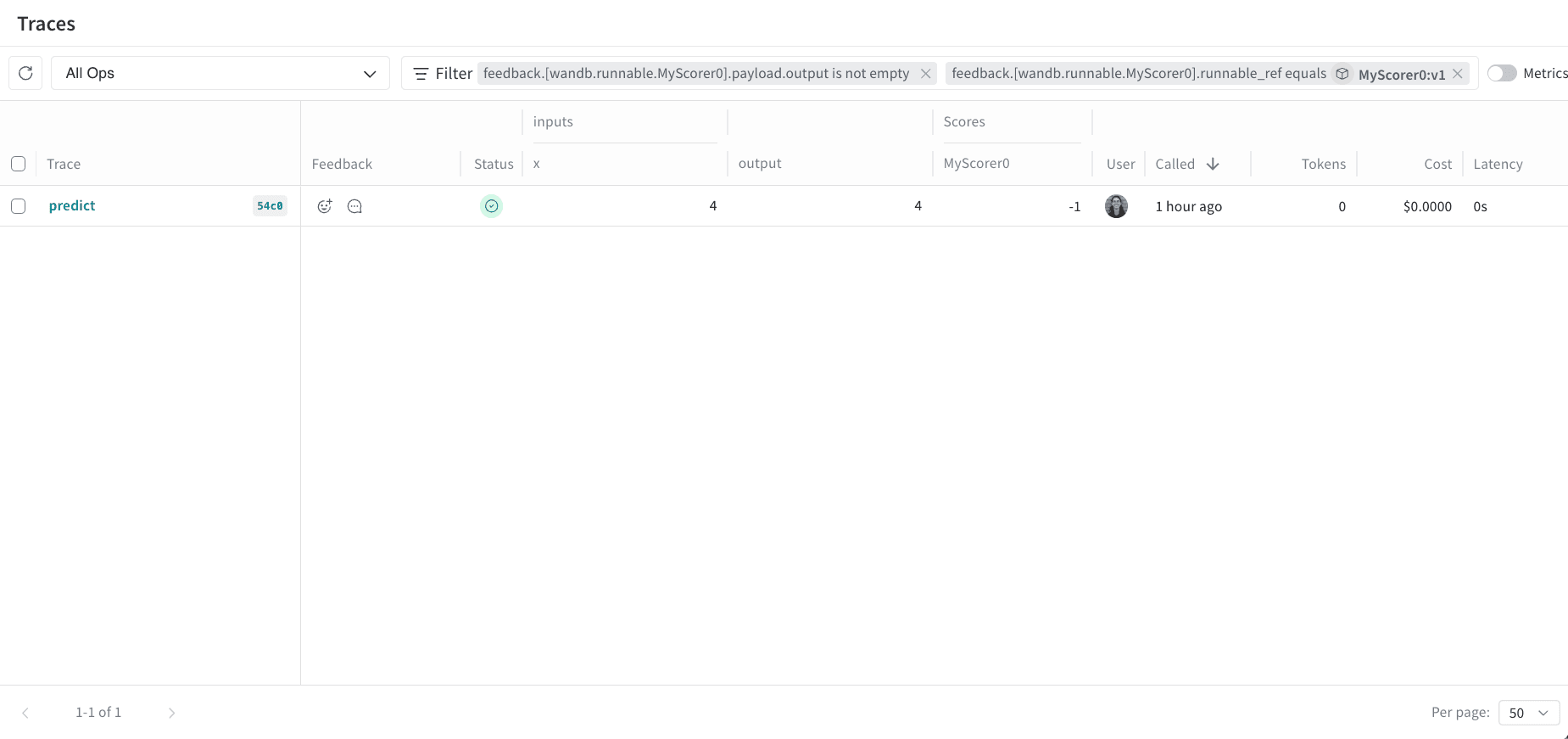
To retrieve all calls scored by a specific scorer, use theget_calls method.
All calls by scorer UI
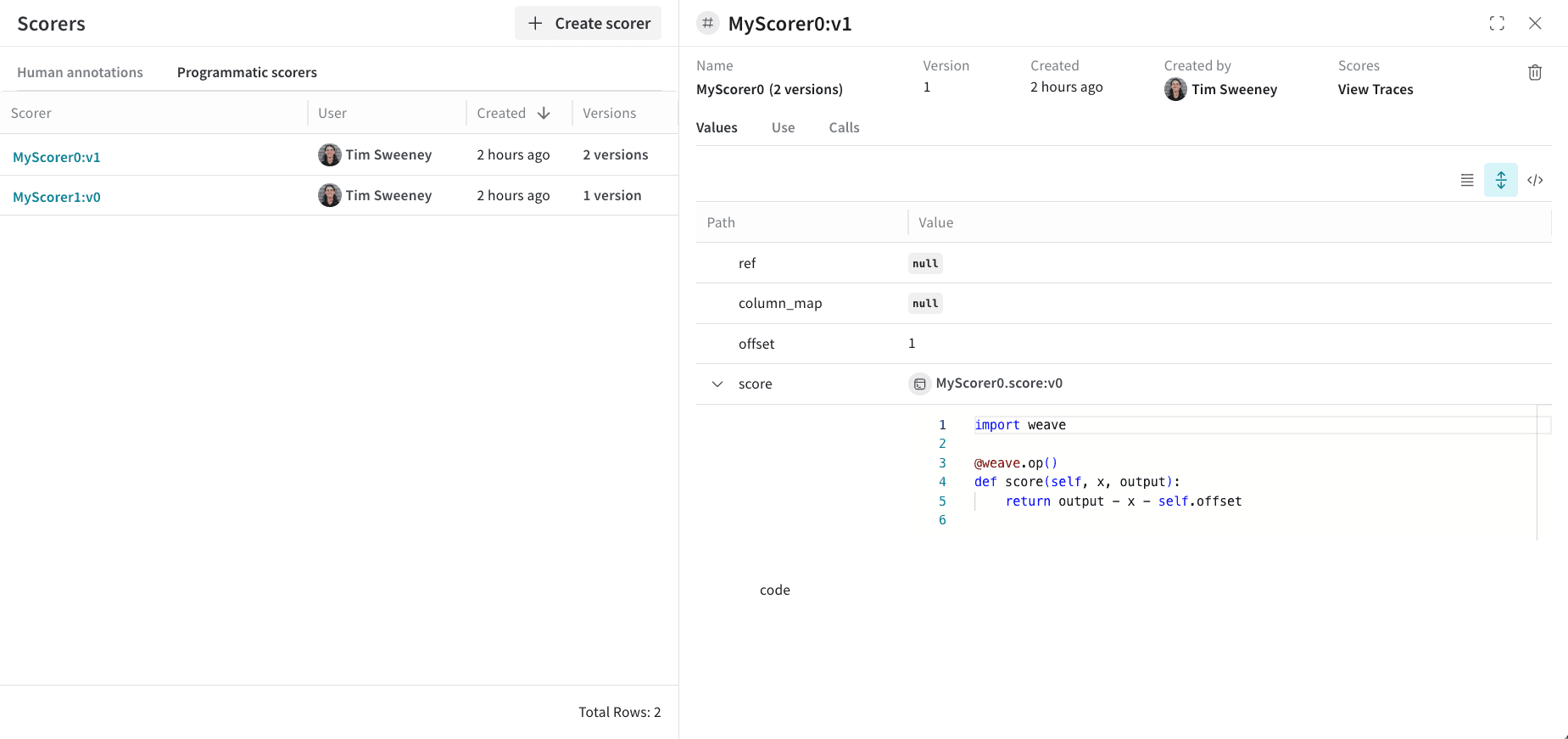
Finally, if you want to see all the calls scored by a Scorer, navigate to the Scorers tab in the UI and select the Programmatic Scorer tab. Click your Scorer to open the Scorer details page.