메인 콘텐츠로 건너뛰기
Open In Colab DSPy 는 특히 파이프라인 내에서 LM이 한 번 이상 사용될 때, LM 프롬프트와 가중치를 알고리즘적으로 최적화하기 위한 프레임워크입니다. Weave 는 DSPy 모듈 및 함수를 사용하여 수행된 호출을 자동으로 추적하고 로그를 기록합니다.

Tracing

개발 및 프로덕션 단계 모두에서 언어 모델 애플리케이션의 트레이스를 중앙 위치에 저장하는 것이 중요합니다. 이러한 트레이스는 디버깅에 유용할 뿐만 아니라, 애플리케이션을 개선하는 데 도움이 되는 데이터셋으로 활용될 수 있습니다. Weave 는 DSPy 에 대한 트레이스를 자동으로 캡처합니다. 추적을 시작하려면 weave.init(project_name="<YOUR-WANDB-PROJECT-NAME>") 을 호출하고 평소와 같이 라이브러리를 사용하세요.
import os
import dspy
import weave

os.environ["OPENAI_API_KEY"] = "<YOUR-OPENAI-API-KEY>"

# 프로젝트 초기화
weave.init(project_name="<YOUR-WANDB-PROJECT-NAME>")

lm = dspy.LM('openai/gpt-4o-mini')
dspy.configure(lm=lm)
classify = dspy.Predict("sentence -> sentiment")
classify(sentence="it's a charming and often affecting journey.")
dspy_trace.png Weave 는 DSPy 프로그램의 모든 LM 호출을 기록하여 입력, 출력 및 메타데이터에 대한 세부 정보를 제공합니다.

커스텀 DSPy Modules 및 Signatures 추적하기

Module 은 프롬프팅 기법을 추상화하며 학습 가능한 파라미터를 가진 DSPy 프로그램의 빌딩 블록입니다. Signature 는 DSPy Module 의 입력/출력 행동을 선언적으로 명시한 것입니다. Weave 는 DSPy 프로그램의 모든 내장 및 커스텀 Signatures 와 Modules 를 자동으로 추적합니다.
import os
import dspy
import weave

os.environ["OPENAI_API_KEY"] = "<YOUR-OPENAI-API-KEY>"

weave.init(project_name="<YOUR-WANDB-PROJECT-NAME>")

class Outline(dspy.Signature):
    """주제에 대한 철저한 개요를 작성합니다."""

    topic: str = dspy.InputField()
    title: str = dspy.OutputField()
    sections: list[str] = dspy.OutputField()
    section_subheadings: dict[str, list[str]] = dspy.OutputField(
        desc="섹션 제목에서 소제목으로의 매핑"
    )


class DraftSection(dspy.Signature):
    """기사의 최상위 섹션을 초안으로 작성합니다."""

    topic: str = dspy.InputField()
    section_heading: str = dspy.InputField()
    section_subheadings: list[str] = dspy.InputField()
    content: str = dspy.OutputField(desc="마크다운 형식의 섹션")


class DraftArticle(dspy.Module):
    def __init__(self):
        self.build_outline = dspy.ChainOfThought(Outline)
        self.draft_section = dspy.ChainOfThought(DraftSection)

    def forward(self, topic):
        outline = self.build_outline(topic=topic)
        sections = []
        for heading, subheadings in outline.section_subheadings.items():
            section, subheadings = (
                f"## {heading}",
                [f"### {subheading}" for subheading in subheadings],
            )
            section = self.draft_section(
                topic=outline.title,
                section_heading=section,
                section_subheadings=subheadings,
            )
            sections.append(section.content)
        return dspy.Prediction(title=outline.title, sections=sections)


draft_article = DraftArticle()
article = draft_article(topic="World Cup 2002")

DSPy 프로그램의 최적화 및 평가

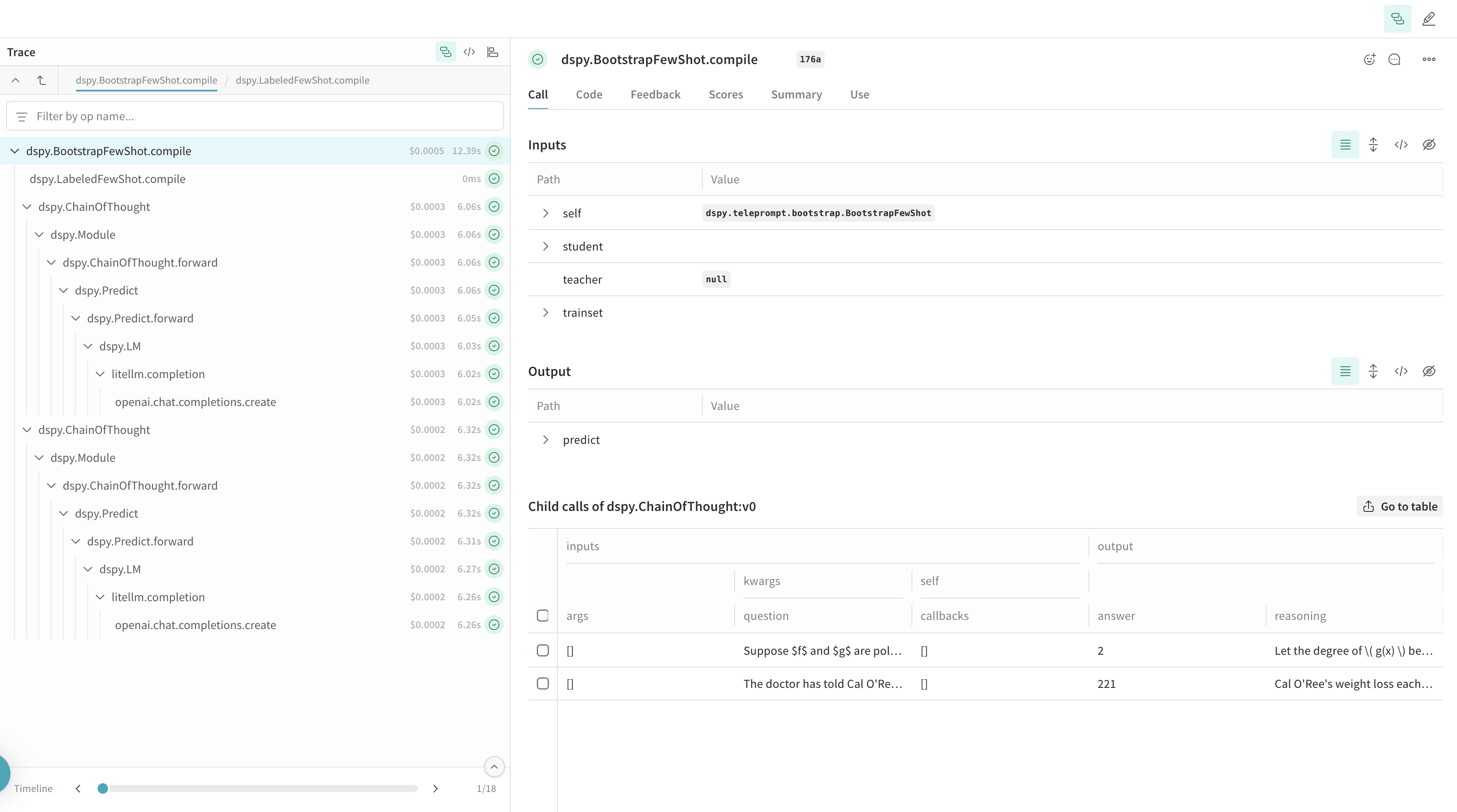
Weave 는 또한 DSPy 옵티마이저 및 평가(Evaluation) 호출에 대한 트레이스를 자동으로 캡처하며, 이를 통해 개발 세트에서 DSPy 프로그램의 성능을 개선하고 평가할 수 있습니다.
import os
import dspy
import weave

os.environ["OPENAI_API_KEY"] = "<YOUR-OPENAI-API-KEY>"
weave.init(project_name="<YOUR-WANDB-PROJECT-NAME>")

def accuracy_metric(answer, output, trace=None):
    predicted_answer = output["answer"].lower()
    return answer["answer"].lower() == predicted_answer

module = dspy.ChainOfThought("question -> answer: str, explanation: str")
optimizer = dspy.BootstrapFewShot(metric=accuracy_metric)
# 모델 최적화 컴파일
optimized_module = optimizer.compile(
    module, trainset=SAMPLE_EVAL_DATASET, valset=SAMPLE_EVAL_DATASET
)