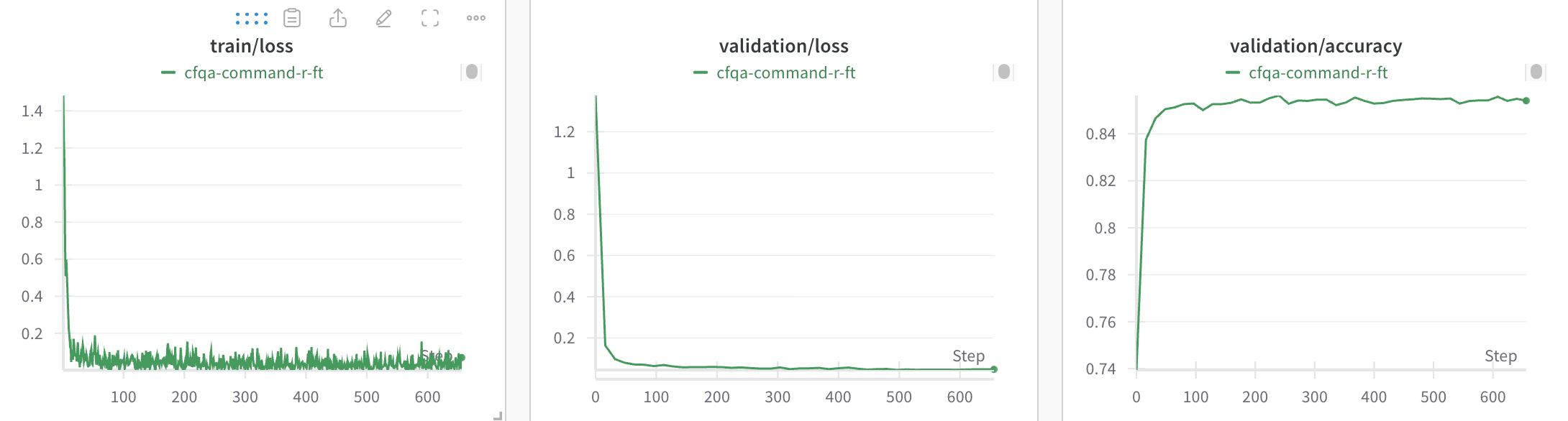
With W&B you can log your Cohere model’s fine-tuning metrics and configuration to analyze and understand the performance of your models and share the results with your colleagues. This guide from Cohere has a full example of how to kick off a fine-tuning run and you can find the Cohere API docs hereDocumentation Index
Fetch the complete documentation index at: https://docs.wandb.ai/llms.txt
Use this file to discover all available pages before exploring further.
Log your Cohere fine-tuning results
To add Cohere fine-tuning logging to your W&B workspace:-
Create a
WandbConfigwith your W&B API key, W&Bentityandprojectname. Create an API key at https://wandb.ai/settings -
Pass this config to the
FinetunedModelobject along with your model name, dataset and hyperparameters to kick off your fine-tuning run. -
View your model’s fine-tuning training and validation metrics and hyperparameters in the W&B project that you created.