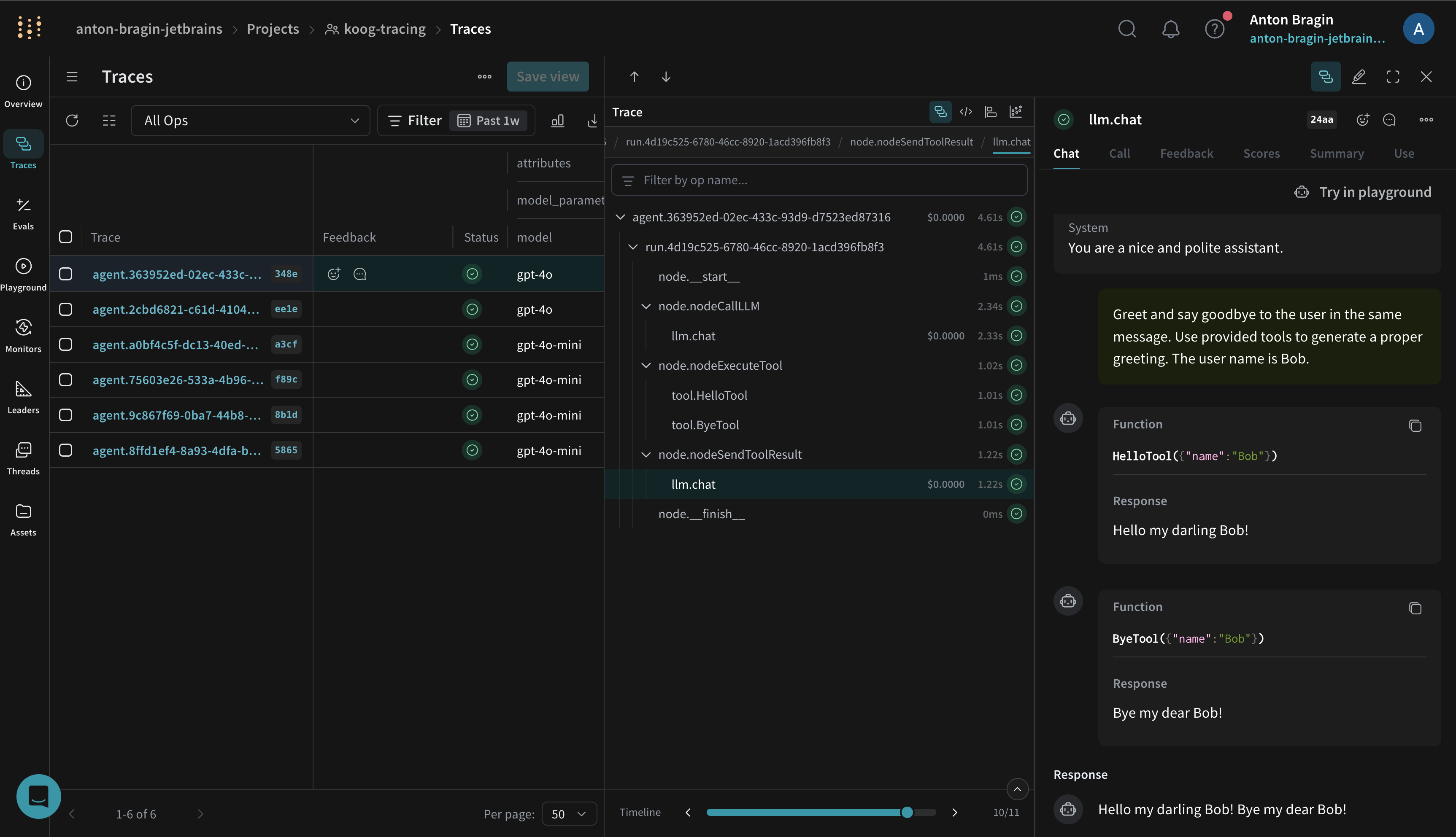
Koog is a Kotlin-based framework for building single-run and complex workflow agents. Koog includes built-in OpenTelemetry (OTEL) support and can export traces directly to Weave, giving you visibility into prompts, completions, tool calls, and end-to-end agent execution. This guide shows you how to configure Koog’s Weave exporter so your Kotlin agents forward OpenTelemetry spans to a Weave project. With the exporter enabled, you can debug agent runs, analyze performance, and iterate faster. This guide is for Kotlin developers who are already building agents with Koog and want to add Weave tracing.
Koog

Prerequisites

You must set the following environment variables before running your agent so the Weave exporter can authenticate and route traces to the correct project: Replace [YOUR-API-KEY] with your Weave API key and [YOUR-ENTITY] with your W&B team or entity name. The WEAVE_PROJECT_NAME value can be any project name. Weave creates the project on first use.
export WEAVE_API_KEY="[YOUR-API-KEY]"
export WEAVE_ENTITY="[YOUR-ENTITY]"
export WEAVE_PROJECT_NAME="koog-tracing"

Install Koog (Gradle)

With your environment variables in place, add Koog to your Kotlin project so you can configure the agent and its exporter (Kotlin DSL shown):
dependencies {
    implementation("ai.koog:koog-agents:LATEST_VERSION")
}
See Koog’s documentation for additional installation information.

Enable Weave export (OpenTelemetry)

After you install Koog, install Koog’s OpenTelemetry feature and add the Weave exporter. This maps Koog spans to Weave traces using Weave’s OpenTelemetry endpoint. The following example shows how to use the addWeaveExporter:
fun main() = runBlocking {
    val apiKey = "api-key"
    val entity = System.getenv()["WEAVE_ENTITY"] ?: throw IllegalArgumentException("WEAVE_ENTITY is not set")
    val projectName = System.getenv()["WEAVE_PROJECT_NAME"] ?: "koog-tracing"

    val agent = AIAgent(
        executor = simpleOpenAIExecutor(apiKey),
        llmModel = OpenAIModels.CostOptimized.GPT4oMini,
        systemPrompt = "You are a code assistant. Provide concise code examples."
    ) {
        install(OpenTelemetry) {
            addWeaveExporter()
        }
    }

    println("Running agent with Weave tracing")

    val result = agent.run("""
        Create a Python function to calculate fibonacci numbers efficiently,
        include error handling, type hints, and unit tests.
        Verify the implementation works for n=50.
    """)

    println("Result: $result\nSee traces on https://wandb.ai/$entity/$projectName/weave/traces")
}
The function automatically reads your Weave environment variables, but you can also configure specific parameters for the exporter, as in the following example:
install(OpenTelemetry) {
    addWeaveExporter(
        weaveOtelBaseUrl = "https://trace.wandb.ai",
        weaveEntity = System.getenv()["WEAVE_ENTITY"],
        weaveProjectName = System.getenv()["WEAVE_PROJECT_NAME"],
        weaveApiKey = System.getenv()["WEAVE_API_KEY"],
        timeout = 10.seconds
    )
}
The preceding example:
  • Uses weaveEntity and weaveProjectName to route traces to a specific team and project.
  • Sets weaveOtelBaseUrl to your trace endpoint (for example, https://[YOUR-SUBDOMAIN].wandb.io/[PATH]). Use the parameter for dedicated Weave instances.
If you’re new to using Koog with Weave, review the following documentation:

What gets traced

After you run an agent with the exporter enabled, Koog forwards traces to your Weave project. Koog’s Weave exporter captures the same spans as Koog’s general OTEL integration, including:
  • Agent lifecycle events (start, stop, errors)
  • LLM interactions (prompts, completions, token usage, latency)
  • Tool and API calls (function calls and external requests)
  • System context (model name, Koog version, environment metadata)
You can visualize these traces in the Weave UI to understand performance and quality. See Weave’s tracing overview for an introduction to capturing traces with Weave.

Example notebook

See Koog’s documentation for a runnable notebook that streams traces to Weave.

Troubleshooting

If your Koog agent isn’t exporting traces as expected, check the following:
  • If traces are missing, first verify that WEAVE_API_KEY, WEAVE_ENTITY, and WEAVE_PROJECT_NAME are set correctly.
  • Confirm your environment can reach https://trace.wandb.ai and that the exporter is configured as shown in the preceding examples.
  • For additional troubleshooting and sampling guidance, see Koog’s OpenTelemetry support.