

AgentChat), core multi-agent functionalities (Core), and integrations with external services (Extensions). AutoGen also provides a Studio for no-code agent prototyping. For more details, visit the official AutoGen documentation.
This guide assumes you have a basic understanding of AutoGen.
autogen_agentchat, autogen_core, and autogen_ext. This guide walks you through how to configure Weave with AutoGen and shows worked examples that cover model clients, agents with tools, group chats, memory, RAG workflows, agent runtimes, sequential workflows, and code executors. By the end, you can capture detailed traces of your AutoGen applications in Weave to debug agent behavior, monitor LLM usage, and understand how agents interact across complex workflows.
Prerequisites
Before you begin, you must have AutoGen and Weave installed. You also need any SDKs for the LLM providers you intend to use (for example, OpenAI or Anthropic).Basic setup
Initialize Weave at the beginning of your script to start capturing traces. After you initialize Weave, it automatically instruments AutoGen calls in the rest of your script.autogen-demo project, and Weave automatically captures any subsequent AutoGen activity from your script.
Traces for a model client
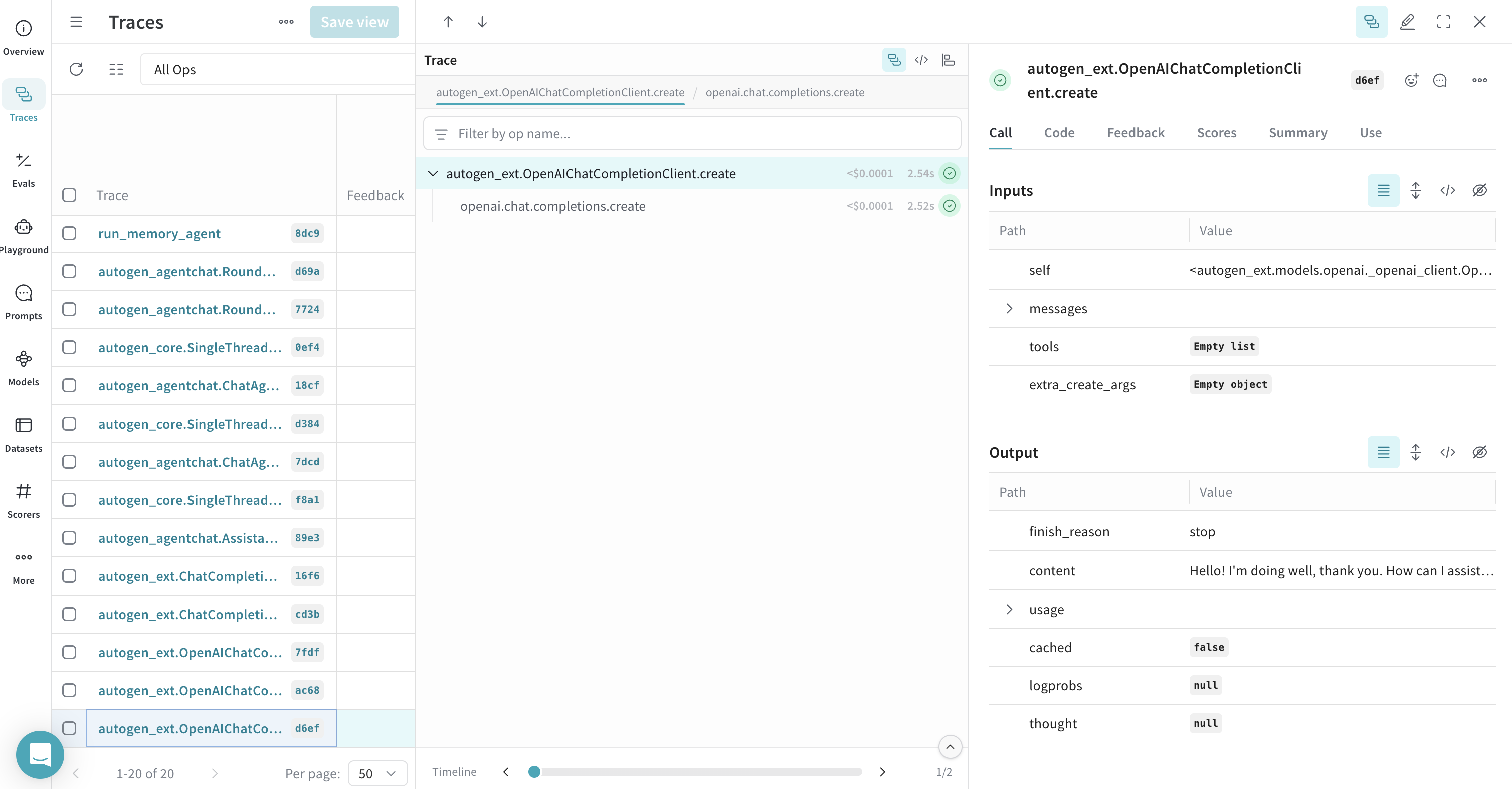
The following sections describe how Weave traces calls made directly to model clients within AutoGen, including single calls, streamed responses, and cached responses.Traces for a client create call
This example demonstrates tracing a call to anOpenAIChatCompletionClient.
Traces for a client create call with streaming
Weave also supports tracing streamed responses.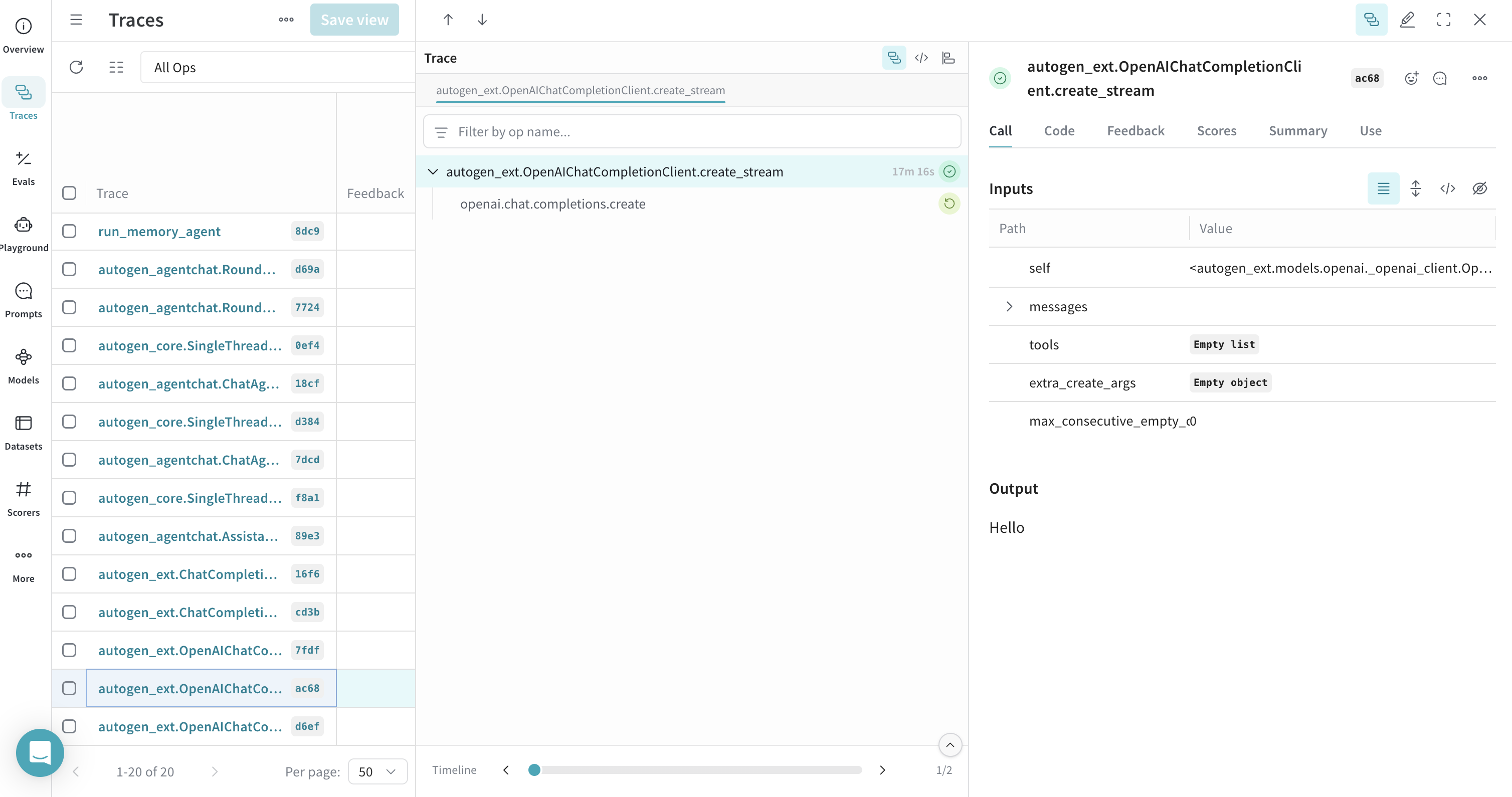
Traces for cached client calls
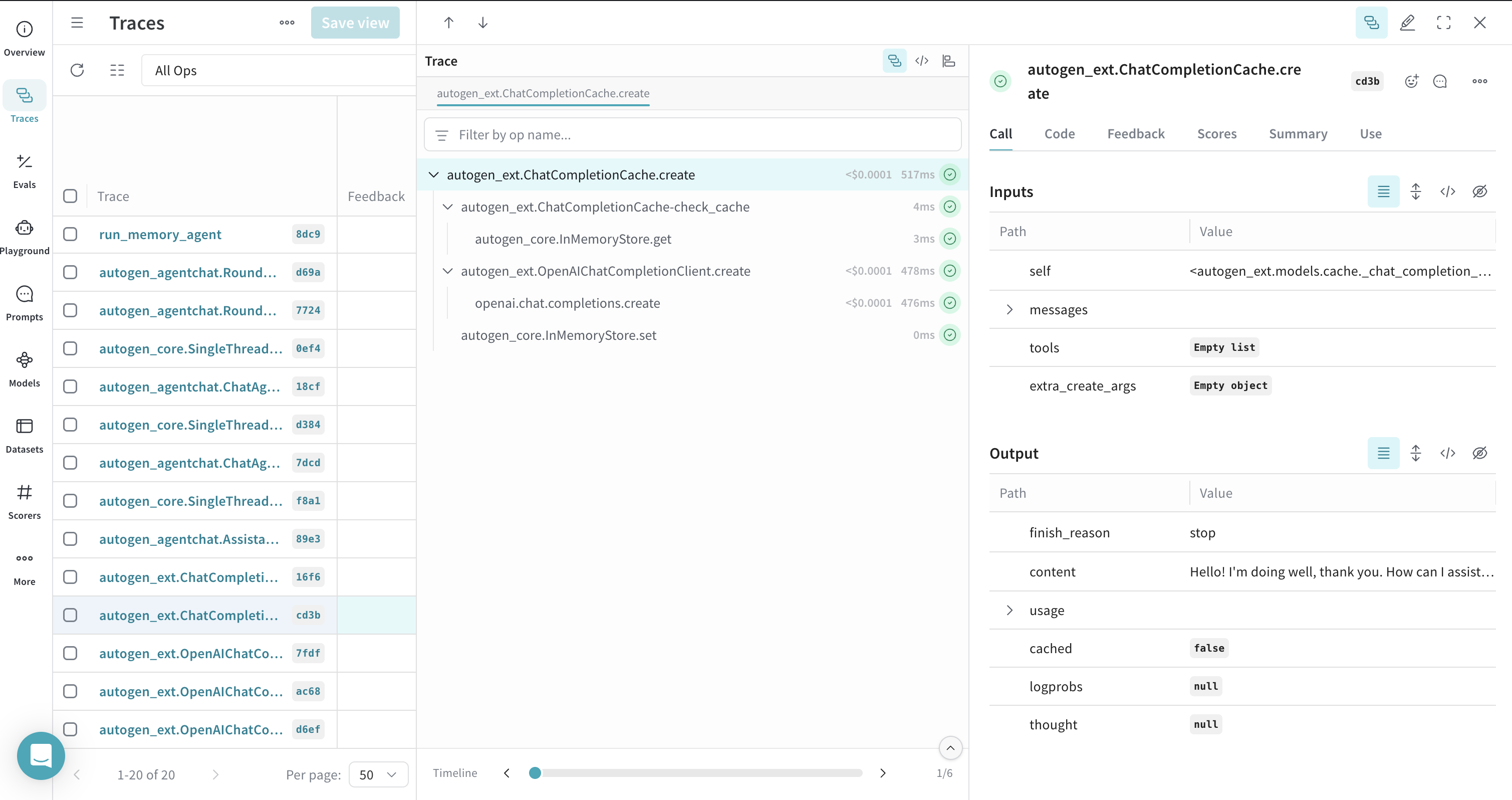
You can use AutoGen’sChatCompletionCache, and Weave traces these interactions to show whether a response came from the cache or a new call.
Traces for an agent with tool calls
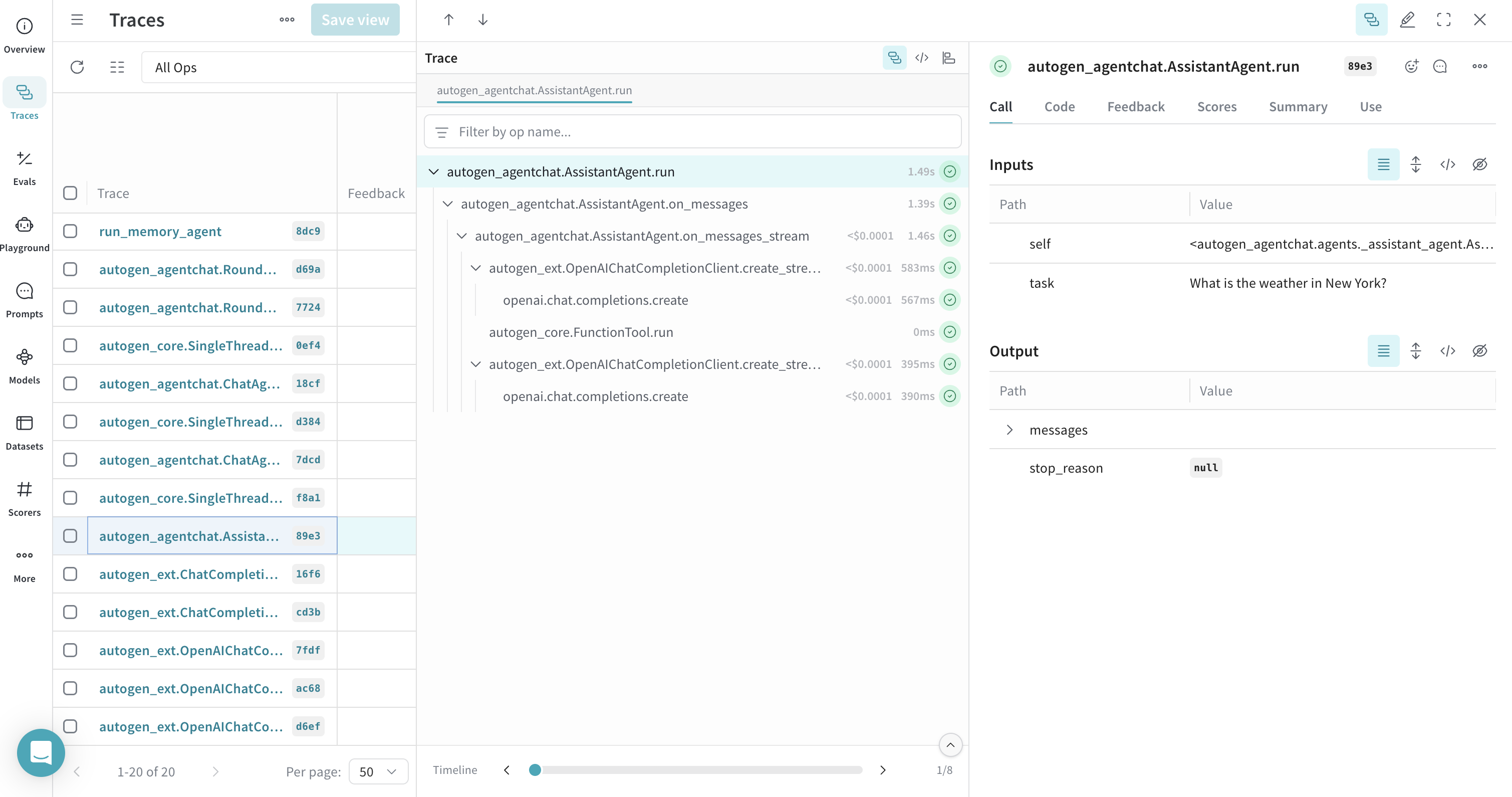
This section shows how Weave traces agents and their tool usage to give you visibility into how agents select and execute tools. The following example defines a weather tool and attaches it to anAssistantAgent.
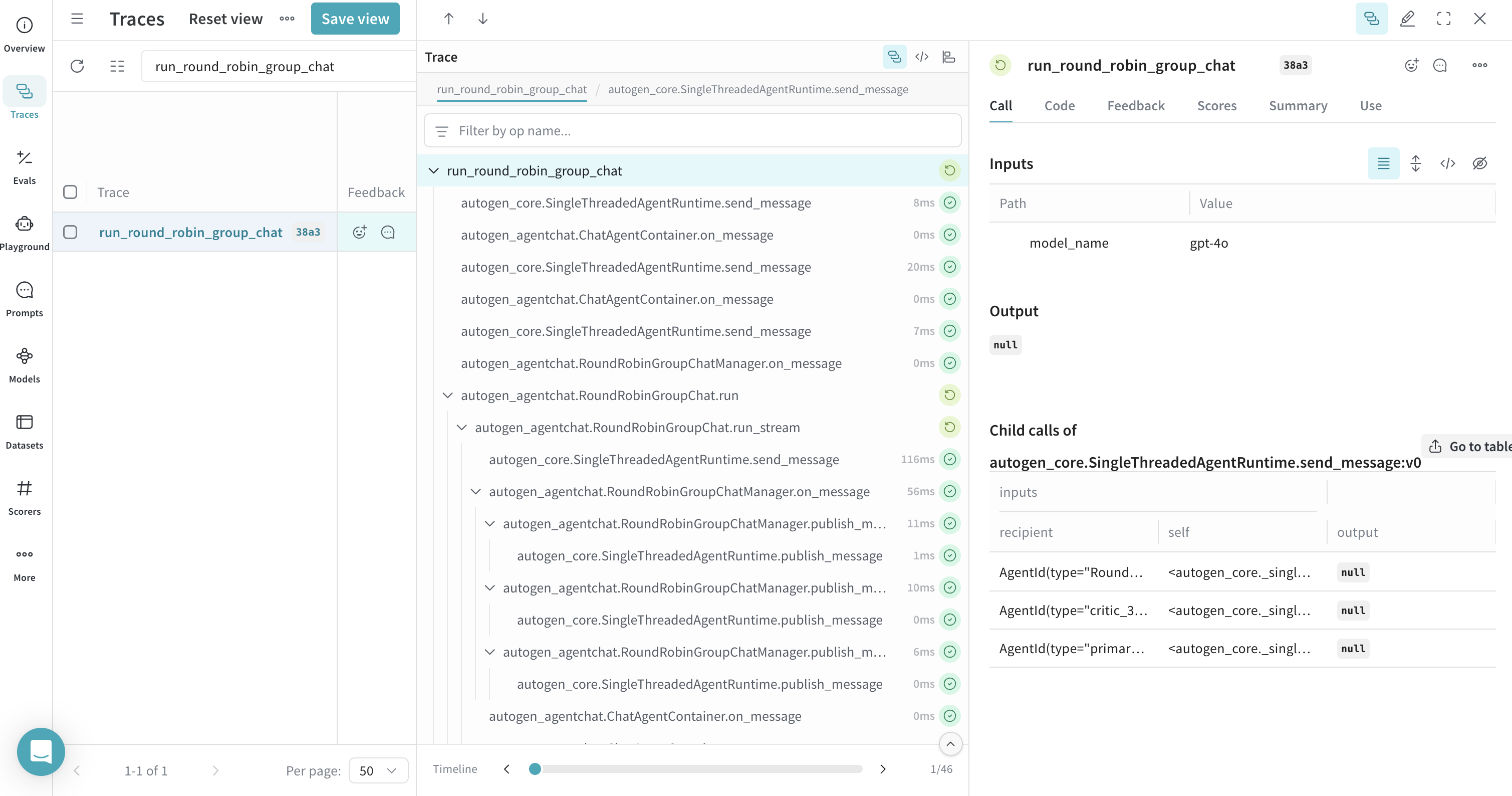
Traces for a round-robin GroupChat
Weave traces interactions within group chats, such asRoundRobinGroupChat, so you can follow the conversation flow between agents. To group all agent turns under a single parent trace for streamlined inspection, wrap the group chat function with @weave.op. This step is optional but recommended.
Traces for memory
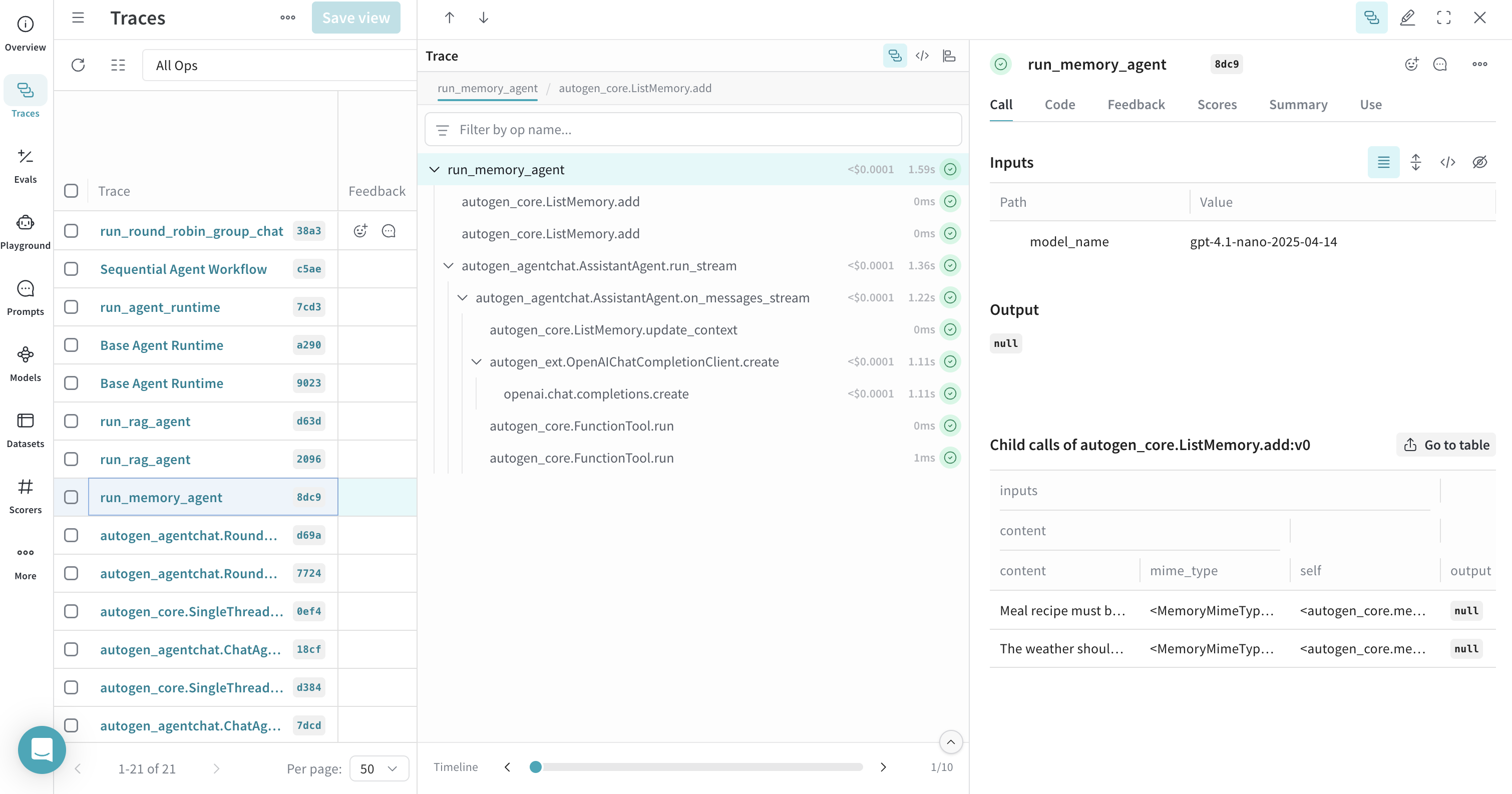
Weave can trace AutoGen’s memory components. Use@weave.op() to group memory operations under a single trace for better readability, so that memory add and retrieval calls appear together with the agent run that uses them.
Traces for RAG workflows
Weave can trace Retrieval Augmented Generation (RAG) workflows, including document indexing and retrieval with memory systems likeChromaDBVectorMemory. To visualize the entire flow so that indexing, retrieval, and the resulting LLM call appear together in a single trace, decorate the RAG process with @weave.op().
The RAG example requires
chromadb. Install it with pip install chromadb.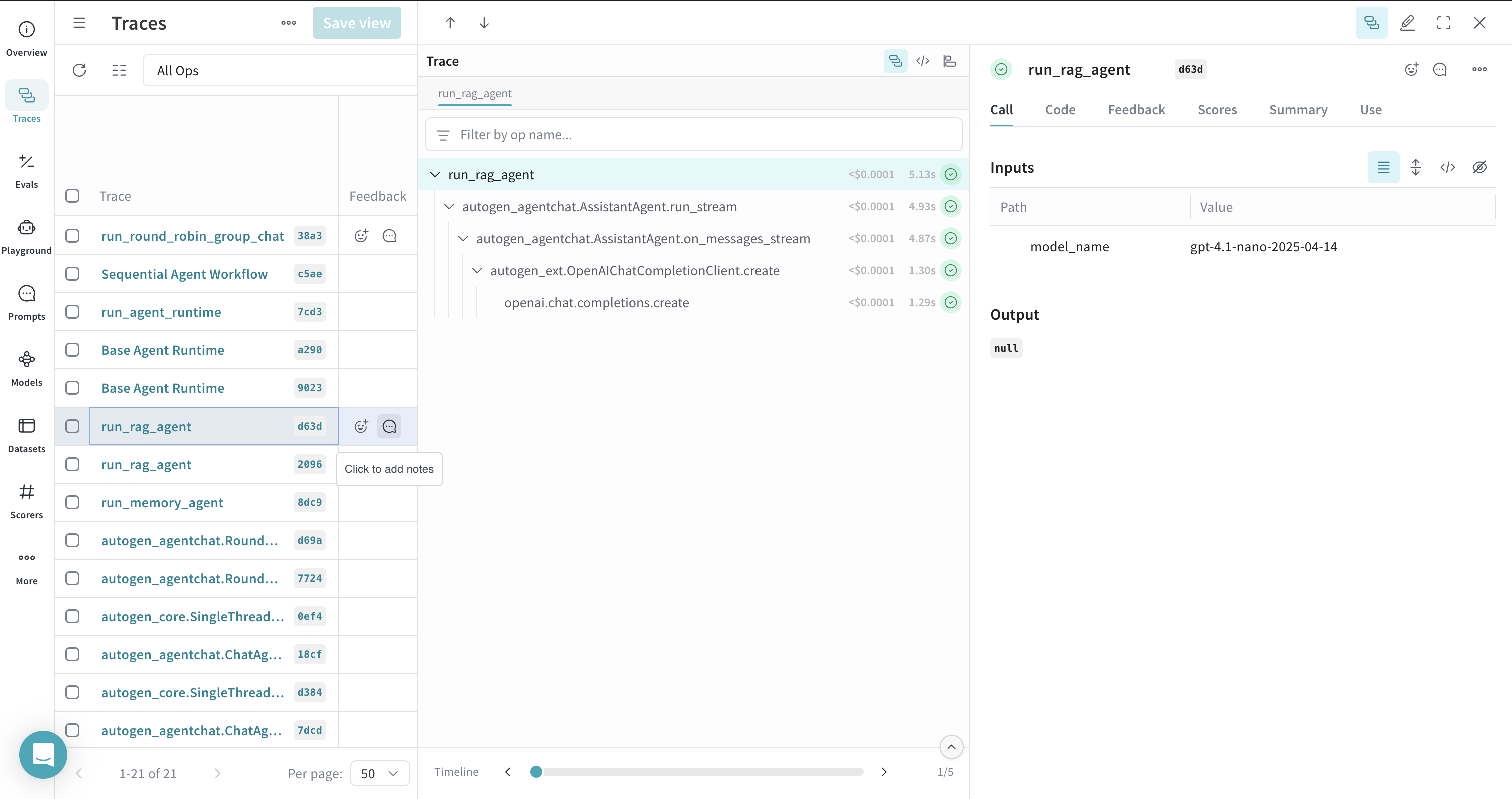
Traces for agent runtimes
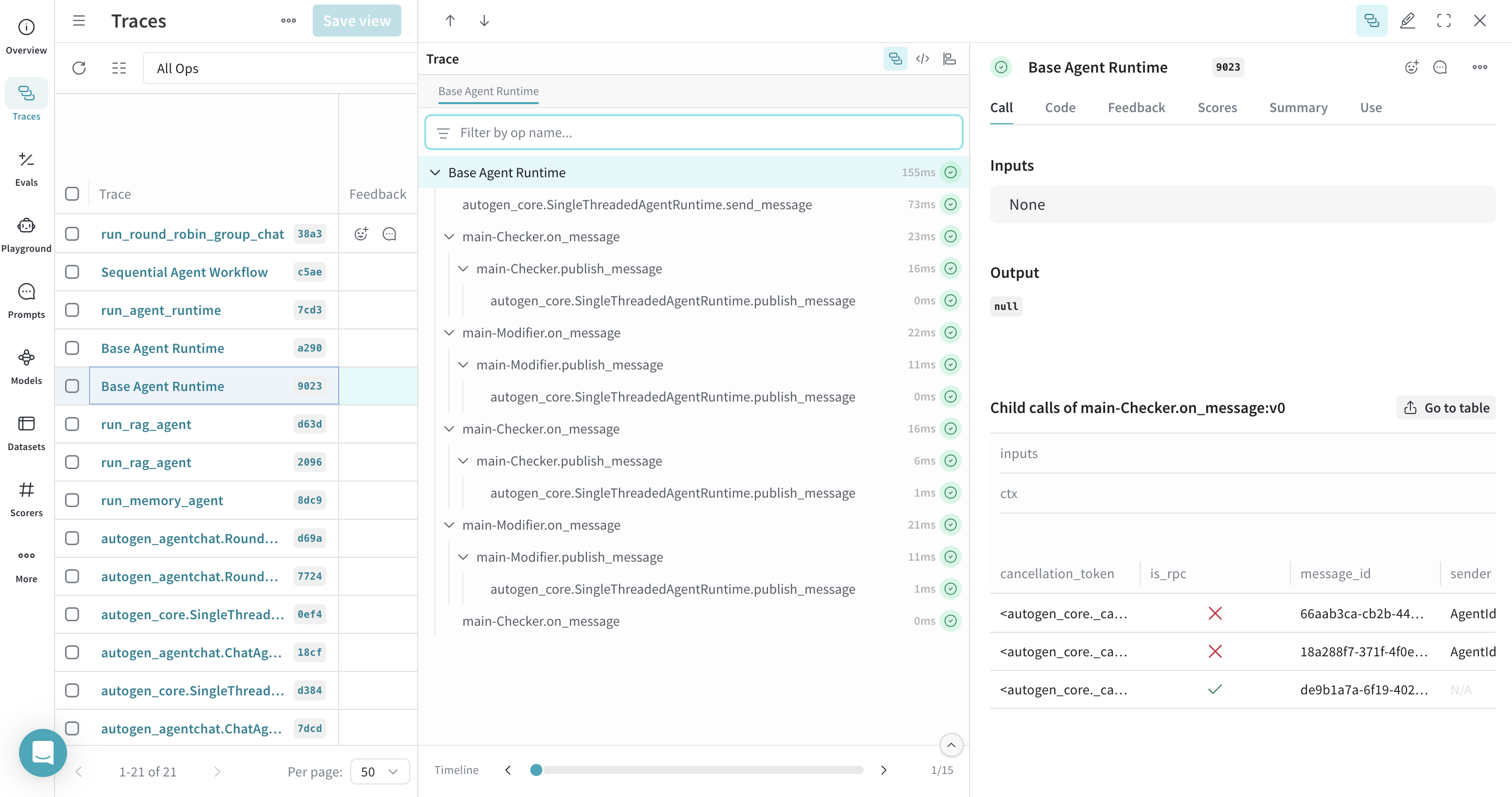
Weave can trace operations within AutoGen’s agent runtimes, likeSingleThreadedAgentRuntime. Wrap the runtime execution function with @weave.op() to group related traces so you can see the full sequence of message handlers that fire during a runtime run.
Traces for sequential workflows
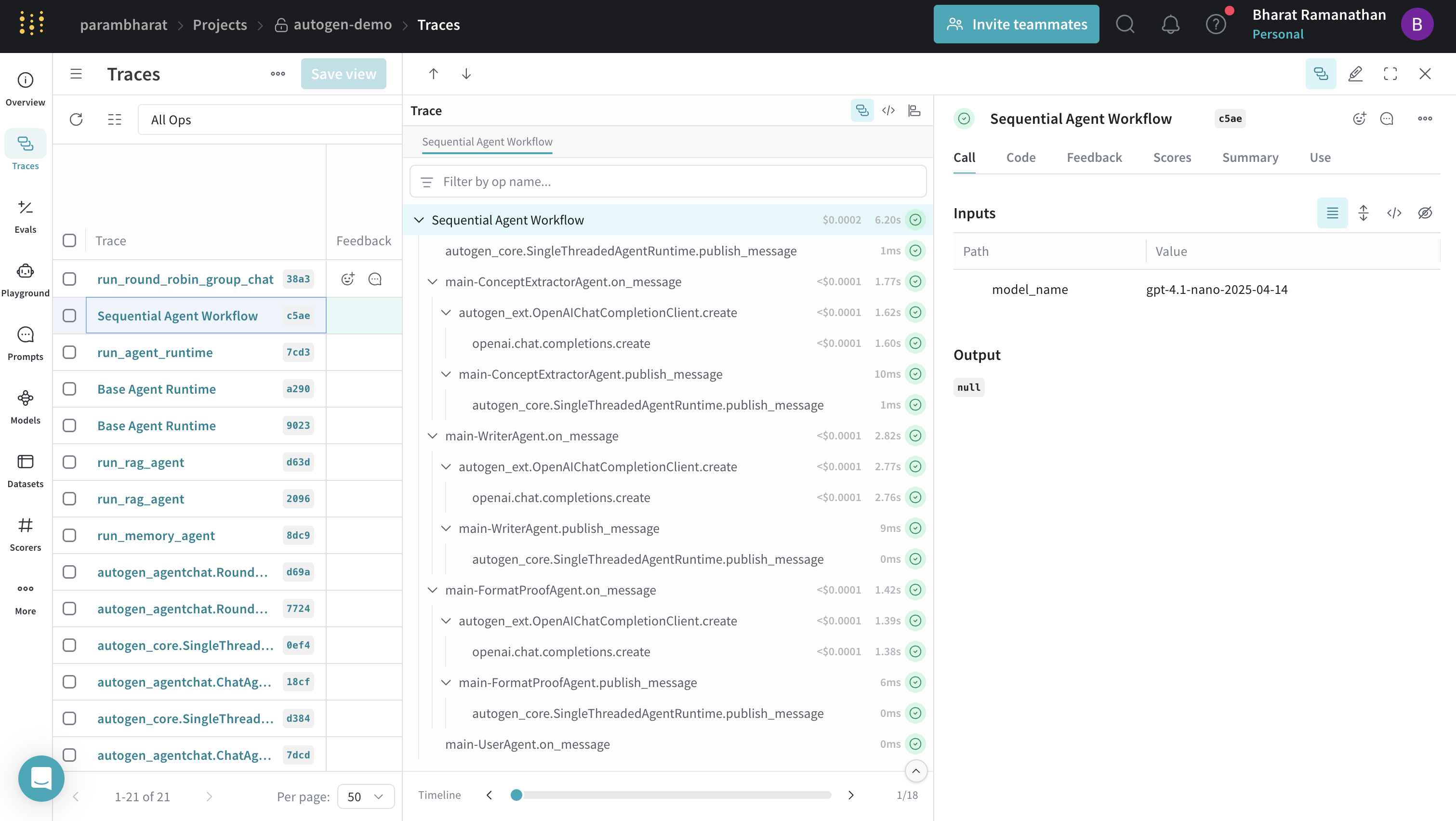
You can trace complex agent workflows that define sequences of agent interactions. Use@weave.op() to provide a high-level trace for the entire workflow so that each agent’s contribution is nested under a single parent call. The following example chains a concept extractor, a writer, a format-and-proof agent, and a user agent to produce a polished marketing copy.
Traces for code executors
Weave traces the generation and execution of code by AutoGen agents. You can inspect both the code an assistant agent produces and the output an executor agent returns when that code runs.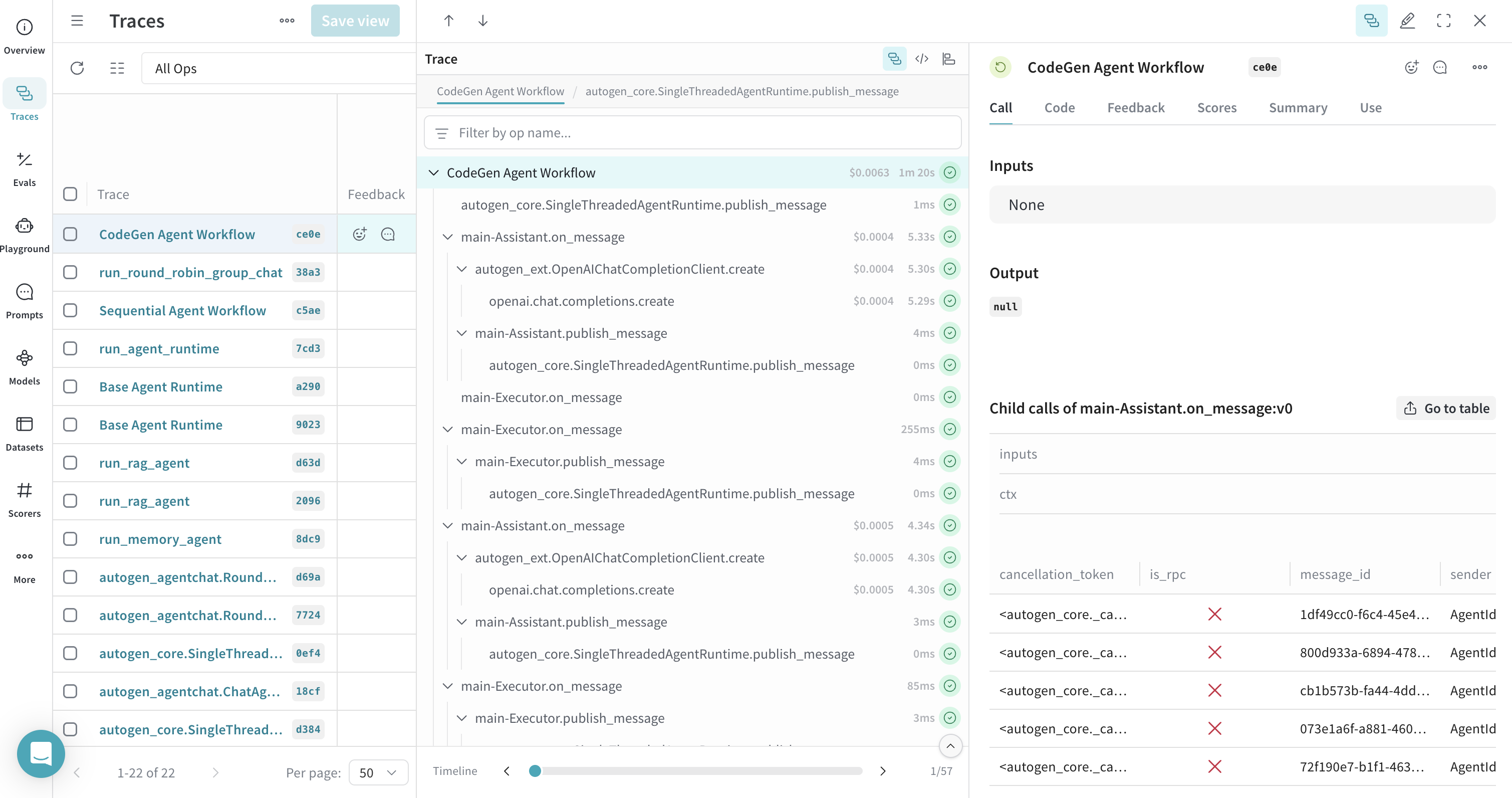
Learn more
Read the following guides to get a better understanding of Weave tracing and Ops.- Weave:
- AutoGen: