

Prerequisites
Before you can send traces to Weave, you must install the OTEL dependencies and configure an OTEL exporter. Install the required OTEL dependencies:Configure OTEL tracing in Weave
To send traces from PydanticAI to Weave, configure OTEL with aTracerProvider and an OTLPSpanExporter. Set the exporter to the correct endpoint and HTTP headers for authentication and project identification.
Store sensitive environment variables like your API key and project info in an environment file (for example, .env), and load them using os.environ. This keeps your credentials secure and out of your codebase.
Required configuration
- Endpoint:
https://trace.wandb.ai/otel/v1/traces - Headers:
Authorization: Basic auth using your W&B API key.project_id: Your W&B entity and project name (for example,myteam/myproject).
Example setup
The following code snippet demonstrates how to configure an OTLP span exporter and tracer provider to send OTEL traces from a PydanticAI application to Weave.tracer_provider that can be passed to PydanticAI agents to route their OTEL traces to Weave.
Trace PydanticAI agents with OTEL
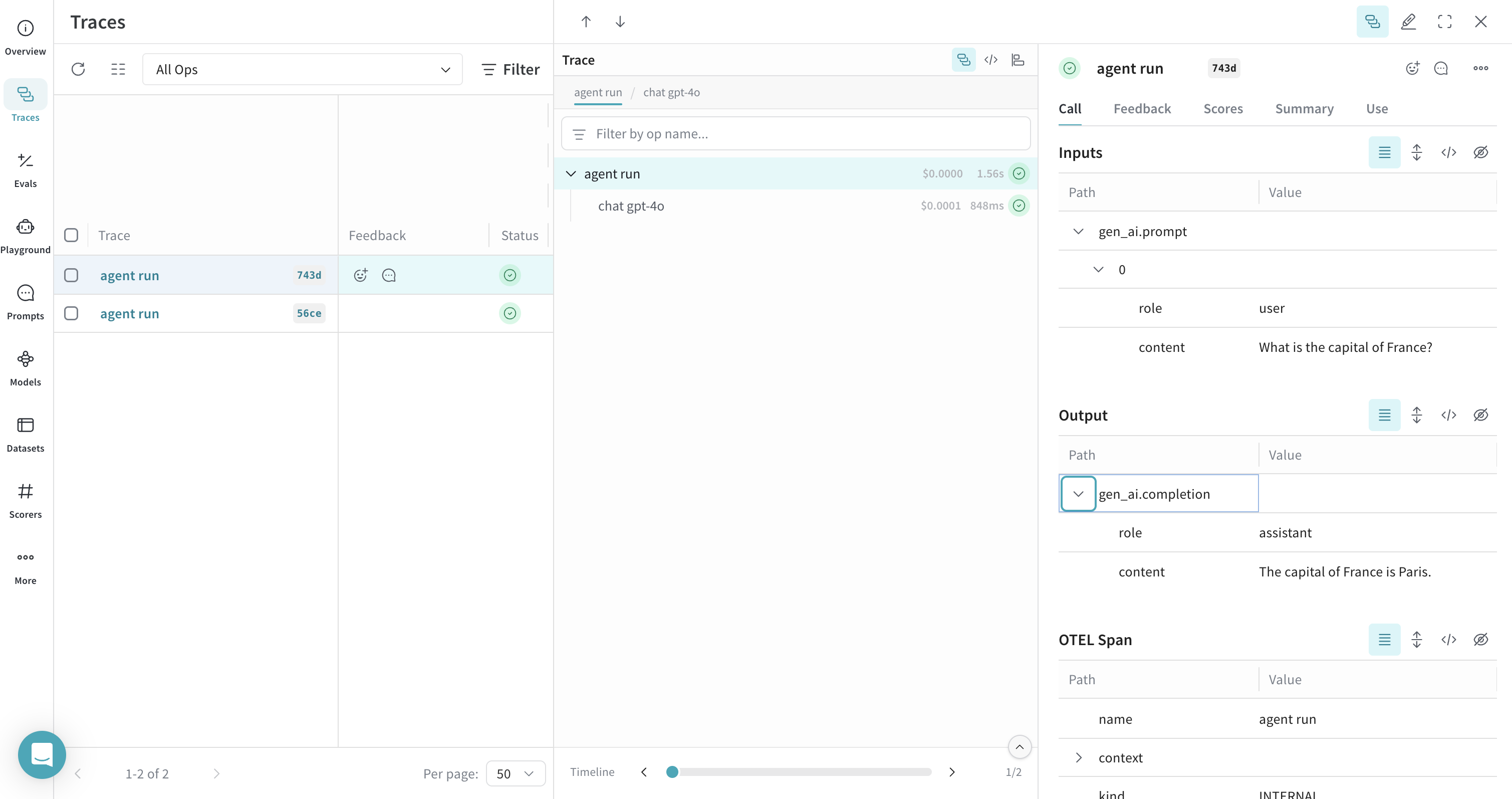
To trace your PydanticAI agents and send trace data to Weave, pass anInstrumentationSettings object configured with your tracer provider to the Agent constructor. This ensures that all agent and tool calls are traced according to your OTEL configuration.
The following example shows how to create a basic agent with tracing enabled. The key step is setting the instrument argument when initializing the agent:
Trace PydanticAI tools with OTEL
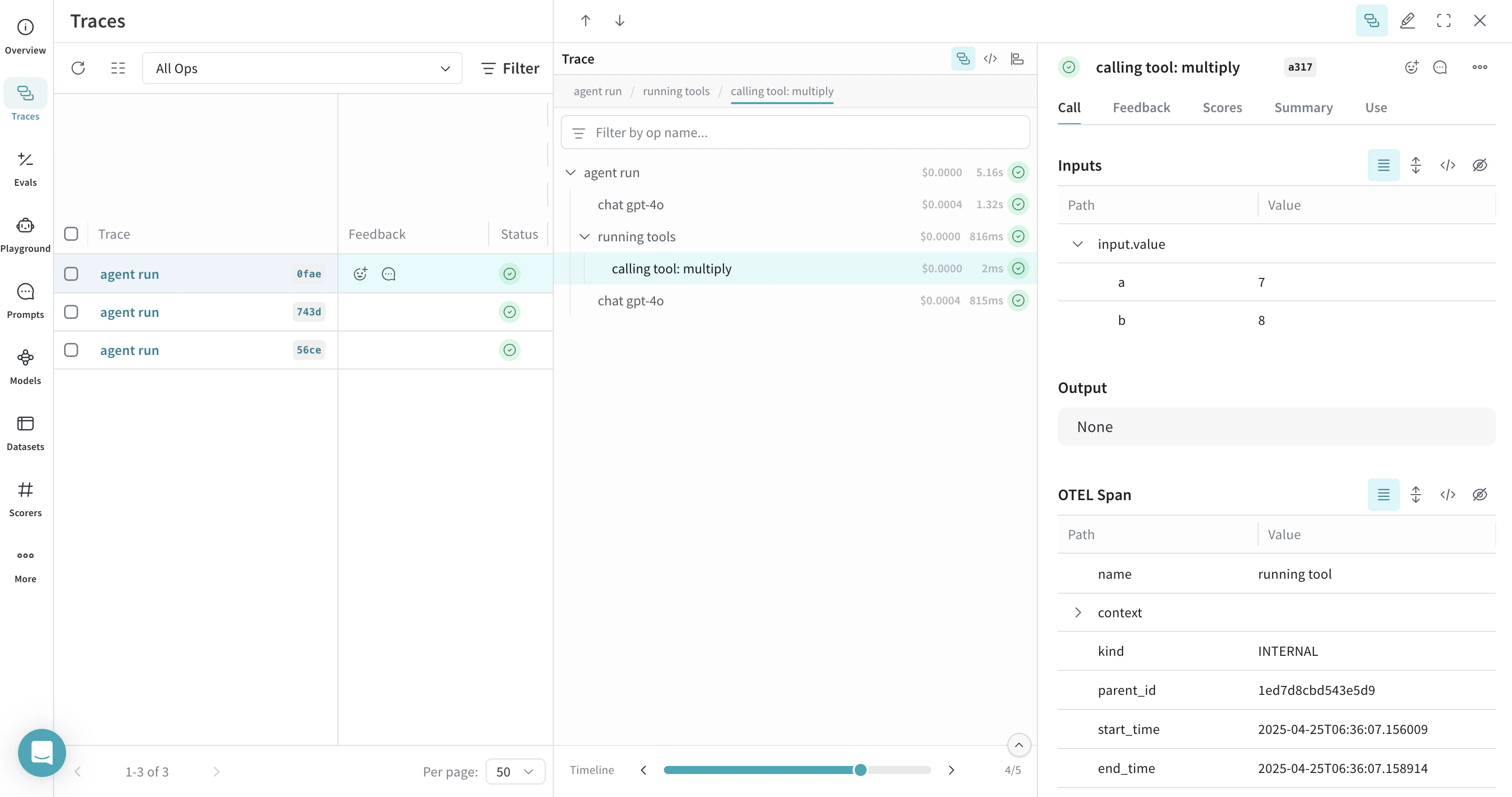
Weave can trace any PydanticAI operations that are instrumented with OTEL, including both agent and tool calls. This means that when your agent invokes a tool (for example, a function decorated with@agent.tool_plain), the entire interaction is captured and visualized in Weave, including tool inputs, outputs, and the model’s reasoning.
The following example shows how to create an agent with a system prompt and a tool. Tracing is enabled automatically for both the agent and the tool:
Instrument all agents by default
To apply OTEL tracing to all PydanticAI agents in your application, use theAgent.instrument_all() method. This sets a default InstrumentationSettings instance for any agent that doesn’t explicitly specify the instrument parameter.