

Get started
To get started, callweave.init() at the beginning of your script. This initializes Weave and starts capturing traces for any LlamaIndex calls that follow. The argument in weave.init() is a project name that helps you organize your traces.
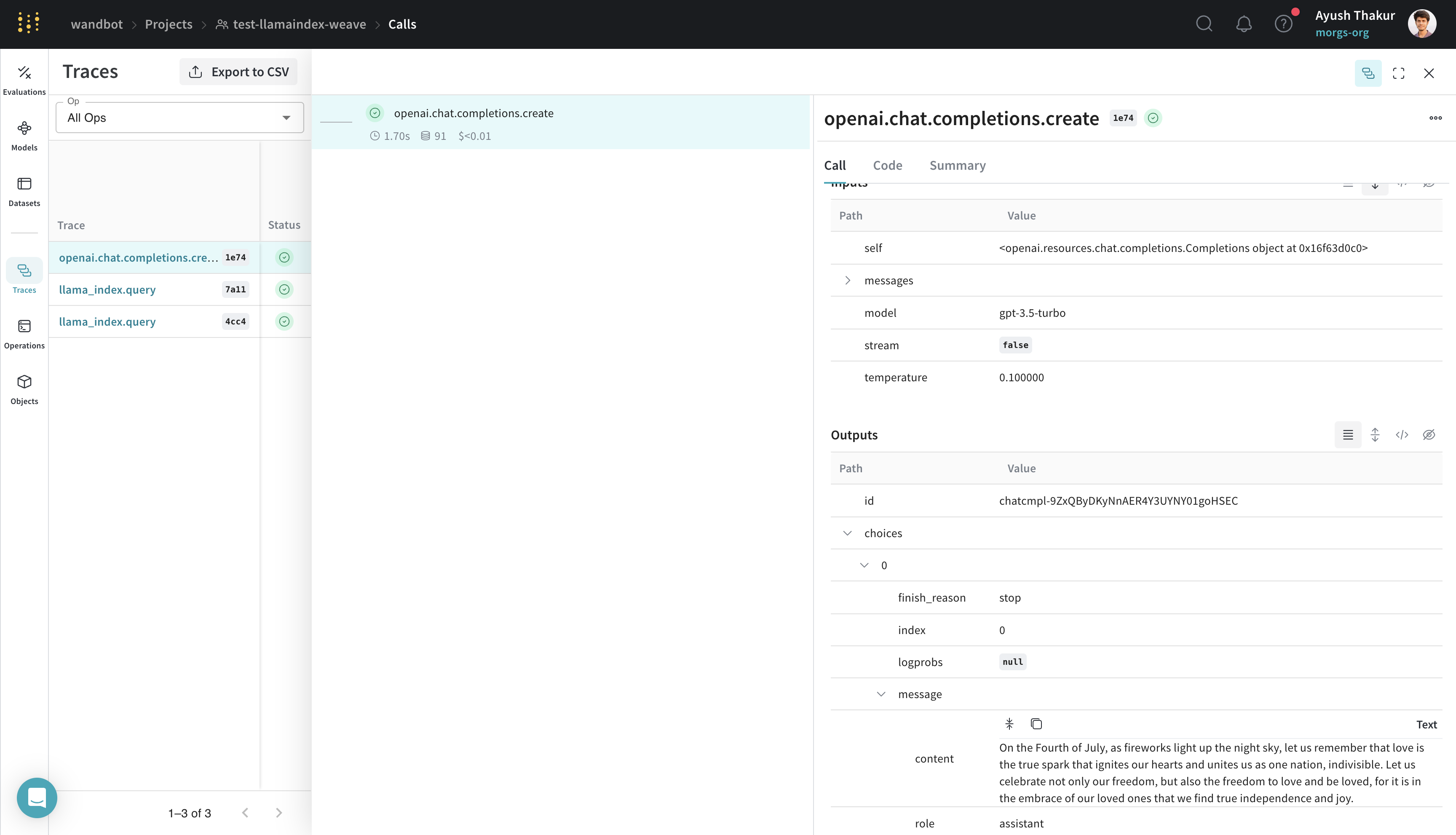
Traces
This section explains how Weave captures multi-step LlamaIndex workflows like RAG pipelines. LlamaIndex is known for its ease of connecting data with LLMs. A basic RAG application requires an embedding step, a retrieval step, and a response synthesis step. As complexity grows, it becomes important to store traces of individual steps in a central database during both development and production. These traces are essential for debugging and improving your application. Weave automatically tracks all calls made through the LlamaIndex library, including prompt templates, LLM calls, tools, and agent steps. You can view the traces in the Weave web interface. The following example shows a basic RAG pipeline from LlamaIndex’s Starter Tutorial (OpenAI):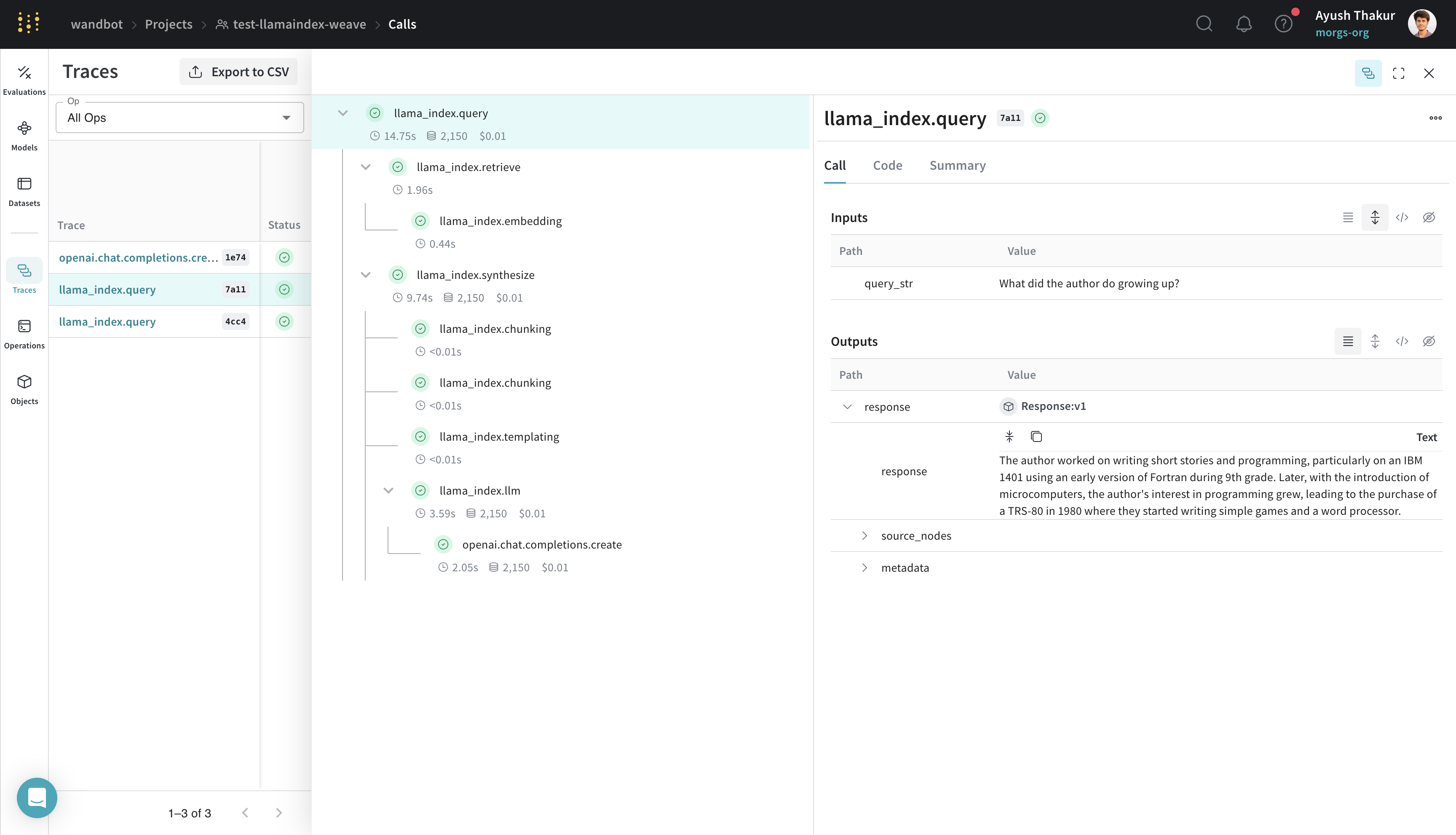
One-click observability
This section explains how the Weave integration plugs into LlamaIndex’s built-in observability system, so you don’t have to configure handlers manually. LlamaIndex provides one-click observability to let you build principled LLM applications in a production setting. The Weave integration uses this capability of LlamaIndex and automatically setsWeaveCallbackHandler() to llama_index.core.global_handler. As a user of LlamaIndex and Weave, you only need to initialize a Weave run with weave.init([NAME_OF_PROJECT]).
Create a Model for easier experimentation
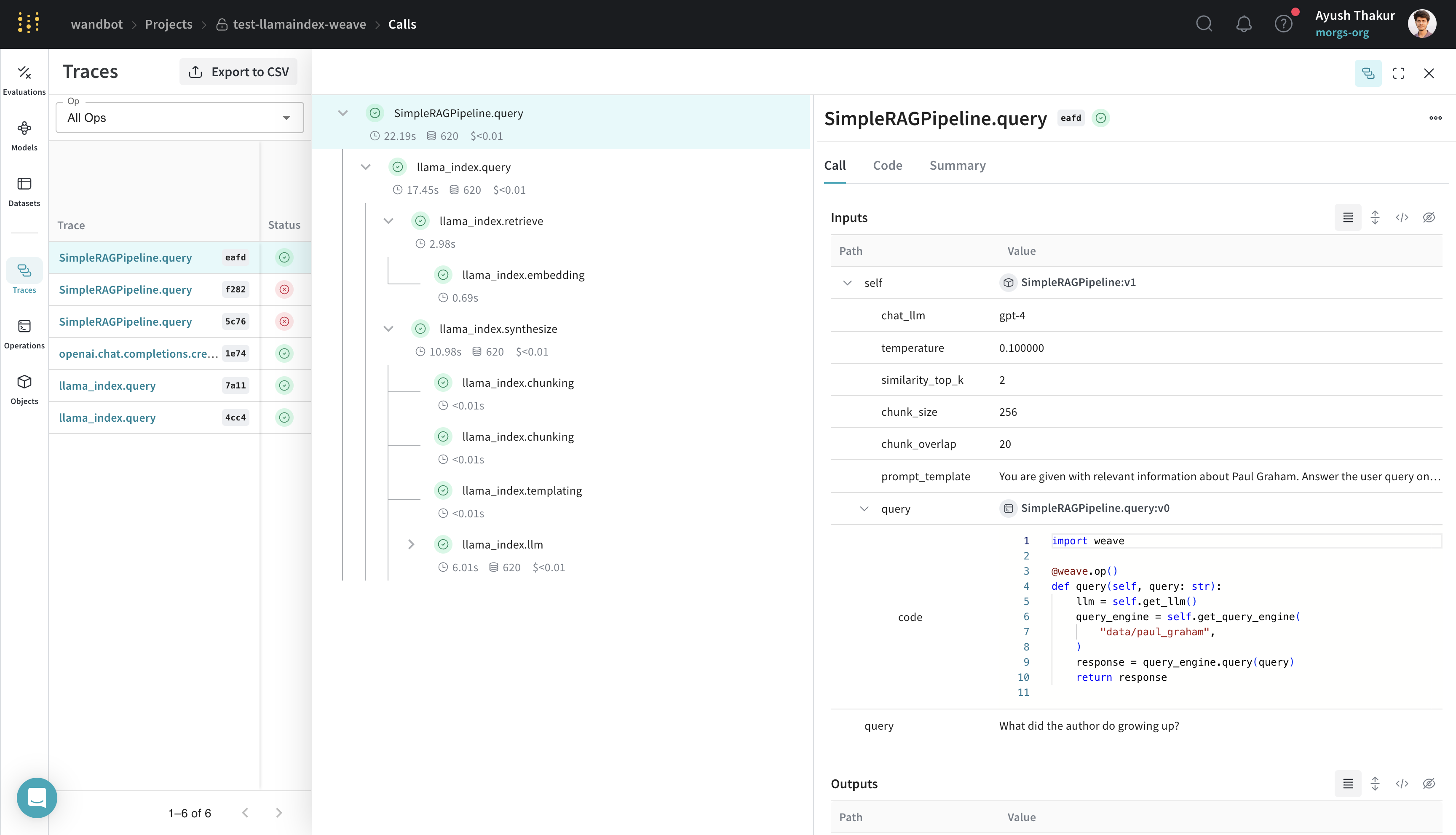
Organizing and evaluating LLMs in applications for various use cases is challenging when you have multiple components such as prompts, model configurations, and inference parameters. With weave.Model, you can capture and organize experimental details like system prompts or the models you use, which helps you compare different iterations.
The following example shows how to build a LlamaIndex query engine in a WeaveModel, using data that you can find in the weave/data folder:
SimpleRAGPipeline class subclassed from weave.Model organizes the important parameters for this RAG pipeline. Decorating the query method with weave.op() enables tracing. With this structure in place, you can now version, compare, and evaluate different configurations of your RAG pipeline in Weave.
Evaluate with weave.Evaluation
This section shows how to measure your model’s performance on a fixed dataset so you can compare iterations quantitatively.
Evaluations help you measure the performance of your applications. With the weave.Evaluation class, you can capture how well your model performs on specific tasks or datasets, which helps you compare different models and iterations of your application. The following example shows how to evaluate the model created in the previous section:
weave.Evaluation requires an evaluation dataset, a scorer function, and a weave.Model. These requirements apply to the three key components:
- The keys of the evaluation sample dicts must match the arguments of the scorer function and of the
weave.Model’spredictmethod. - The
weave.Modelmust have a method namedpredict,infer, orforward. You must decorate this method withweave.op()for tracing. - The scorer function must be decorated with
weave.op()and must haveoutputas a named argument.
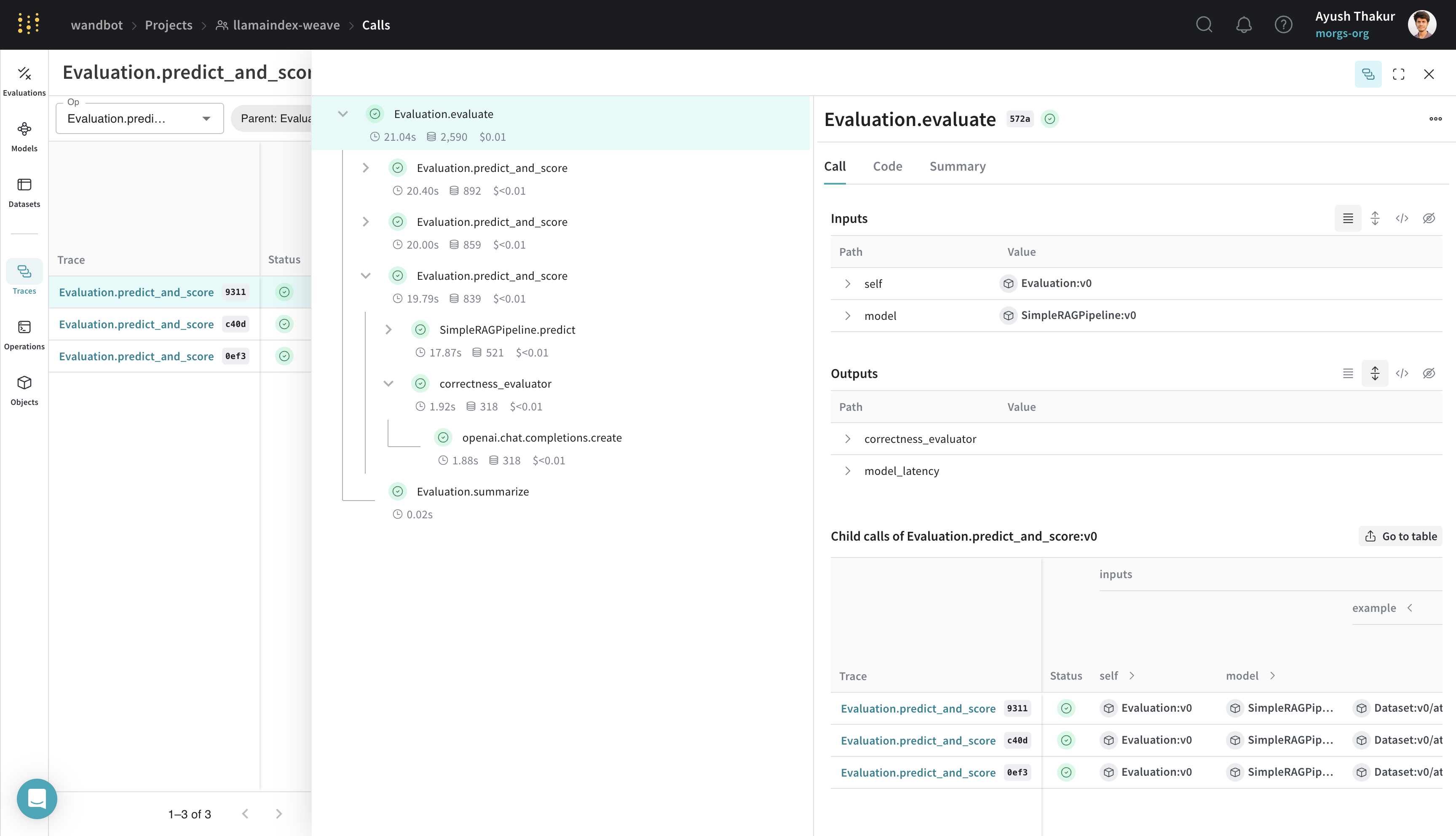 By integrating Weave with LlamaIndex, you can ensure comprehensive logging and monitoring of your LLM applications, which streamlines debugging and performance optimization through evaluation.